AirCheck Wi-Fi Tester
Users Manual
90
About Files on the Tester
The tester saves data in XML (Extensible Markup Language)
format. The data in XML files includes identification tags.
Software that can read the tags can use the data. For
example, a web browser that can read the tags can show
XML files on a web page.
The tester makes these types of XML files (default
filenames):
•
DEVICE.XML: This file contains the information shown
when you select Tools > View AirCheck Information.
•
CURRENT.ACP: This file contains a copy of the current
profile. It also contains changes you made to settings
on the tester since you saved or loaded the profile.
•
SNXXXXXX.ACS: Session files contain information
about wireless networks. See
“Locate an Access Point
or a Client” on page 80. AirCheck Manager uses session
files to create session reports.
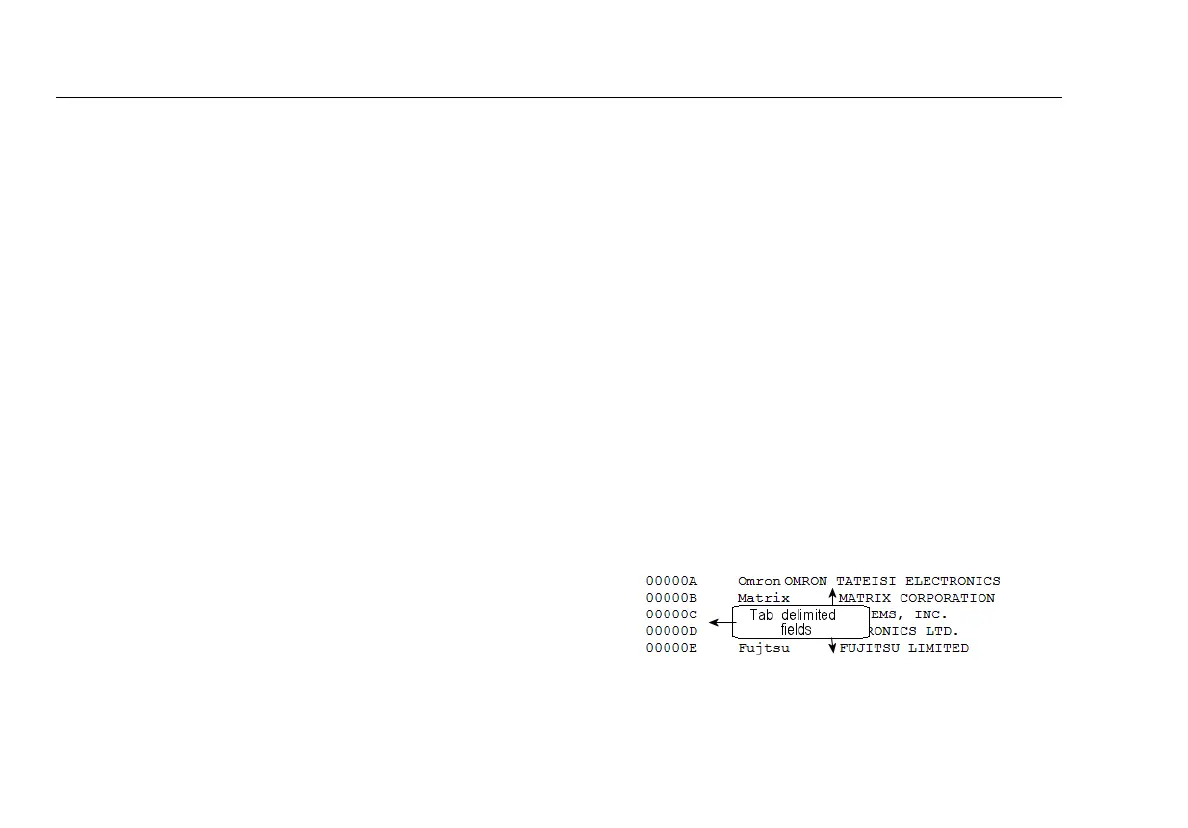
The text file
oui_abbr.txt
contains abbreviations for the
names of manufacturers who make interface devices for
networks. The tester uses the abbreviations as prefixes for
MAC addresses.
To load the latest list of vendor prefixes into the tester
1
Start the latest version of AirCheck Manager on your PC,
then connect the tester to the PC.
2
Select AirCheck > Update Software, then select the
Vendor MAC Prefix File tab.
3
Click Update from file, select the prefix file
(oui_abbr.txt), then click Open.
If there is a newer list on the Fluke Networks website that is
not included in the latest version of AirCheck Manager,
copy the file to the “VendorPrefix” folder under AirCheck
Manager (on your PC). Then, do the steps given above to
load the list into the tester.
If you wish to manually add vendor prefixes into the
oui_abbr.txt file, use Microsoft WordPad, and preserve the
tab delimited fields.
ffy44.bmp
Figure 28. oui_abbr.txt File



 To Next Page