EasyManua.ls Logo

Fluke VIBXPERT 3 - Introduction; How to Use the On-Board Help

Fluke VIBXPERT 3
125 pages
Print Icon
To Next Page IconTo Next Page
To Previous Page IconTo Previous Page
Loading...
Introduction
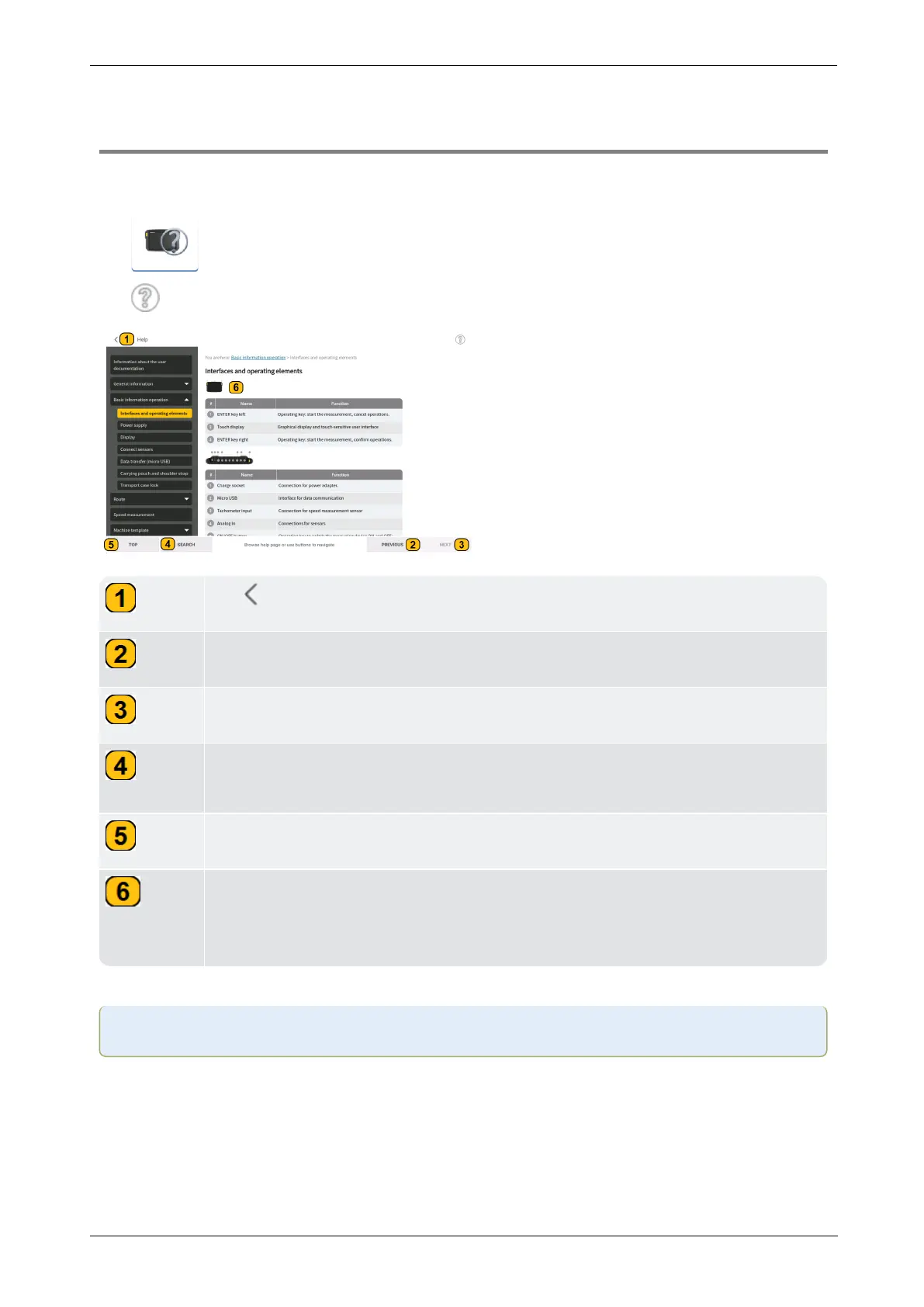
How to use the on-board help
Tap the start screen Help icon to access the on-board help.
Tap on any screen to access context sensitive help for the specific screen.
Tap to return to previous screen in the given path.
Tap PREVIOUS to go back to last help page visited.
Tap NEXT to go forward with visited help pages.
Tap SEARCH for a full-text search. A search field together with an onscreen
keyboard appears.
Tap TOP to return to the beginning of the help page.
Throughout this on-board help, image thumbnails have been used. Tap the
image thumbnail to enlarge the image for better viewing.
To zoom out and proceed, tap the enlarged image.

Note:Scroll to the bottom of the page to access other related topics wherever used.
10 Version:1.0
On-board help

Table of Contents

Related product manuals