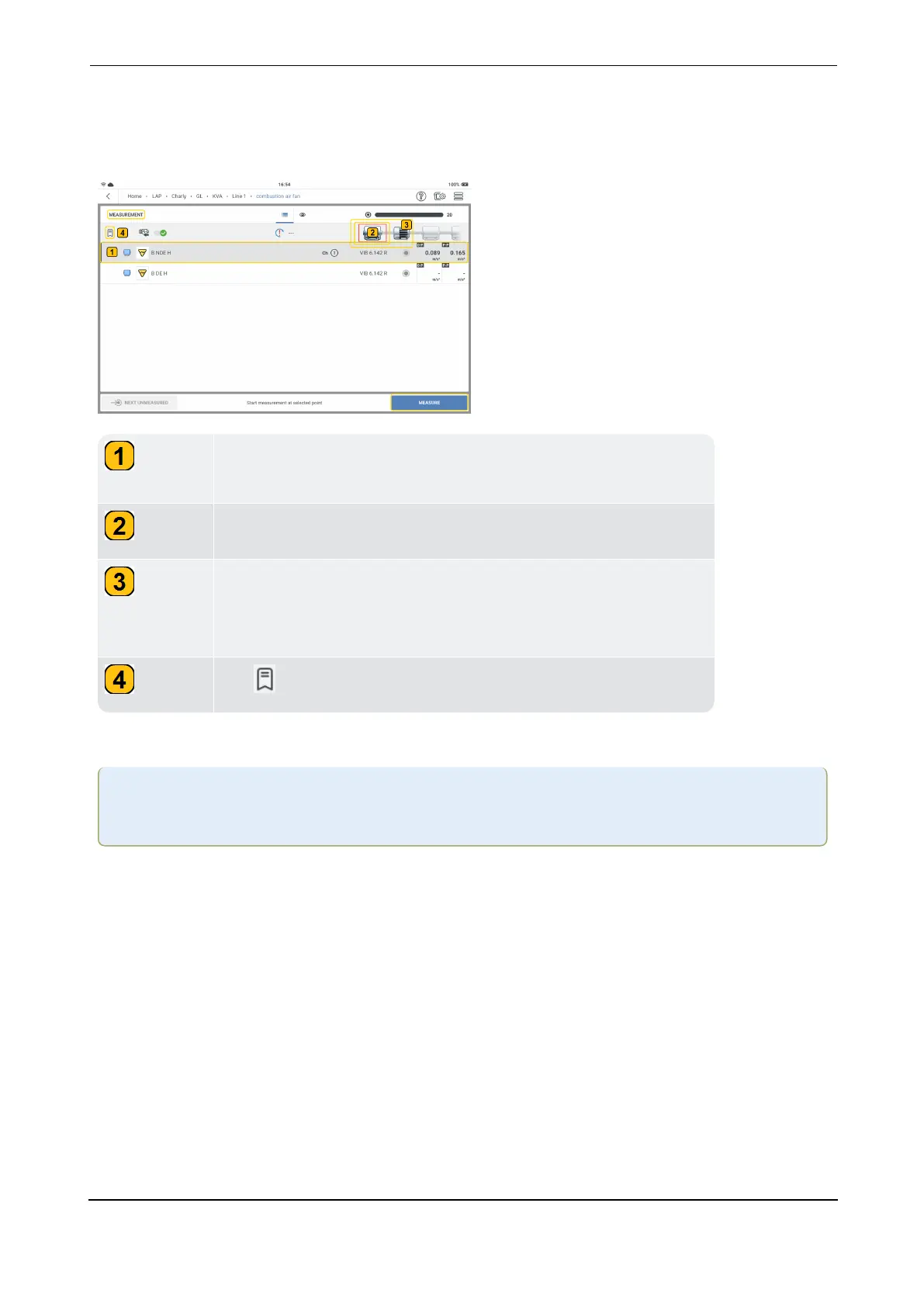
Measure the route
Navigate to necessary measure location.
Shows location to be measured, parameter to be measured,
and type of sensor to be connected to channel 1 on the device.
Shows machine whose measure locations are currently listed.
Shows machines to be measured. Tap the next machine to
show its measure locations. The red rectangle will then move
to this machine.
Tap to shown machine measure history.
Start to measure
Warning:If the sensor cable is tangled to a running machine, serious injury can result.
Always keep the sensor cable away from rotating parts.
l
With sensor attached to measure location as required, connect the sensor cable to the
applicable port on the device.
l
Tap the measure location on the measurement screen.
l
With the location highlighted, tap MEASURE or press either ENTER button (the two yel-
low buttons on the side of the edge of the device) to measure selected location. After loc-
ation has been measured, next location on the asset is automatically selected.
l
Repeat the measure procedure for all route measure locations on the asset. When all
required locations on the asset have been measured, the next asset on the route is auto-
matically selected.
l
Repeat the measure procedure for all assets on the route.
VIBXPERT 3 81
On-board help



 To Next Page