Task templates
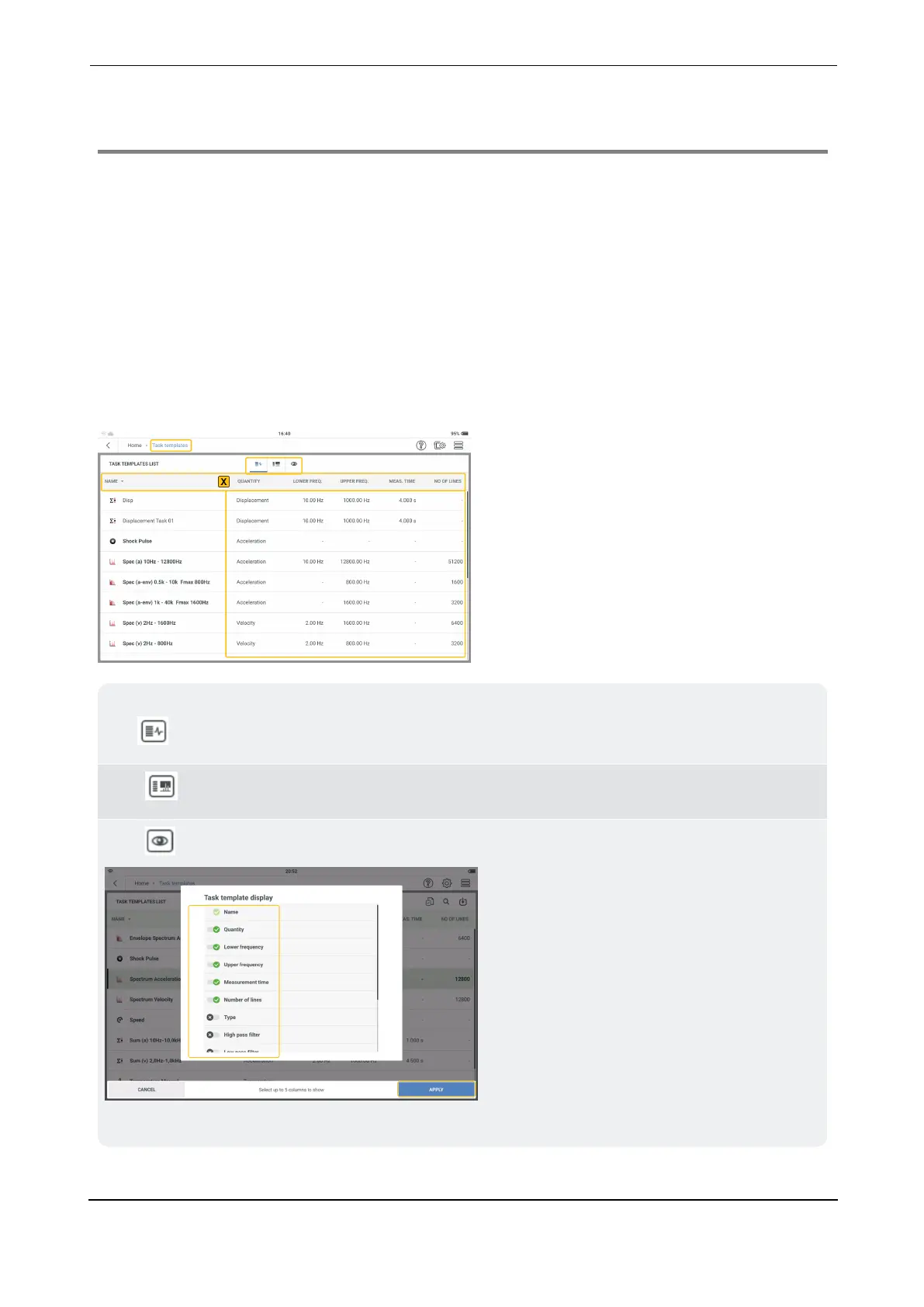
Use task templates screen to:
l
show all available measure task, alarm and band templates
l
create user defined measure task, alarm and band templates
l
delete user defined measure task, alarm and band templates
Note: System measure task, alarm and band templates cannot be deleted.
l
set number of columns and column items to be shown
Note: Tap any item in the headings bar (X) to sort the templates in ascending or des-
cending order.
Tap to see all available measure task templates.
Tap to see all available band templates.
Tap to select up to five column items to be shown.
Select necessary items then tap APPLY to confirm selection.
VIBXPERT 3 59
On-board help



 To Next Page