Create a measure task
Note:Any defined location cannot be measured if the necessary measure tasks have not
been defined and assigned to the location.
l
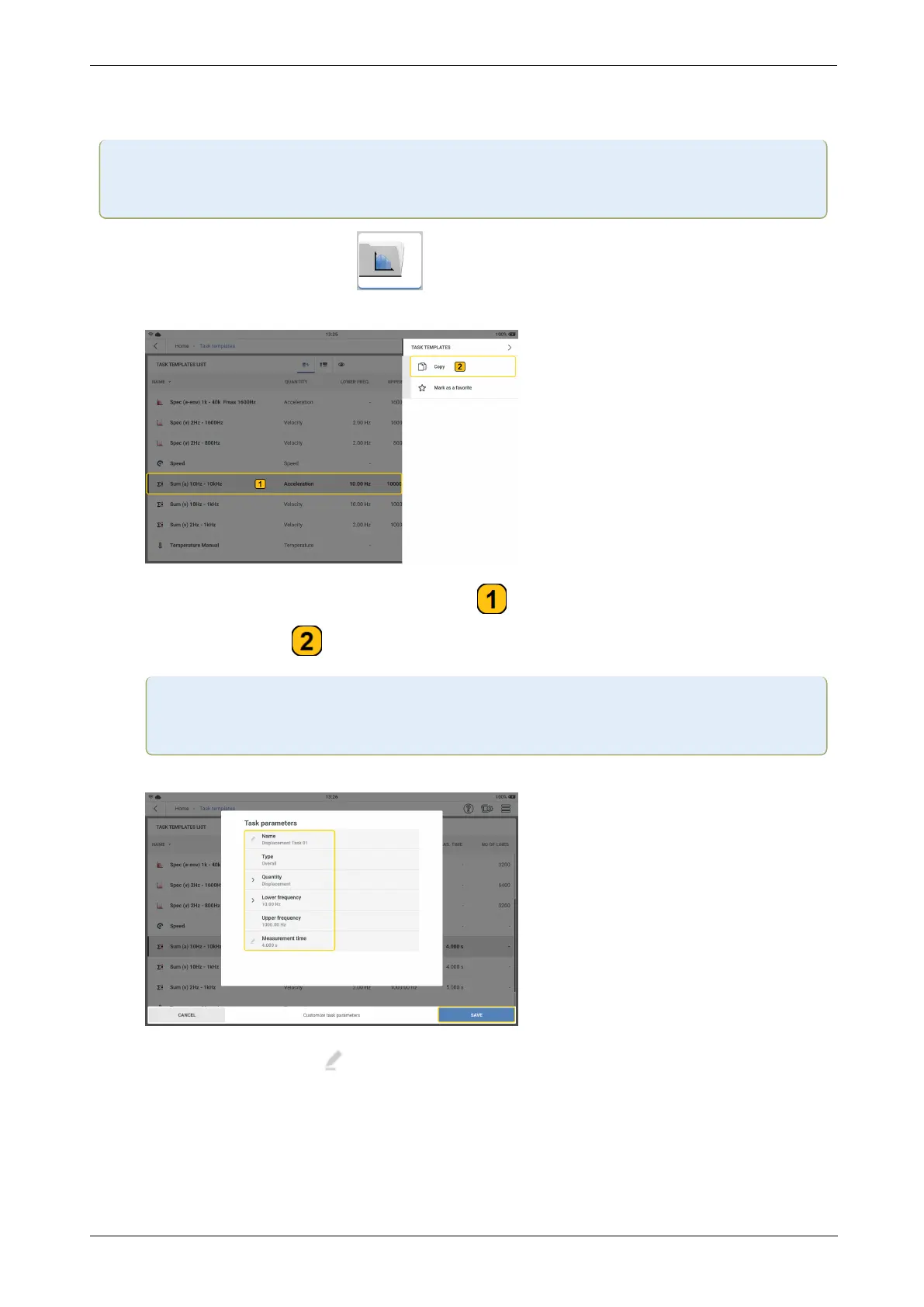
From the home screen, tap the task template icon. The task templates list
opens.
l
Tap and hold the necessary task template ( ). The task template context menu is
shown. Tap Copy ( ) to create a copy of the selected task template.
Note:When a task with no factory template such as displacement is created, use
an overall values template.
l
Edit the task details as necessary.
l
Edit name – Tap then use the alphanumeric keyboard and edit task name.
l
Quantity – Use the drop down and select necessary task. In this example the task
is displacement.
60 Version:1.0
On-board help



 To Next Page