Machine templates
A machine template is used to measure machines of the same type. The locations to be meas-
ured are at the same position and the measure tasks are the same for each machine. Typical
applications are service measurements or acceptance measurements (production tests).
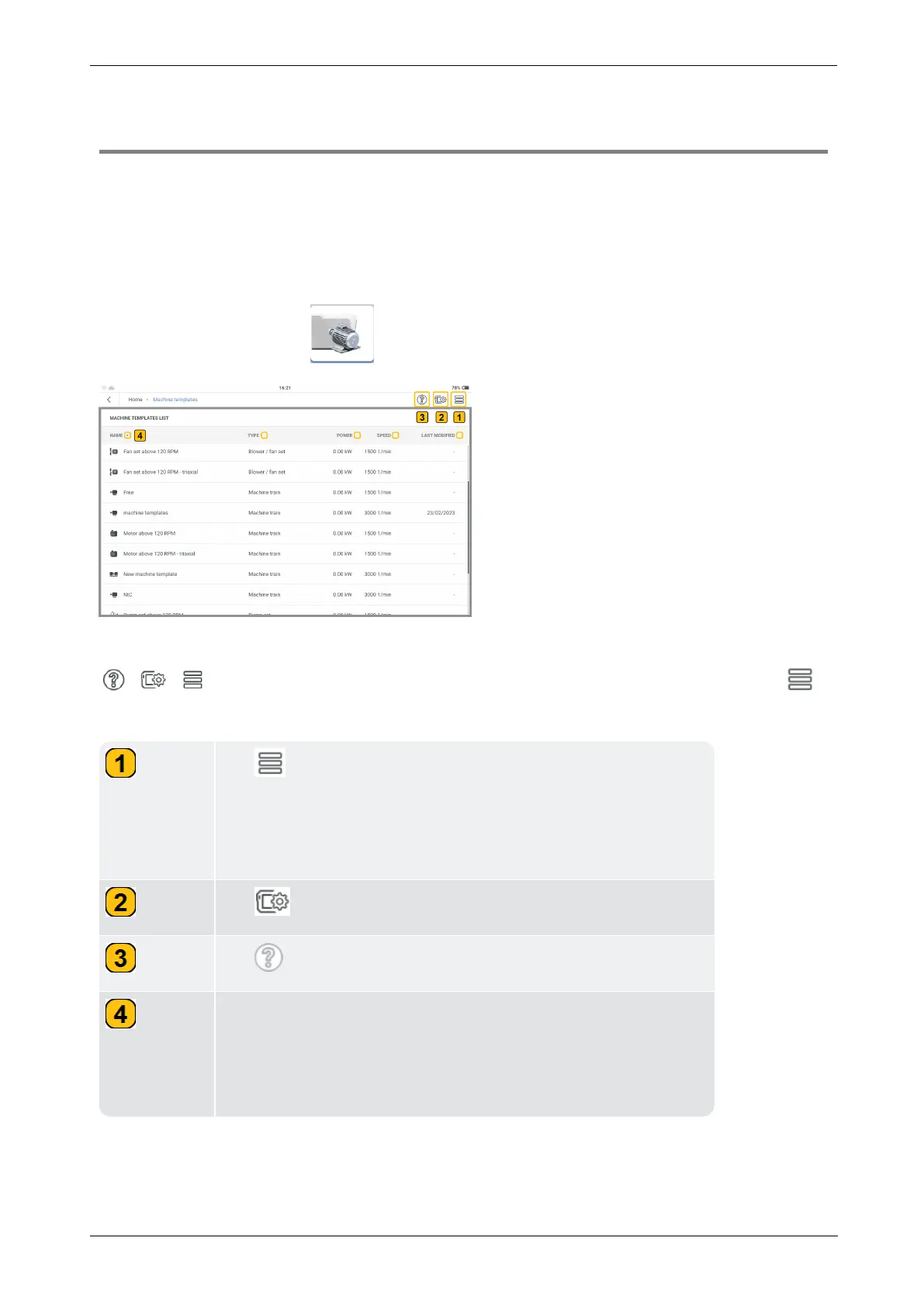
Available templates are shown on Machine Templates List. These include factory defaults
that can be customized.
From the home screen, tap to open the list.
To help the user navigate through VIBXPERT 3 , all applications have these three icons (
) in the top right corner of the screen. When tapped, the hamburger menu ( )
shows menu items related to the current context.
Tap to view menu items related to current context. In this
example, as no item has been highlighted, the context menu
item shown will be New. This is used to create a new measure
template.
Tap to open device and measurement settings screen.
Tap to see context-sensitive help.
The arrow head is shown when a column title is tapped. The
arrow head is then used to sort the templates by asset name,
type of aggregate, power of aggregate, rotational speed, and
date of last modification.
36 Version:1.0
On-board help



 To Next Page