Measure configuration
Use the configuration screen to:
l
Create asset — this can be a single machine or a machine train
l
Duplicate machine with all measure locations (if already edited)
l
Add and/or duplicate measure locations
l
Edit measure location
l
Add measure tasks and band values for measure locations
l
Create measure location groups
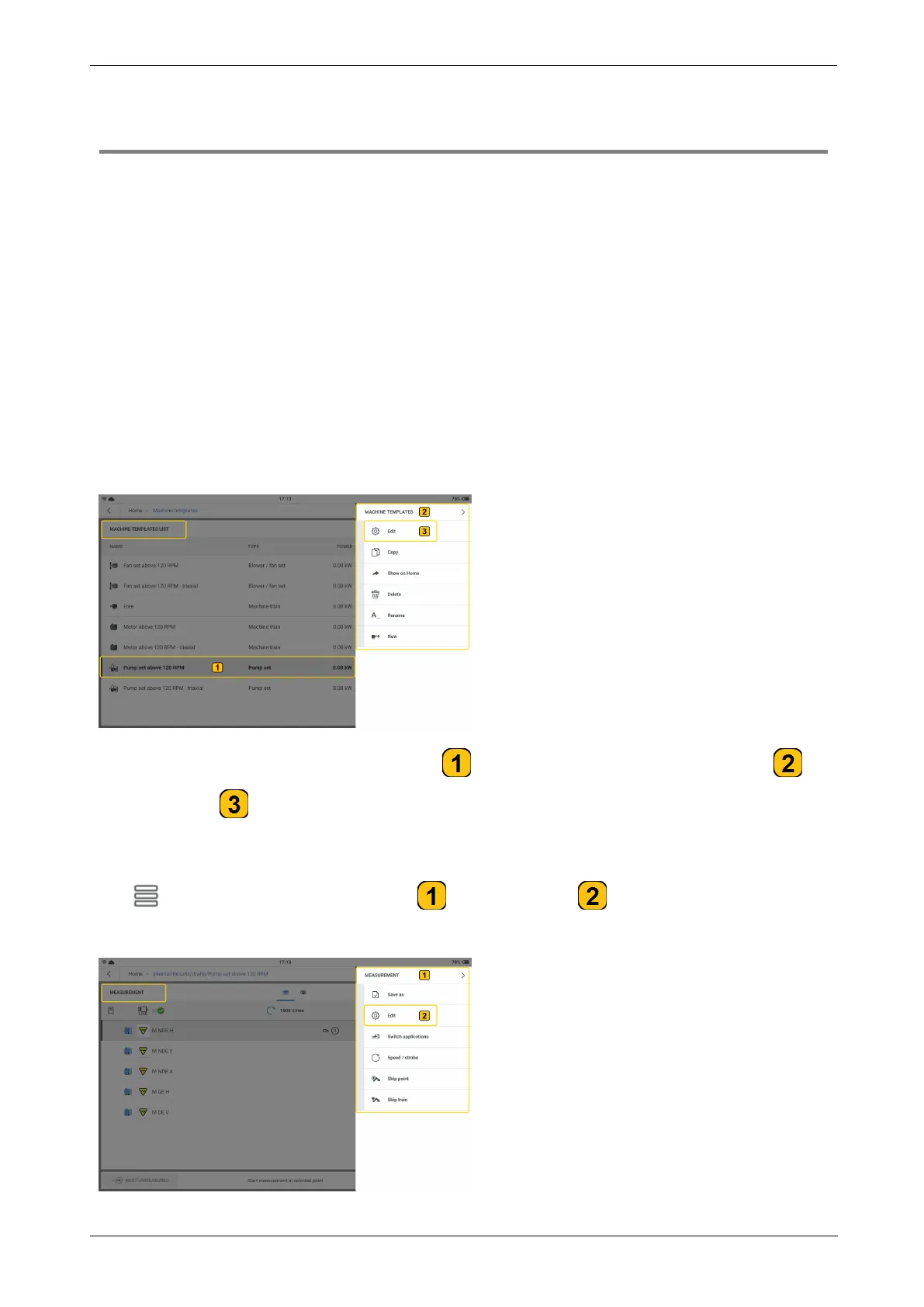
Access the configuration screen as follows:
l
From machine templates list
Tap and hold the desired machine template ( ). The machine templates menu items ( )
are shown. Tap to open the machine template configuration screen.
l
From the measurement screen
Tap . The measurement menu items ( ) are shown. Tap to open the results con-
figuration screen.
46 Version:1.0
On-board help



 To Next Page