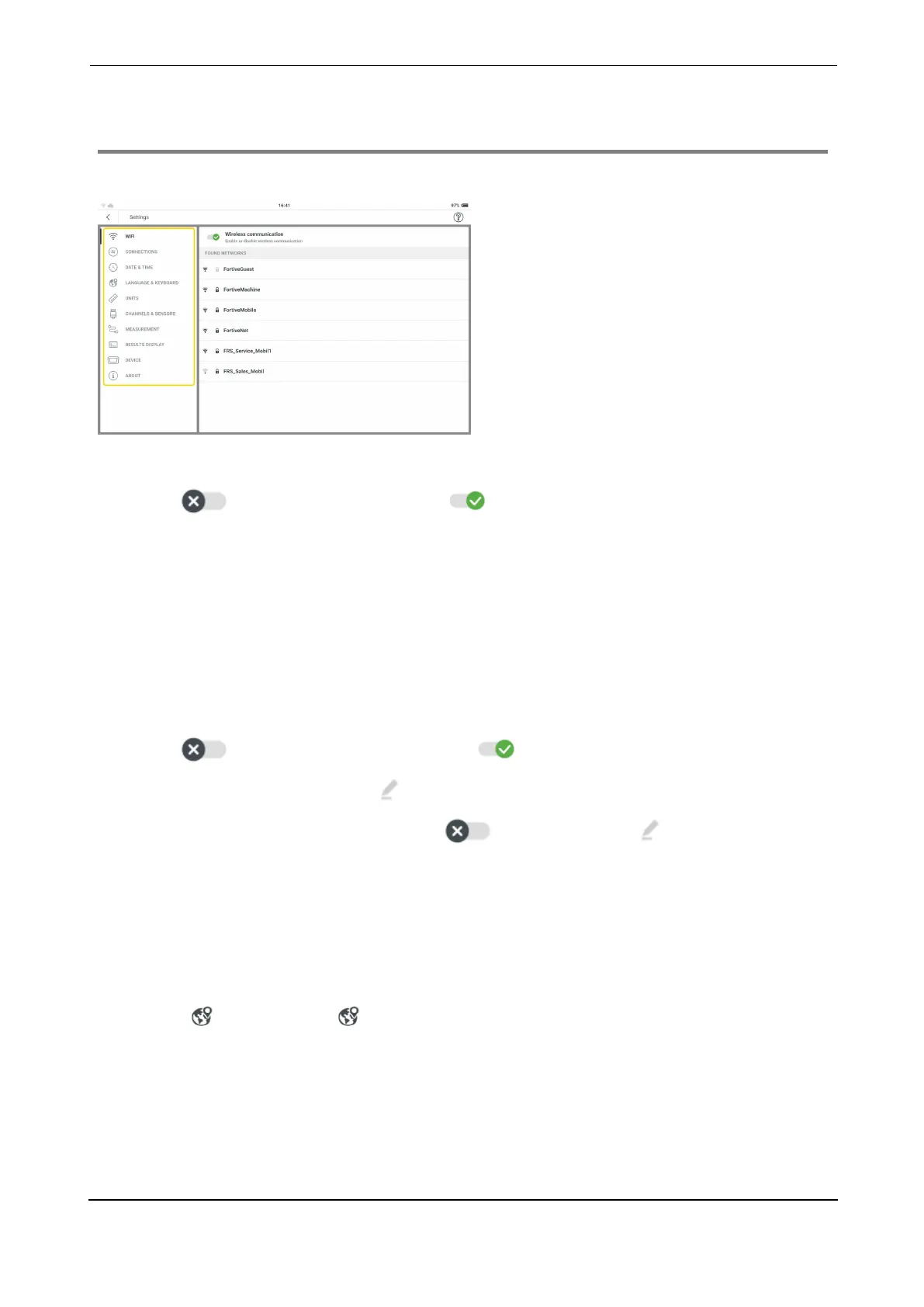
Settings
These settings can be checked and edited if necessary:
l
Wi-Fi: used to identify and connect the device to available Wi-Fi networks.
Tap to turn the device Wi-Fi on ( indicates on). Tap the name of the required
Wi-Fi network. Enter the network password using the alphanumeric keyboard then tap
APPLY CHANGES to confirm. The connected network IP address will be shown below
the network name.
l
Connections: used to join a cloud service; VIBXPERT 3 connects to eMaint condition
monitoring through Accelix™ the cloud-based data platform .
l
Date & Time: used to set time and date automatically or manually; set the 24-hour
format; show date on status bar
Tap to turn on the desired function ( indicates on). When Set time auto-
matically is on, manual edit ( ) is off.
When Set time automatically is off ( indicates off), tap to set time and date
manually. Use the pop-up calender and the pop-up clock and set time and date respect-
ively. Tap SET TIME or SET DATE to confirm respective changes.
l
Language & Keyboard: used to change user interface (UI) language and UI keyboard
layout. Only one UI language can be set at a time but selection of several UI keyboard
layouts is possible. If several UI keyboard layouts have been selected, this keyboard
icon ( ) is active. Tap to cycle through the available keyboard layouts.
Tap LanguageorKeyboard then use the related drop-down to select UI language or UI
keyboard layout(s).
l
Units: used to set the measurement system to either metric or imperial. The accuracy in
decimal places is can also be set. If the units of any quantity is set to differ from the
selected measurement system, then the system name custom is shown.
VIBXPERT 3 19
On-board help



 To Next Page