templates.
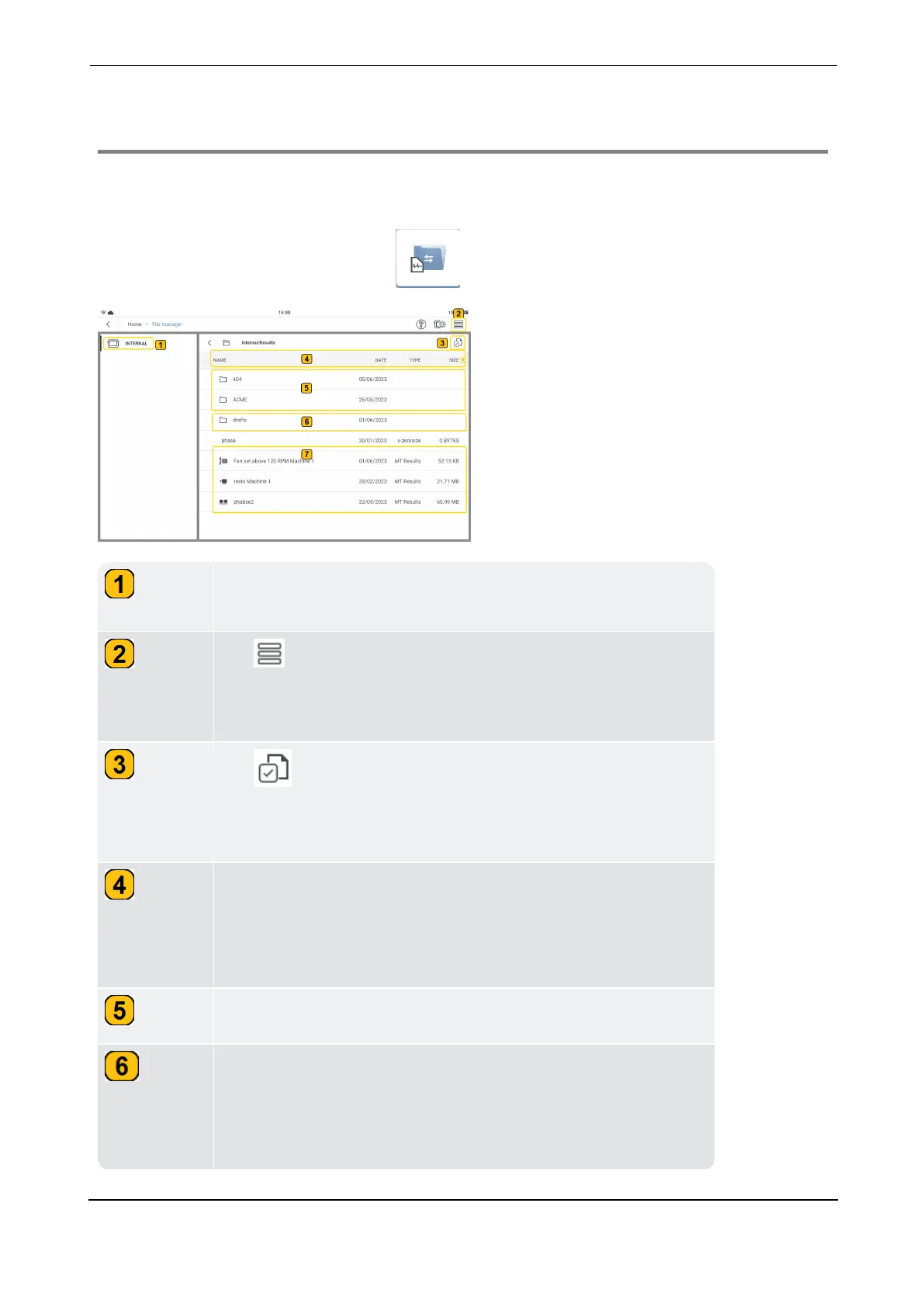
Shows the file hierarchy is internal with all folders and result
files saved on VIBXPERT 3 .
Tap the hamburger menu icon to show the context menu
items. If no folder or result file has been selected, the context
menu will show only the item New folder.
Tap to activate the folders and files check boxes. The icon
toggles color between black (check boxes inactive) and blue
(check boxes active).
Tap any header item to sort the folders and results files by
name or date or type or size. The arrow head next to the item
shows the order in which the folders and the files have been
sorted.
Shows user created folders.
Drafts folder is a default system folder and cannot be deleted.
All template measure files that have been used but not saved
end up in the drafts folder. This folder is useful if the device
runs out of battery power.



 To Next Page