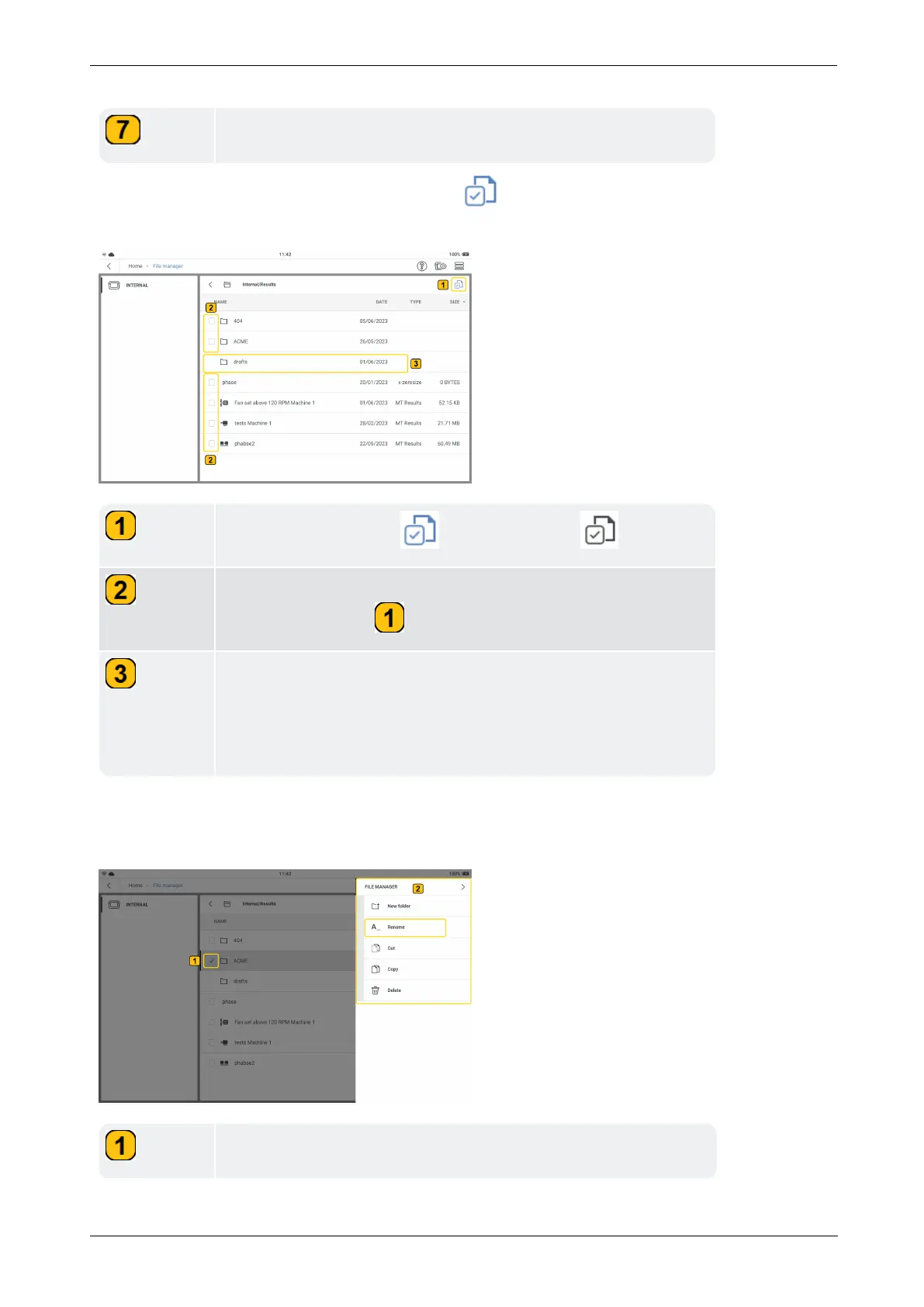
Shows user created measure template result files.
If the folders and files check box icon is active ( ), files and folders can be selected for
more steps.
Shows check box icon ( ). To activate, tap .
Shows folders and result files check boxes. These appear when
the check box icon ( ) is active.
Shows the drafts folder. This default system folder cannot be
checked, thus it cannot be renamed, copied or deleted.
NOTE: If the drafts folder is open, the check box icon can be
activated and individual template measure files deleted.
If the check box icon is active but no folder or file has been checked, the context menu will
show only the item New folder. But if a single box has been checked, these menu items are
shown:
Shows a user defined folder checked.
34 Version:1.0
On-board help



 To Next Page