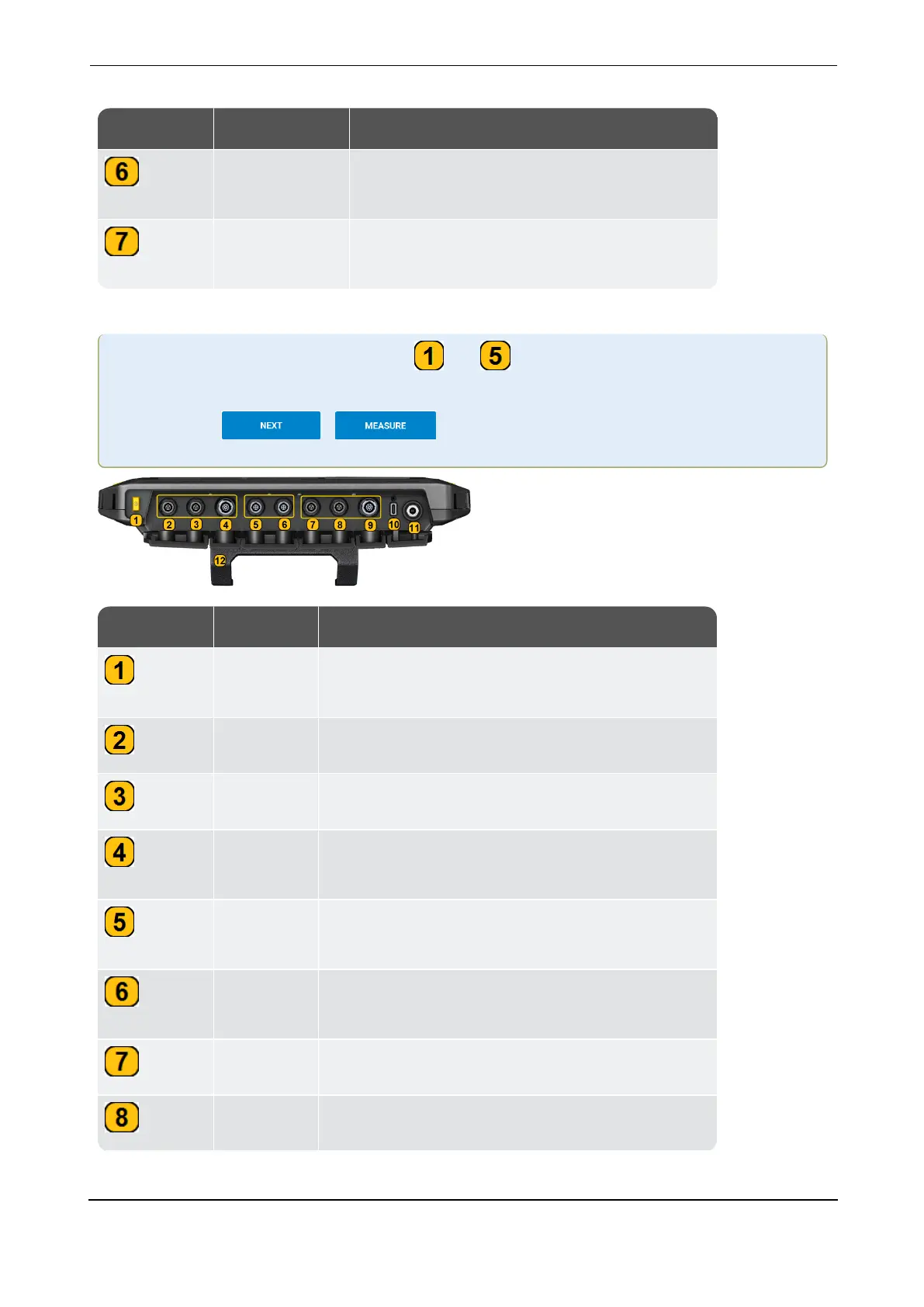
Label Part Function
Stroboscope Strobe light to verify machine speed or the
alternating frequency
Stand Retractable stand to hold device in different
positions
Label
Part
Function
ON/OFF
button
Switch device ON and OFF; activate/deactivate
sleep mode
Channel 6 Analog input— connection for sensor
Channel 5 Analog input — connection for sensor
Channel 4 Analog input — connection for triaxial sensor or
VIBCODE sensor
Trigger
point 2
Connection for sensor to measure rotational
speed or trigger signal
Trigger
point 1
Connection for sensor to measure rotational
speed or trigger signal
Channel 3 Analog input— connection for sensor
Channel 2 Analog input— connection for sensor



 To Next Page