vibration location when live sensor data is on. The set parameter is valid for all measure
locations on the asset. Only two parameters can be selected.
Displacement location default — used to set the default parameter that is shown at a
displacement location when live sensor data is on. The set parameter is valid for all meas-
ure locations on the asset. Only two parameters can be selected.
l
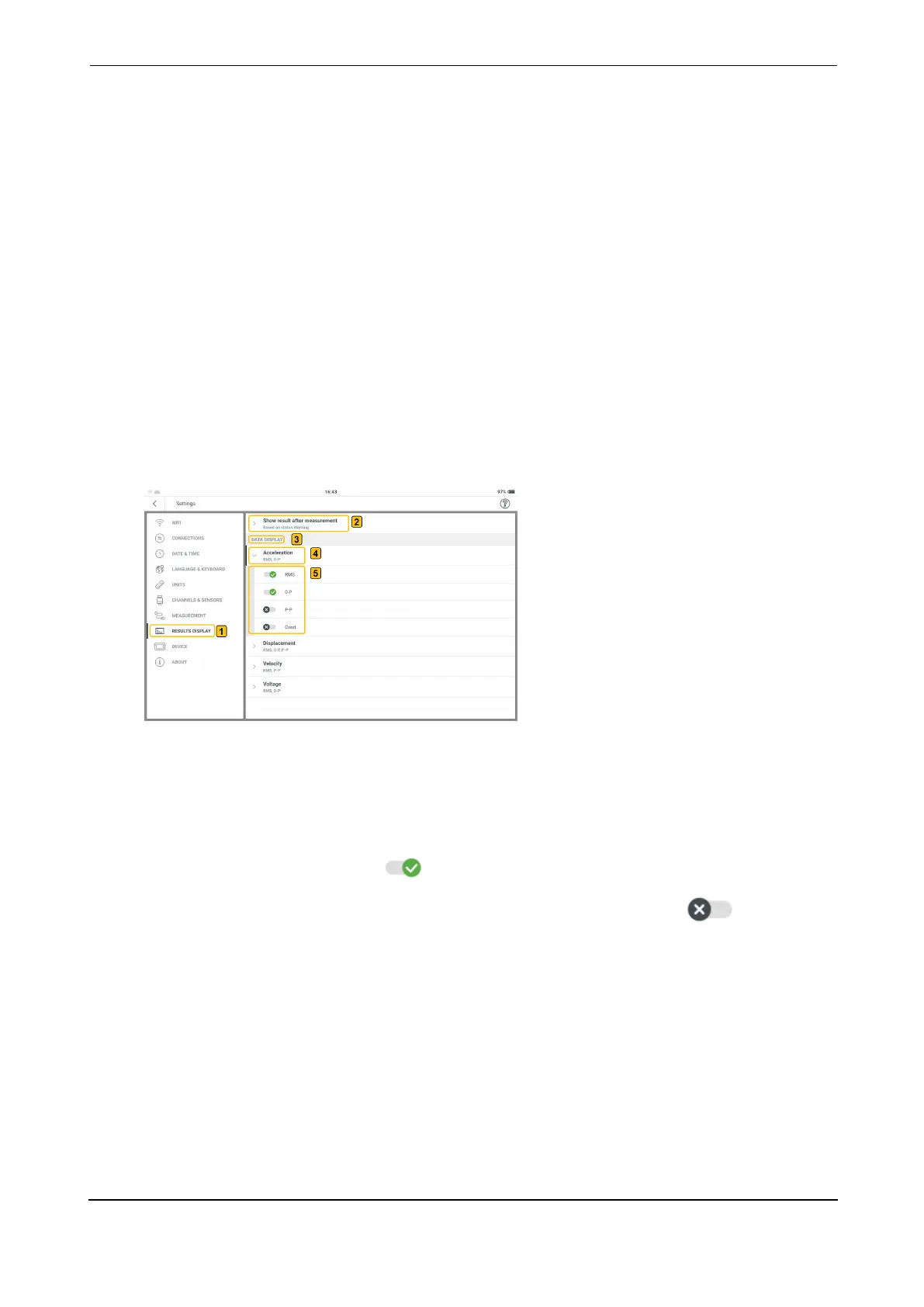
Results display: used to configure the results screen using characteristic overall values
Display result after measurement — used to set the time to show live results. This
includes time waveform, spectra and overall values. Use the drop-down menu and select
desired time option. If time is based on status, make sure that the correct status is selec-
ted.
Data display — used to set the overall values for the measurement quantities. These
values are shown on the on the right frame in results screen under the overall values
page . Use the quantity drop-down menu and select desired overall value.
l
Device: used to change the appearance of the display; control the brightness of the dis-
play; set the power options
Color scheme — used to set display appearance either light or dark. Use the drop-down
menu and select desired appearance.
Auto brightness — when on ( ), the display brightness is controlled to match cur-
rent light conditions using the built-in ambient light sensor. When off ( ), display
brightness is controlled using the Brightness slider.
Brightness — drag the slider to the right or left to control display brightness. This can
be done even if Auto brightness is on.
Sleep — use the drop-down menu and select the time interval for the device to be inact-
ive before the device automatically enters sleep mode. If Never is selected, the device
will not go to sleep mode.
Power off — use the drop-down menu and select the time interval for the device to be
inactive before the device switches off automatically. If Never is selected, the device will
VIBXPERT 3 21
On-board help



 To Next Page