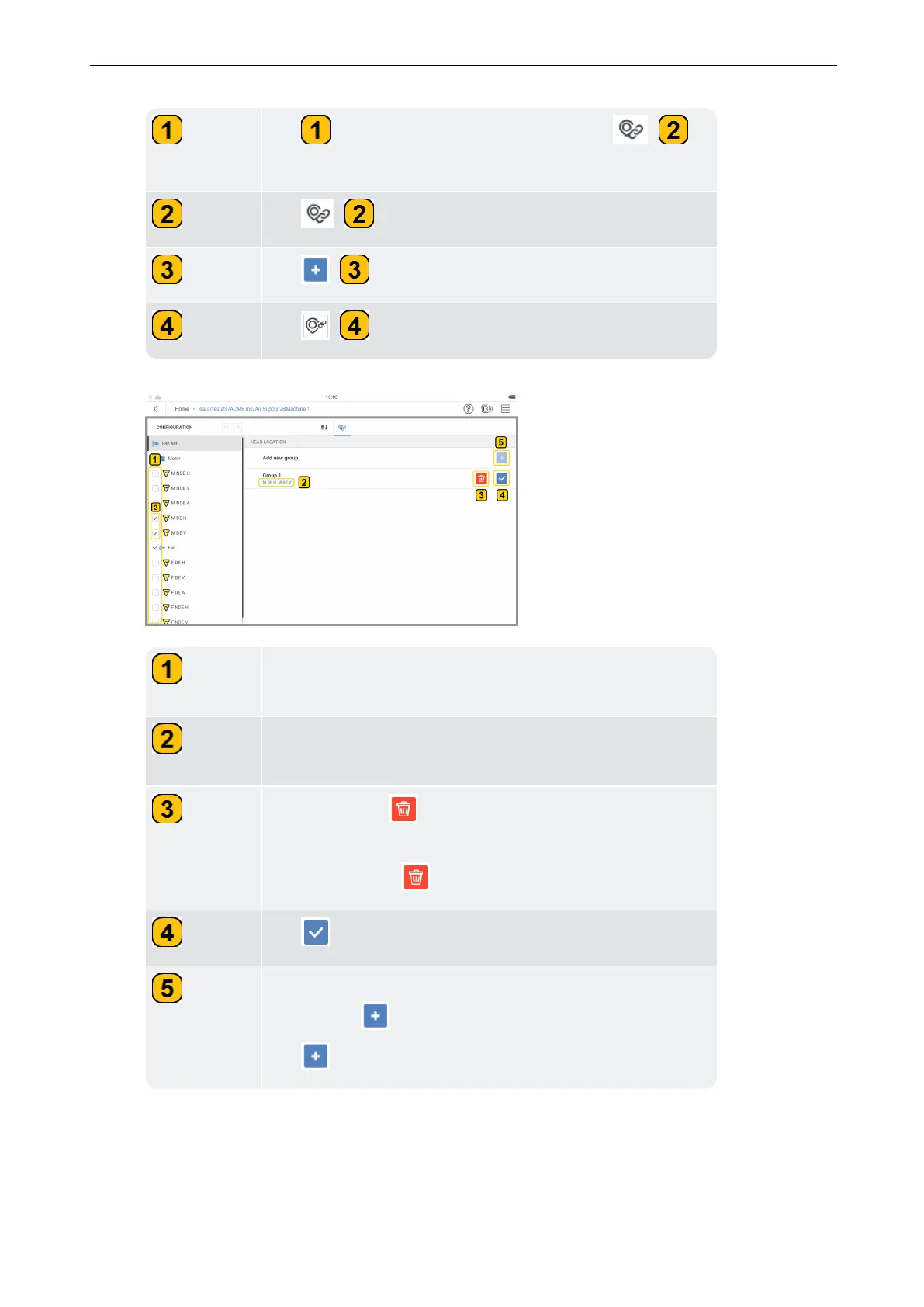
Tap the asset train level. The group icon ( )
is shown.
Tap ( ) to show
Add new group
row.
Tap ( ) to show Group 1 row.
Tap ( ) to activate all measure locations.
Check boxes are shown on all measure locations, an indic-
ation that all measure locations are active.
Shows the two near locations selected to form a group.
In this example - group 1.
The trash icon ( ) is shown after a near location group
is created.
If necessary, tap to delete the group.
Tap the check mark icon to confirm group selection.
When a group selection has been confirmed, the Add new
group icon ( ) becomes active.
Tap to add new near location group if necessary.



 To Next Page