- 42 -
CONTROLS AND INDICATORS
3
Control buttons
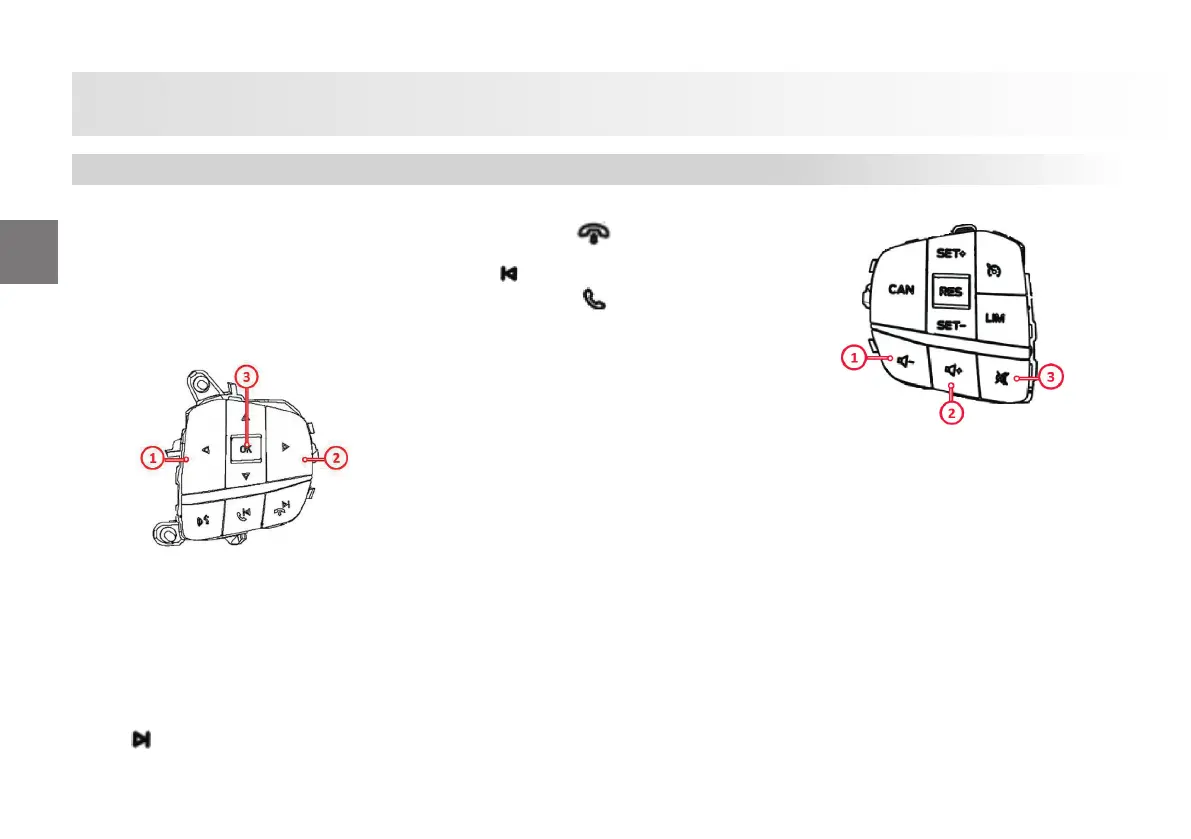
Audio and volume control buttons
Select the source you want to use for
audio With the controls on the steering
wheel you can operate the following
functions in the music and sound system:
1- Activates the voice command function
of your phone if a phone is connected to
your vehicle.
This system allows you to control many
features using voice command. And this
allows you to keep your hands on the
steering wheel and focus on the road.
2- Seeking frequencies forward
or next.
2- Rejects the call .
3- Seeking frequencies backward or
previous
.
3- Accepts the call
.
By pressing the Call, Next or Previous but-
tons:
• You may tune the radio to the next or
previous stored preset station
• You may play the next or the previous
track.
Press and hold the seek button to:
• tune the radio to the previous or next
station.
• seek through a track.
1- Volume down
2- Volume up
3- Mute and unmute
Control Buttons














 To Next Page