4
OPERATION
- 89 -
Controls
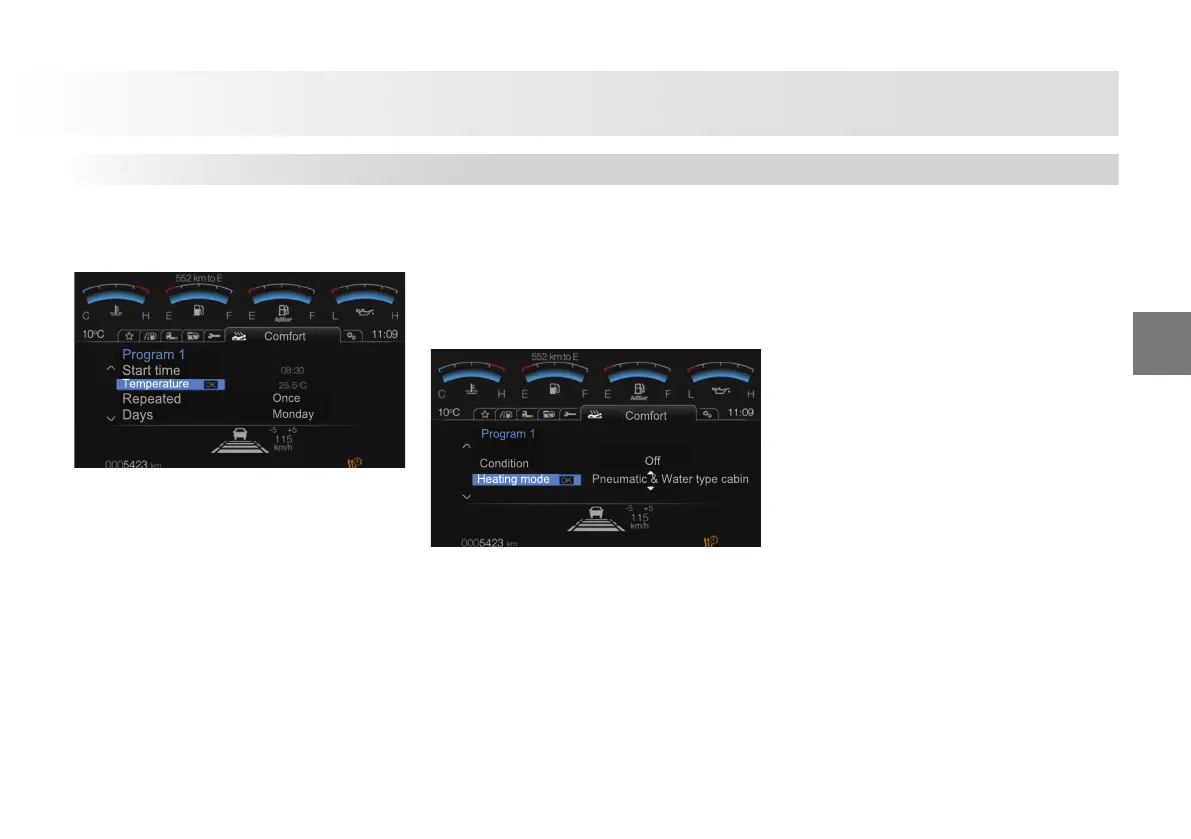
Programming
1. Start: Set the schedule start time
from this menu. Auxiliary heater shall
operate at the time you have specifi ed.
2. Temperature: Set the schedule
operating temperature from this menu.
3. Frequency of repetition: Determines
the frequency of repetition. Options:
There are 2 options, namely once and
repeated.
4. Day: You may set the operating day(s)
of the schedule.
Options:
Mon, Tue, Wed, Thu, Fri, Sat, Sun,
weekdays, weekend, every day
You may set the temperature desired
in the cab from 15° C and 30° C with
intervals of 0.5° C. You are not allowed to
set a temperature other than these values.
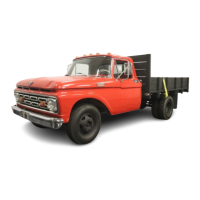
Schedule On/O
1- Turns the auxiliary heater schedule on
or o .
2- Sets the heating mode
Options:
Cab - Wet type
Cab - Dry type
Cab - Wet and Dry type
Engine
A/C and Heater












 To Next Page