- 46 -
MULTIMEDIA
3
Audio Unit (Model-2)
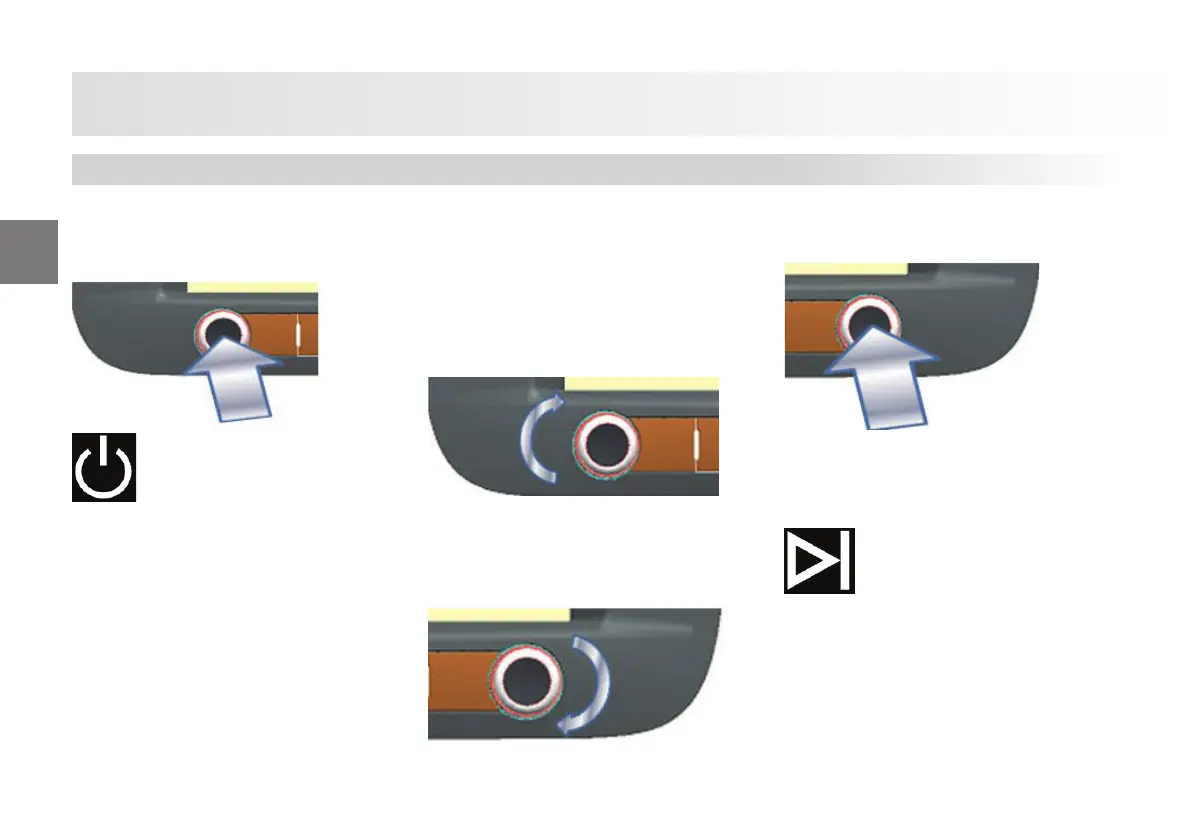
Turning the audio unit on and
O .
Radio is turned on when you press shortly
while the ignition is on.
Audio system is turned on/o when you
press shortly while the radio is on.
This is displayed when you press for a
short time while you are in the Audio sys-
tem menu.
Navigation application in the the Carplay
function connected with USB may not be
suitable for heavy commercial vehicles.
Therefore, you shall prefer the naviga-
tion program designed specially for heavy
commercial vehicles on the main menu for
navigation purposes.
No audio transfer is available via cable on
the Weblink application connected with
USB. Connection shall be established via
Bluetooth to ensure that audio transfer is
available through the speakers of the vehi-
cle in this application.”
Setting Volume
Rotate the knob to increase/decrease
volume.
Navigating in the Menu Options
Rotate the knob to change the frequency
with increments of 0.05MHz.
Selecting a Menu Option
Press the button to stop automatic scan
feature.
Forward Scan and Next Track Button
Press the button to select the next indexed
frequency (in radio mode) or the next
track (in USB or BT mode).
Audio Unit












 To Next Page