- 45 -
MULTIMEDIA
3
Audio Unit
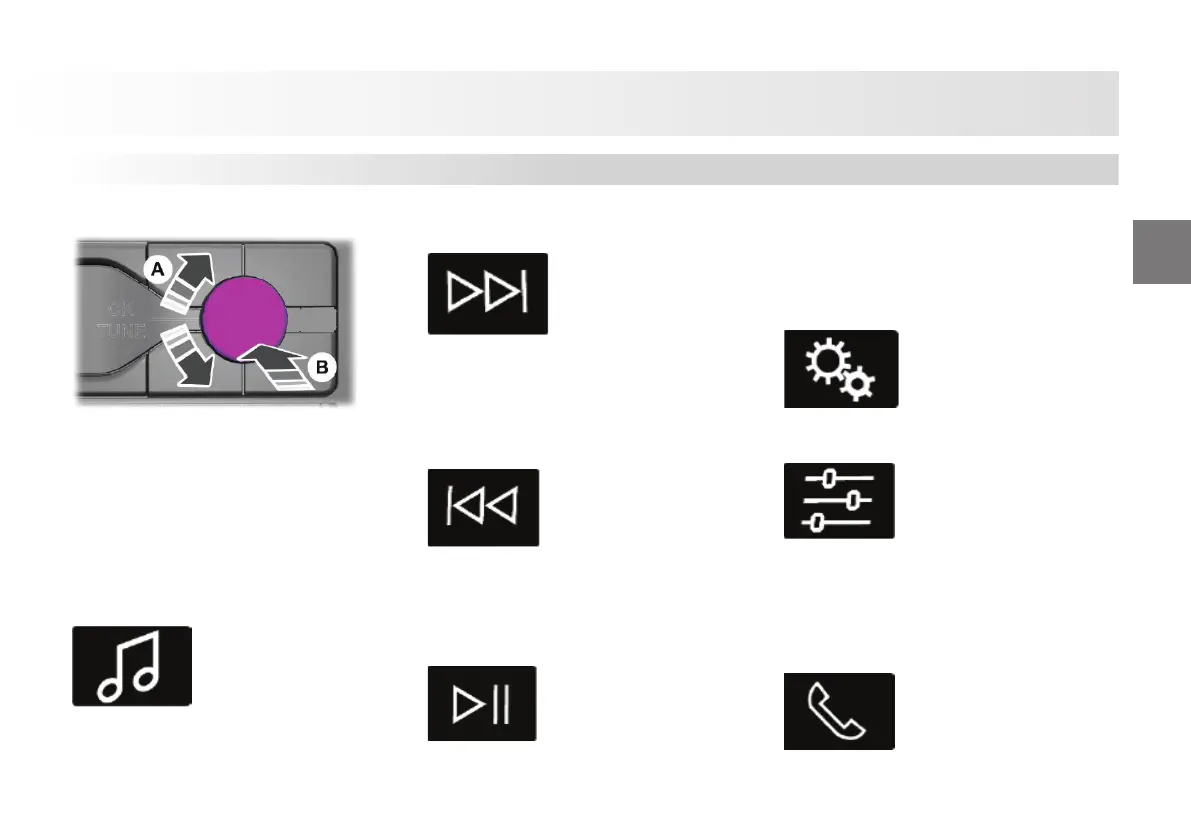
Changing the Radio Station
A Automatic or manual setting B
Setting a station name.
Note: You may switch between automatic
and manual setting with the knob using
system settings.
Note: You may switch radio stations with
the scanning buttons.
Note: You may switch radio stations with
the preset number buttons.
Selecting Media
Press the button to select media mode.
Press the button continuously or rotate
the right-hand knob menu to switch
between available media sources.
Forward Scan and Next Track Button
Press the button to select the next
indexed frequency (in radio mode) or the
next track (in USB or BT mode).
Backward Scan and Previous Track
Button
Press the button to select the previous
indexed frequency (in radio mode) or the
previous track (in USB or BT mode).
Pausing or Playing Media
Press the button to mute the signal in
radio mode. Press the switch again to turn
the volume of the signal on.
Press the button to pause the track playing
in media mode. Press the button again to
resume playing.
System Settings
Sound Adjustments
Press the button to adjust volume settings.
You may also activate adaptive or speed
compensated volume and adjust its
precision.
Using Mobile Phones
You may make a call using the last calls
list or from the persons list or dial a
number.











 To Next Page