10 Chapter 1 DaqPRO
1.2. Standalone Operation
One way to program the DaqPRO is to use its keypad and screen (the other way is to use the DaqLab
software – refer to page
47). The keypad allows us to set all the parameters for data collection, while the
LCD screen displays the setting values.
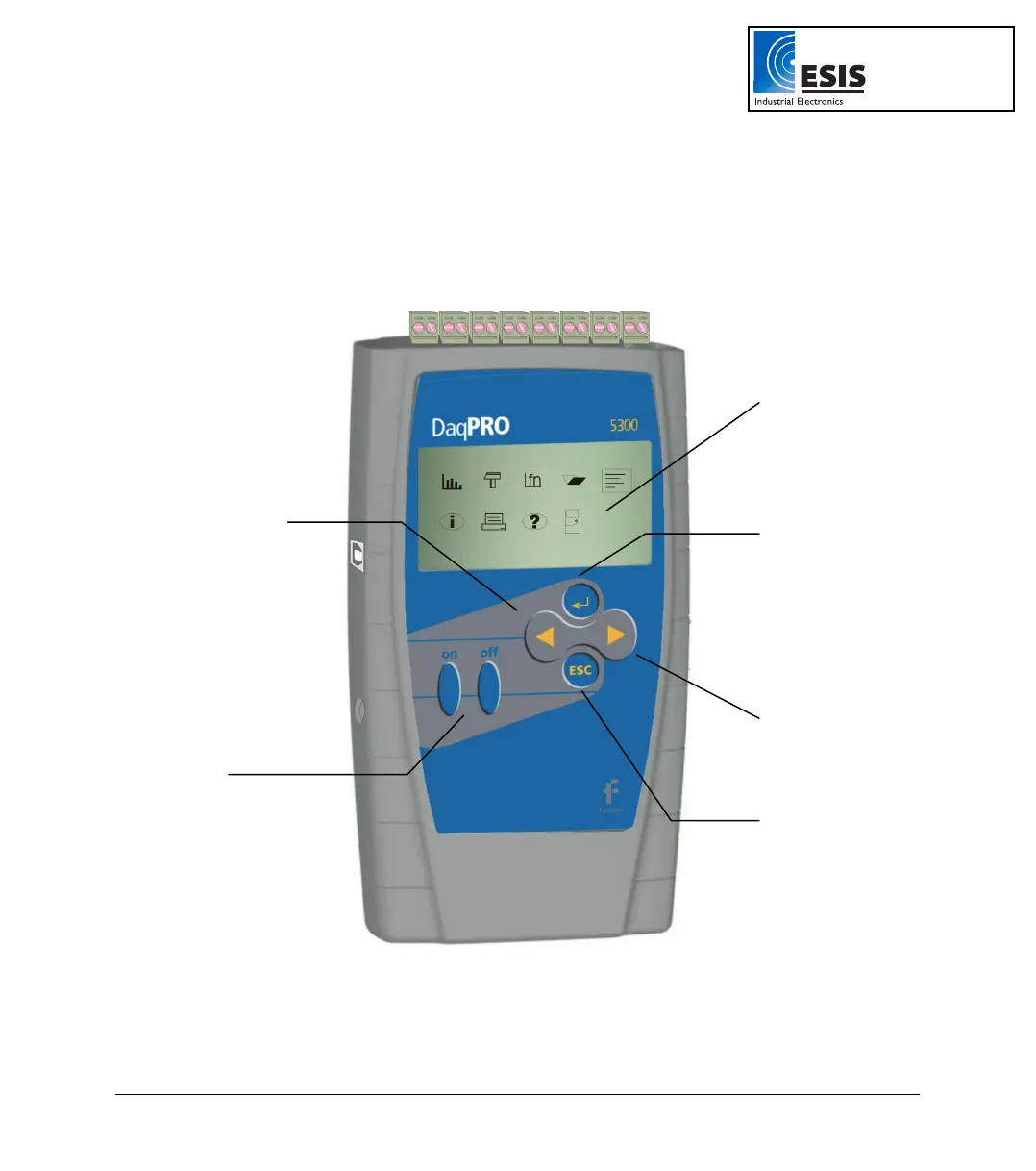
1.2.1. Front Panel Layout
Figure 5: DaqPRO front panel
LCD Display
Backward Button
Forward Button
On / Off
Buttons
Enter / Run Button
Escape / Stop Button
www.esis.com.au
Ph 02 9481 7420
Fax 02 9481 7267
esis.enq@esis.com.au



 To Next Page