Chapter 1 DaqPRO 7
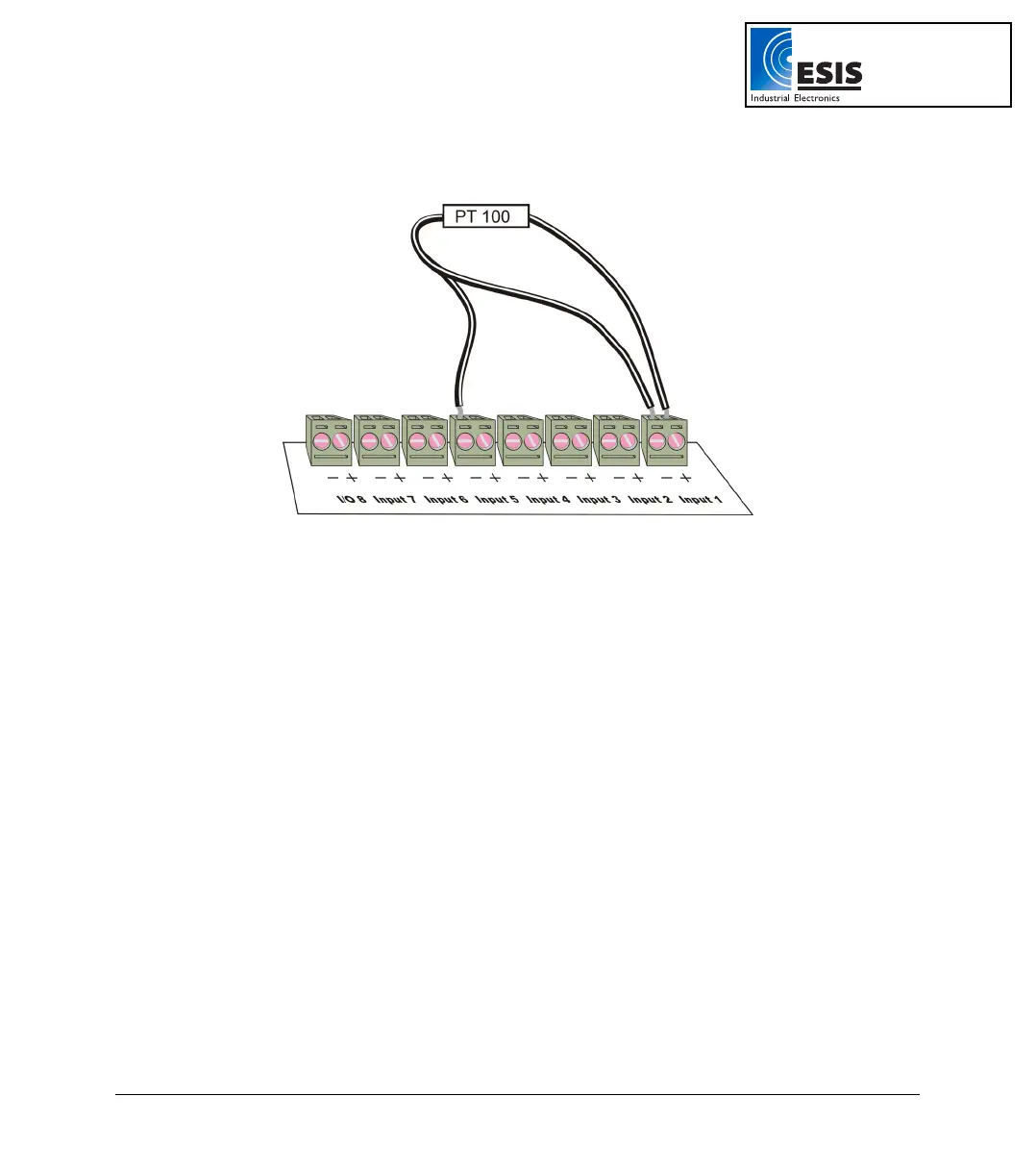
See Figure 3 for the wiring configuration of a 3-wire PT 100 connected to input–1 and input–5:
Figure 3: Connecting 3-wire PT 100
When working with a 3-wire PT 100, inputs 5 to 8 are not available and you can connect up to 4 sensors.
Sensor Mismatch
After logging begins, DaqPRO checks if the sensor type assigned to each channel matches the attached
sensor. If there is a mismatch, DaqPRO disconnects the corresponding input and displays a warning
message: Illegal sensor (refer to the Troubleshooting Guide on page
82 for details).
1.1.4. User Defined Sensors
DaqPRO provides a simple and straightforward tool for defining up to 20 custom sensors. Almost any 0
– 10V and 0 – 24mA sensor or transducer is accepted by DaqPRO and its electrical units are
automatically scaled to meaningful user-defined engineering units.
The sensor definitions are stored in DaqPRO’s memory and are added to the sensors list. The sensor’s
readings are displayed in the user defined units both on DaqPRO’s LCD screen and DaqLab software.
To learn how to define custom sensors refer to section
0 on page 55.
For further manipulating sensors readings use the Analysis wizard (refer to page
69).
www.esis.com.au
Ph 02 9481 7420
Fax 02 9481 7267
esis.enq@esis.com.au



 To Next Page