Chapter 2 Working with DaqLab 65
2.5.9. Defining a Custom Sensor
DaqLab enables the user to define custom sensors. This is a useful tool for when DaqPRO is
communicating with many sensors from different vendors.
Any additional sensor that you would like to connect to DaqPRO must comply with the following
restrictions:
• The sensor’s output must be either voltage in the range of 0 to 10V or current
in the range of 4 to 24mA.
• The sensor Transfer Function (sensor output voltage changes vs. the sampled
phenomenon changes) must be a linear Transfer Function.
To define a new sensor:
1. Connect DaqPRO to the PC.
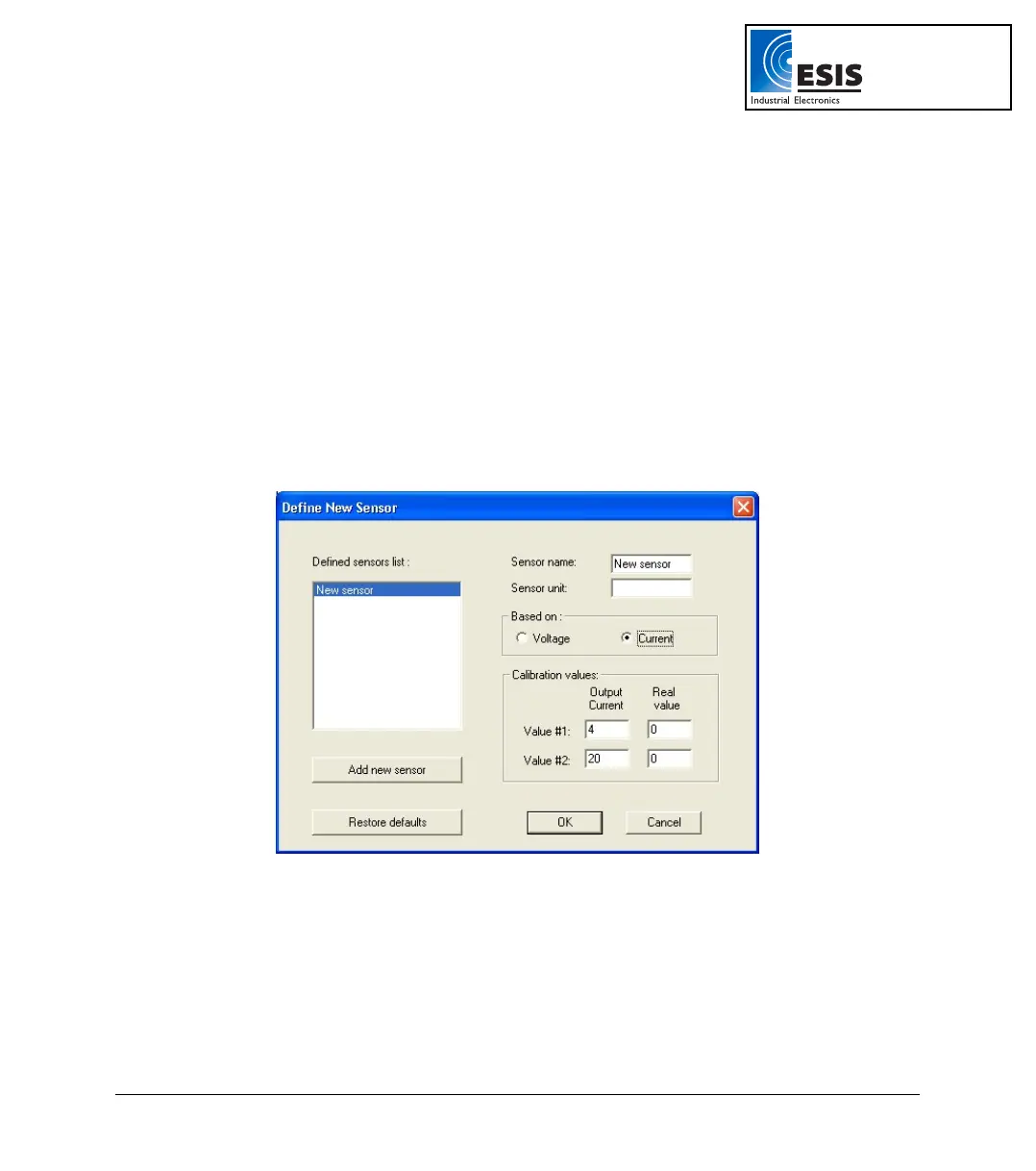
2. Click Logger on the menu bar, then click Define New Sensor to open the Define New Sensor
dialog box:
Figure 22: Define New Sensor dialog box
3. Click Add New Sensor.
4. Select a Based on option (depending on whether your sensor’s output is 0 to 10V or 4 to
24mA).
5. Enter a sensor name and sensor unit.
6. Enter two calibration values (two real values and the corresponding output values of the
sensor).
www.esis.com.au
Ph 02 9481 7420
Fax 02 9481 7267
esis.enq@esis.com.au



 To Next Page