Chapter 2 Working with DaqLab 49
g. Select the desired length of the recording period in the Select recording time
drop-down menu. The recording period is displayed as a unit of time by default. To
display the recording period as the number of recording samples, select the By
samples option. The number of samples is calculated with the following formula:
Total recording sample = Recording rate x Recording period
h. To start the data recording only when a specific time or measurement condition
has been met, click Triggering to open the triggering dialog box (refer to page
52).
i. Click Finish to complete the setup and to send the setup command to the
DaqPRO.
2. Alarm Setup
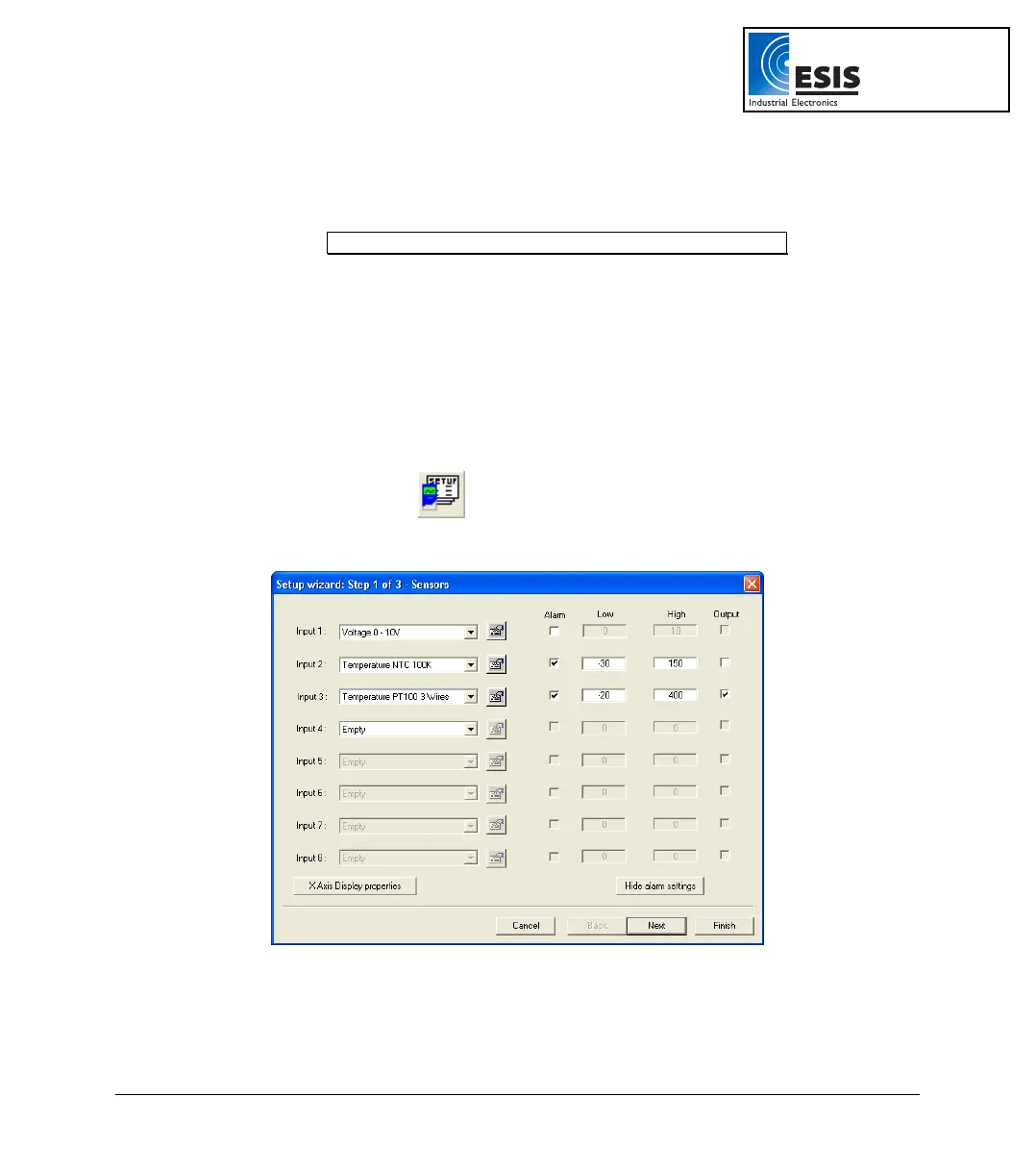
You can setup alarm levels and output for each sensor input individually in the first step of the Setup
wizard:
a. Click Setup Wizard
on the main toolbar to open the setup wizard.
b. Click Display alarm settings to show the alarm controls:
Figure 13: Alarm settings
c. Check the checkbox or checkboxes near the inputs you want to activate the alarm.
www.esis.com.au
Ph 02 9481 7420
Fax 02 9481 7267
esis.enq@esis.com.au



 To Next Page