54 Chapter 2 Working with DaqLab
Data Map. To display the comment on DaqPRO's LCD select the System information menu (refer to
page 16).
The comment and the serial number will also be displayed in prints and exported files.
Note: the comment can include up to 32 characters.
To add a comment:
1. Connect DaqPRO to the PC.
2. Click Logger on the menu bar, then click Set comment.
3. Click the Comment text box and type a comment (e.g. its location).
4. Click OK to upload the edited notes to DaqPRO.
2.5.6. Edit DaqPRO’s Notes
1. Connect DaqPRO to the PC.
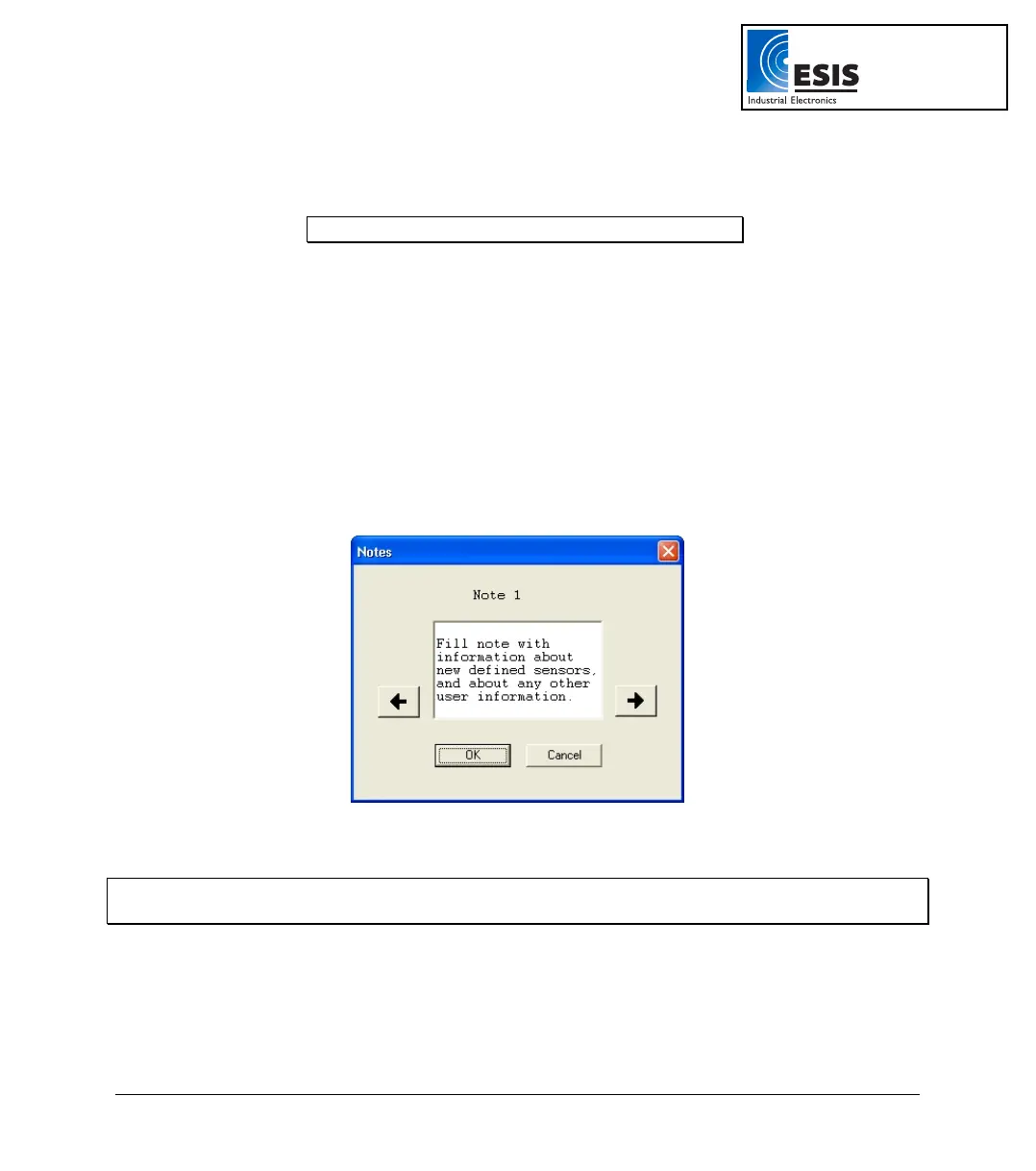
2. Select Edit notes from the Logger menu to open the Notes dialog box with the DaqPRO’s
current notes downloaded to the window.
Figure 16: Edit notes dialog box
From this dialog, you can edit, delete, or write new notes.
Note: A note is limited to 140 characters and a maximum of 3 notes can be stored in DaqPRO at any
time.
3. Use the arrow buttons to move to the next note, or to the previous one.
4. Click OK to upload the edited notes to DaqPRO.
www.esis.com.au
Ph 02 9481 7420
Fax 02 9481 7267
esis.enq@esis.com.au



 To Next Page