21
offered by FOXPRO (i.e., Black Jack Decoy, Jack Attack Decoy) that
require their own power supply and wired connection to the AUX jack,
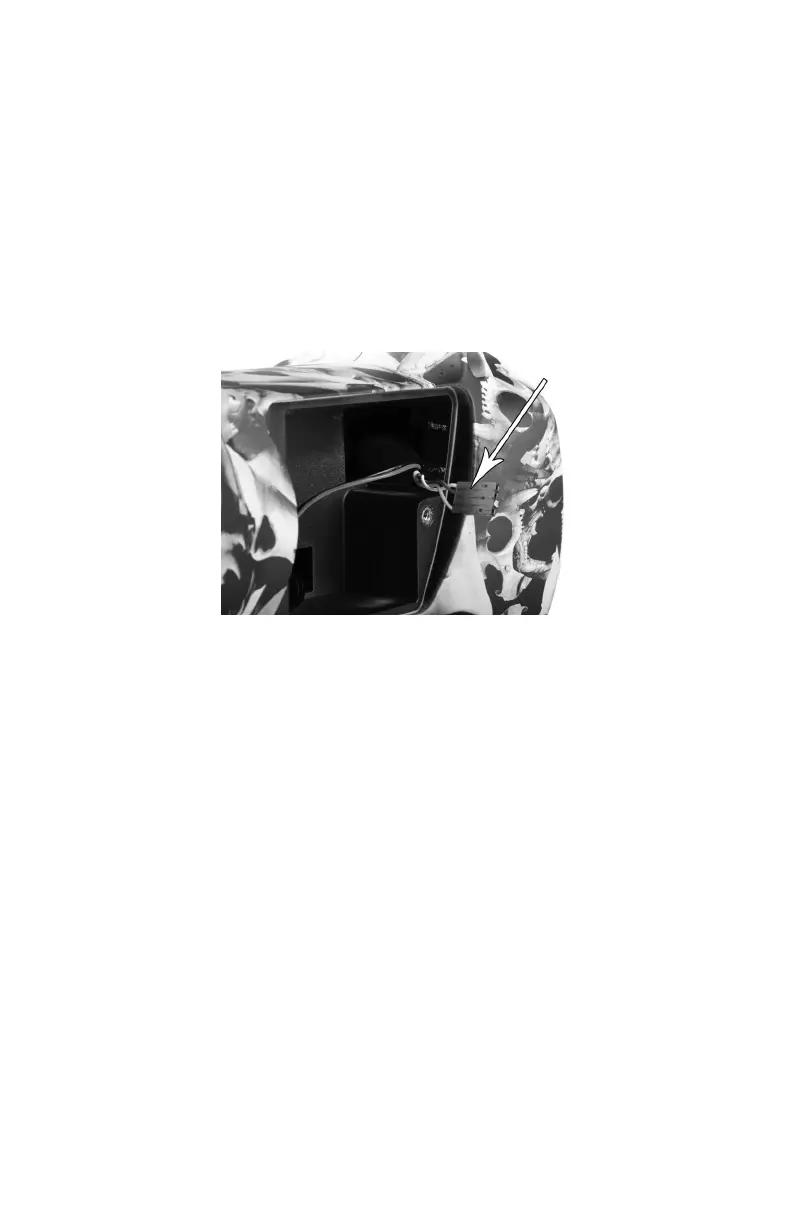
the Fox Jack 4 Decoy mounts directly to the back of the Fusion and
interfaces to the wiring harness for power and triggering of the decoy
motion. Please note that this wiring harness is designed to be used only
with the Fox Jack 4 decoy. When you first remove the battery
compartment door from the Fusion, you can find the wiring harness
taped to the upper right side of the battery compartment.
3-5 Integrated USB Port
The Fusion features a USB 2.0 type B port (see picture on next page).
The port is located inside the battery compartment on the back wall.
This port allows you to connect a USB cable from the Fusion to a USB
port on a computer for performing such tasks as loading FOXCAST
sequence files and reprogramming sounds. Both topics will be covered
in a later chapter. A USB cable for the Fusion is not included in the base
package and must be purchased separately. When connecting the
Fusion to a home computer, make sure that the power is turned off!



 To Next Page