FRAMOS Industrial Depth Camera D400e Series - User Manual
Version 1.6.0
from 2021-10-15 46 of 64
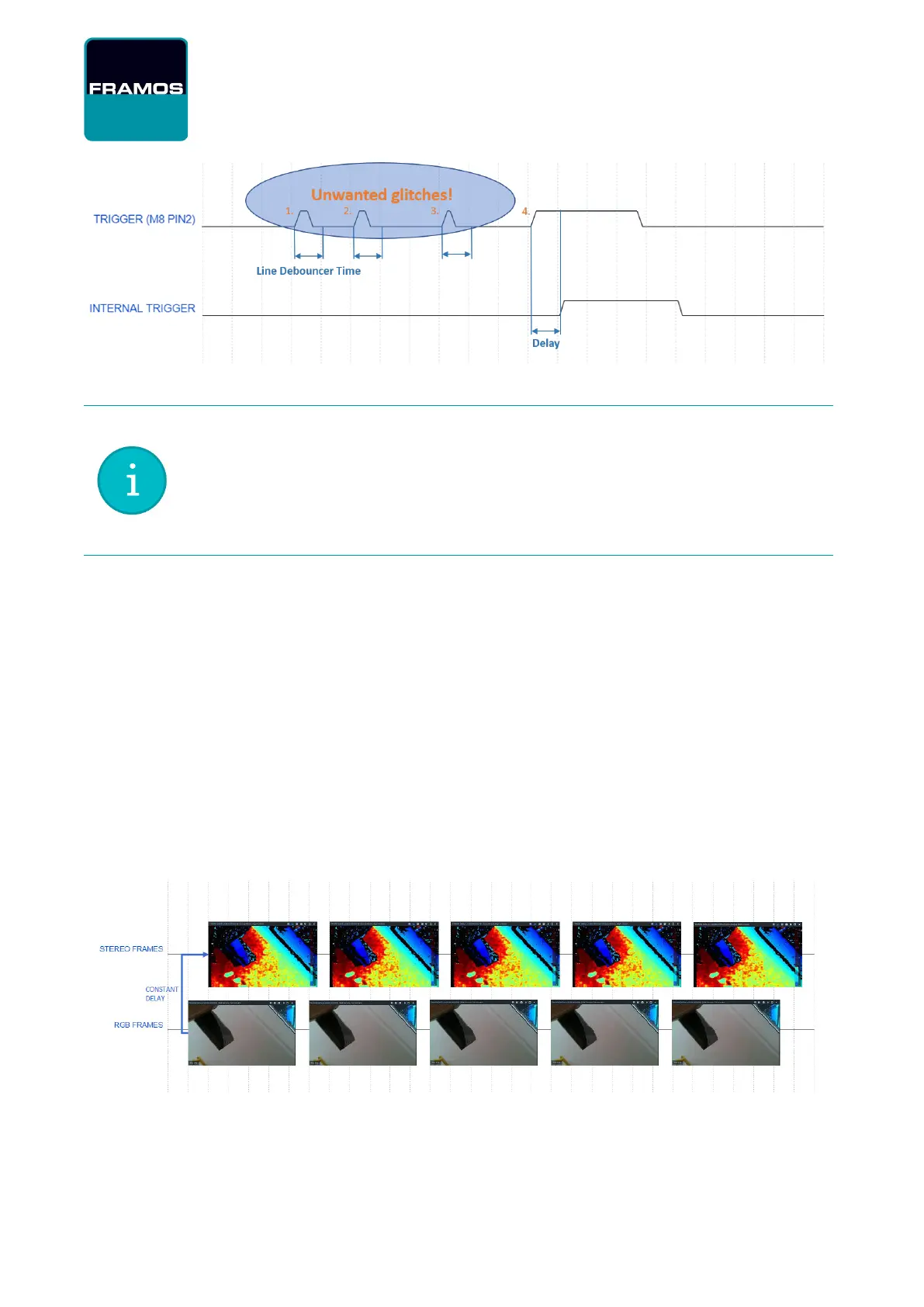
Figure 21 – D400e Line Debouncer Time
Information: The Line Debouncer Time feature continuously filters signals on the
camera digital input pin so it may affect the camera behavior when the camera
is operating in “Slave”, “Genlock”, “External Event” or “External Event Burst”
operating modes.
For optimal operation, set the Line Debouncer Time to a value larger than the
width of noise pulses expected or observed on the signal line, but smaller than
the width of the trigger signal applied on the camera digital input pin.
8.8.8 RGB/Stereo Synchronization
By default, FRAMOS D400e camera operates in the "Default" operating mode, with asynchronous
streams from the RGB and Stereo sensor. For explanation on the camera operating modes please
refer to
FRAMOS Industrial Depth Camera D400e Series - Multi-Camera Synchronization
[Ref-3].
To achieve synchronization between the RGB and Stereo stream make sure of the following:
Inter Cam Sync Mode is set to "Default Mode" or "External Event Mode"
RGB Auto Exposure Priority option is disabled (even if RGB Auto Exposure is disabled)
RGB and Stereo framerates matches
When streams are synchronized, there is a constant delay between the frames as shown in Figure
22.
Figure 22 – D400e Series Camera Synchronized Streams
With streams out of synchronization, RGB and Stereo streams drift apart over time as shown in
Figure 23.


 To Next Page