FRAMOS Industrial Depth Camera D400e Series - User Manual
Version 1.6.0
from 2021-10-15 55 of 64
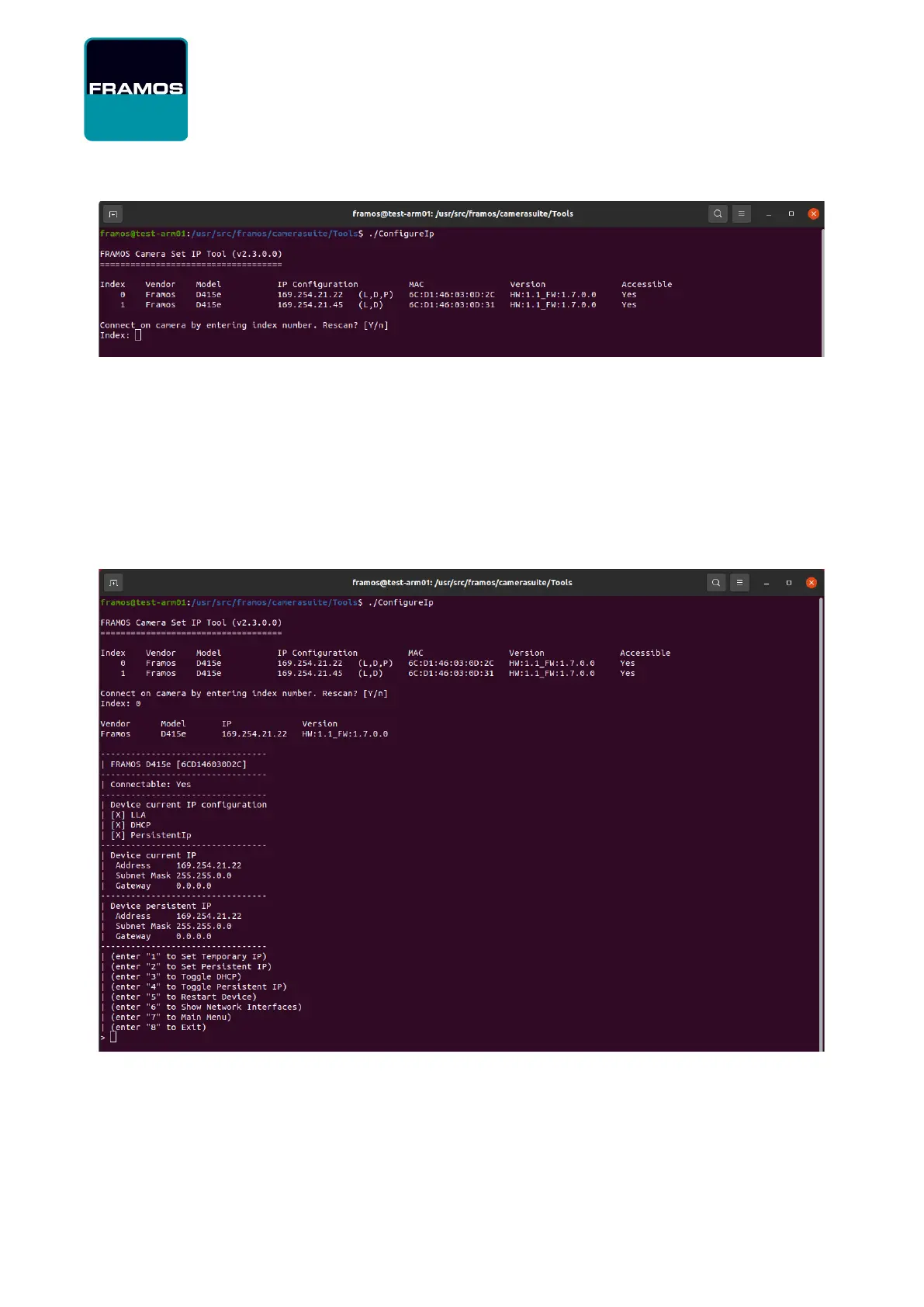
Figure 34 – Tool ConfigureIp Part 1
The IP Configuration column displays current IP address and additional flags in parentheses
indicating the IP Configuration protocols enabled on each device:
L = device has LLA protocol enabled (always enabled)
D = device has DHCP protocol enabled
P = device has Persistent IP address enabled
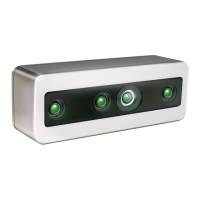
Select a camera from the list, and then set the desired IP configuration:
Figure 35 – Tool ConfigureIp Part 2
Note that while setting new temporary IP will change the temporary IP immediately, all other newly
set IP configuration will not be active until the camera is restarted. In certain cases, especially when
using Persistent IP configuration, there is a possibility of IP address conflict between two or more
cameras. If IP address conflict is detected, the ConfigureIP tool will display a warning message.


 To Next Page