QUANTUM
™
HD COMPRESSOR CONTROL PANEL
MAINTENANCE
090.040-M (NOV 2016)
Page 44
SERVICE SCREENS
The Quantum™ HD panel features numerous Service related screens, which will facilitate troubleshooting and general maintenance.
Some of these screens are located in the main Menu under Service, and others are located in Status, Conguration and About
screens. The following pages describe these screens, and can be accessed by selecting the SERVICE, STATUS, CONFIGURATION
or the ABOUT icons from the main MENU.
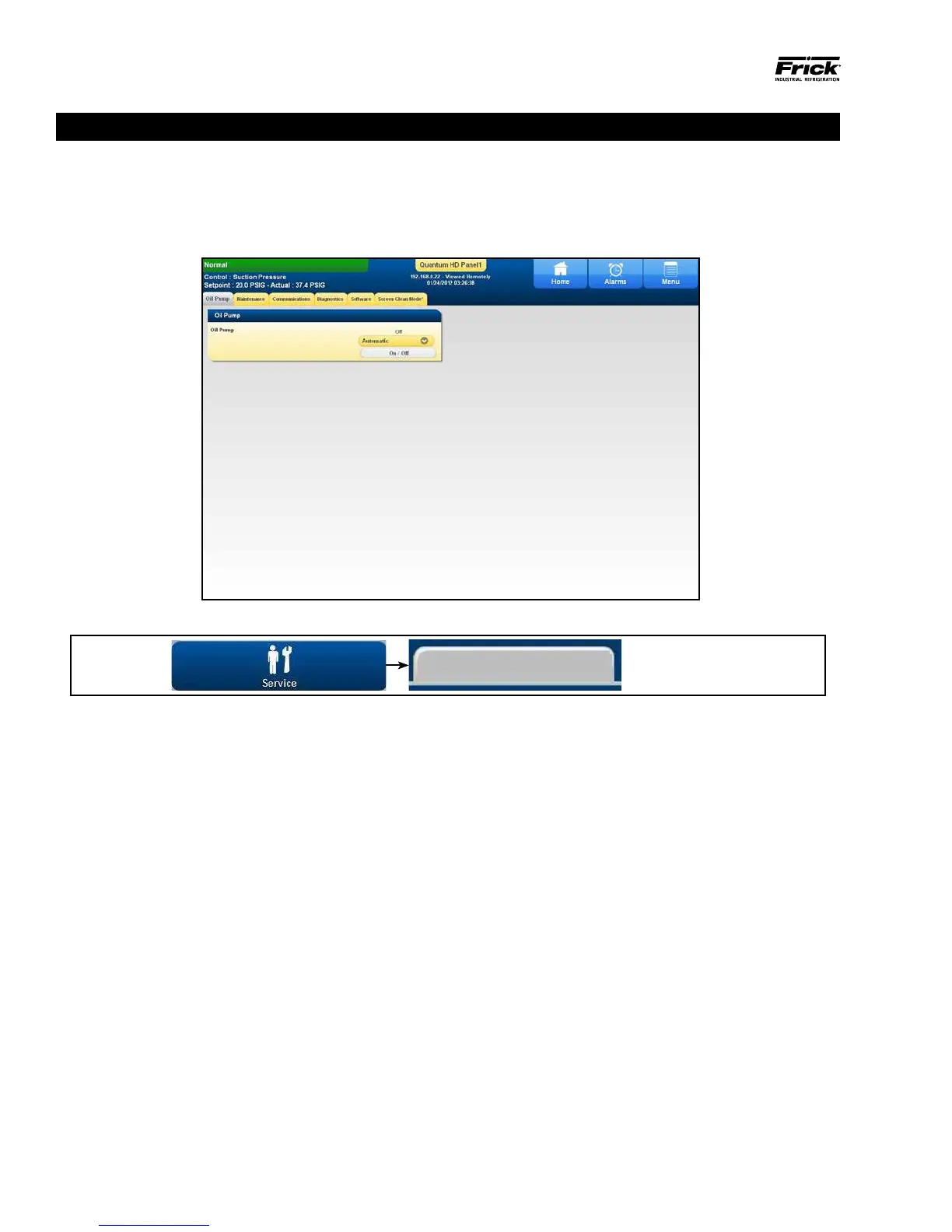
DESCRIPTION: This screen allows for setting and checking
the status of the Oil Pump (option). The current condition of
the Oil Pump is shown as being either ON or OFF.
The following additional information is provided on this
screen:
A toggle button is provided to select between:
• Manual - The user has control over the running of the
pump. To run the pump, simply observe the gray but-
ton below the Automatic/Manual button to ensure that
the pump is not already running, and if not, then press
the [On/Off] toggle button. The Oil Pump status text
indicator will change from Off to On. To stop the pump,
press the toggle button again, and the pump indicator
will change to Off. If the Oil Pump toggle button is set for
Automatic, it will change to Manual if the [On/Off] button
is pressed.
• Automatic - If the pump is set to Automatic mode, the
Quantum™ HD software program is controlling the pump
operation. In this mode, if the toggle key is pressed, the
mode will be changed from Automatic to Manual Mode,
and the current state of the pump (digital output 3) will
also toggle to ON.
ACCESSING:
Oil Pump
SERVICE - OIL PUMP
090.040-PH0009.tif



 To Next Page