QUANTUM
™
HD COMPRESSOR CONTROL PANEL
MAINTENANCE
090.040-M (NOV 2016)
Page 49
SERVICE - SOFTWARE
ACCESSING:
Software
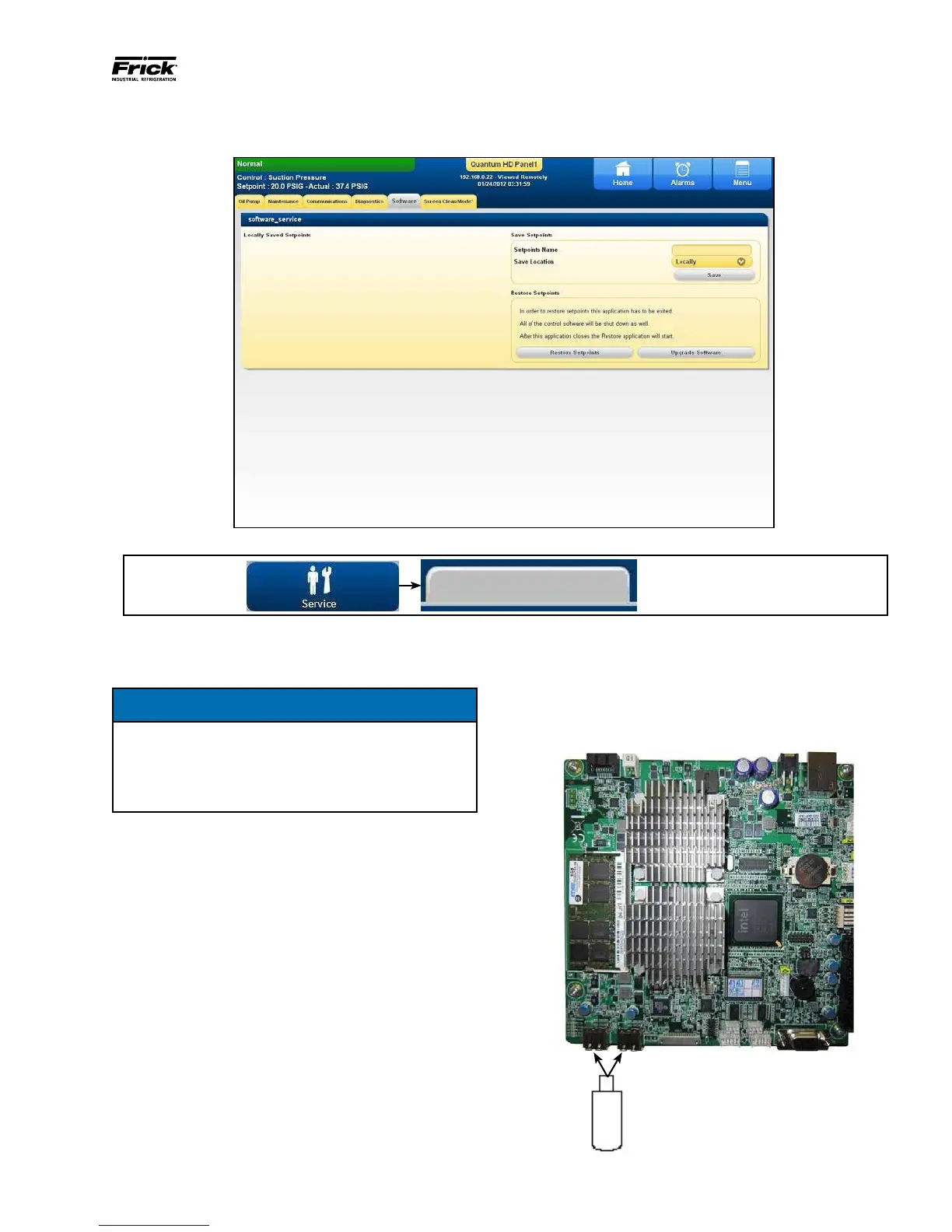
DESCRIPTION: This screen has been provided as a way
for the user to save and restore setpoints, and to upgrade
software.
NOTICE
Before accessing this screen, it is recommended
that a USB drive device (P/N 649A1063G99) be
plugged into a USB port of the Q5 Processor
Board. Refer to the following pictorial for USB
port locations:
Perform the following steps to prepare the Quantum™ HD
for software maintenance:
• Ensure that all setpoint values have been documented as
a safety precaution.
• Stop the compressor.
• With power ON, insert the USB device into a provided USB
port of the Q5 Processor Board (see above).
• Access the main [Menu].
• Select the [Service] Icon.
• On the Service screen, select the Software tab.
The following selections have been provided:
Setpoints Name - Enter a custom name here. This is similar
in function to a le name. It cannot be blank.
Save Location - This is defaulted to Locally.
Save - Use this button to save all setpoints and custom text
to a USB device as a form of backup:
• Press [Save] button to Save Setpoints.
Once the setpoints have been saved, the name of the set-
point le that you created will appear on the left side of the
screen, followed by a time/date stamp. Multiple setpoint les
can be saved, as shown.
090.040-PH0013.tif
Q5 Processor Board USB
Plug-in locations
090.040-PH0004.tif
Figure 23. USB Plug-in Locations



 To Next Page