QUANTUM
™
HD COMPRESSOR CONTROL PANEL
MAINTENANCE
090.040-M (NOV 2016)
Page 57
CONFIGURATION - DRIVE (MOTOR)
ABOUT
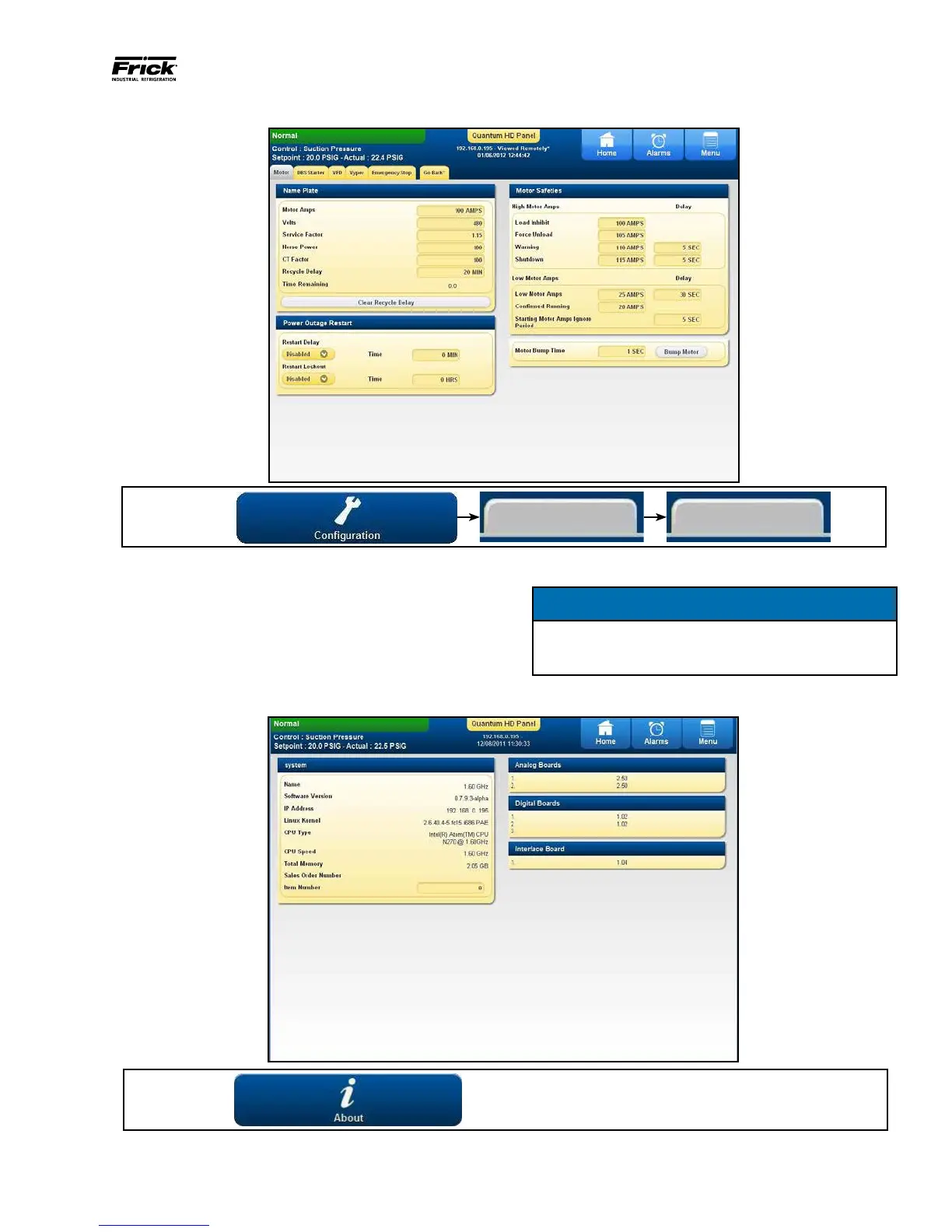
DESCRIPTION: This screen provides for a method of “bump-
ing” the motor. This would be particularly useful when per-
forming the initial unit startup, or in the event that the motor
should need replacing (to verify proper 3-phase connections).
To perform the motor bump, set the time for the desired
length that you require the motor to run, then press the
[Bump Motor] button. The motor will turn for the period
of time that has been set.
NOTICE
USE THIS FEATURE WITH CAUTION, AS DAMAGE TO
THE UNIT OR MOTOR MAY OCCUR!
DESCRIPTION: Various information regarding system soft-
ware and software versions are presented here, as well as
all detected I/O control boards, IP address, memory and the
unit Sales Order. This information is important especially
when contacting a service representative.
ACCESSING:
Drive Motor
090.040-PH0028.tif
ACCESSING:
090.040-PH0029.tif



 To Next Page