PRINTING
4-10 User's Manual
Using the Control Panel (LCD type only)
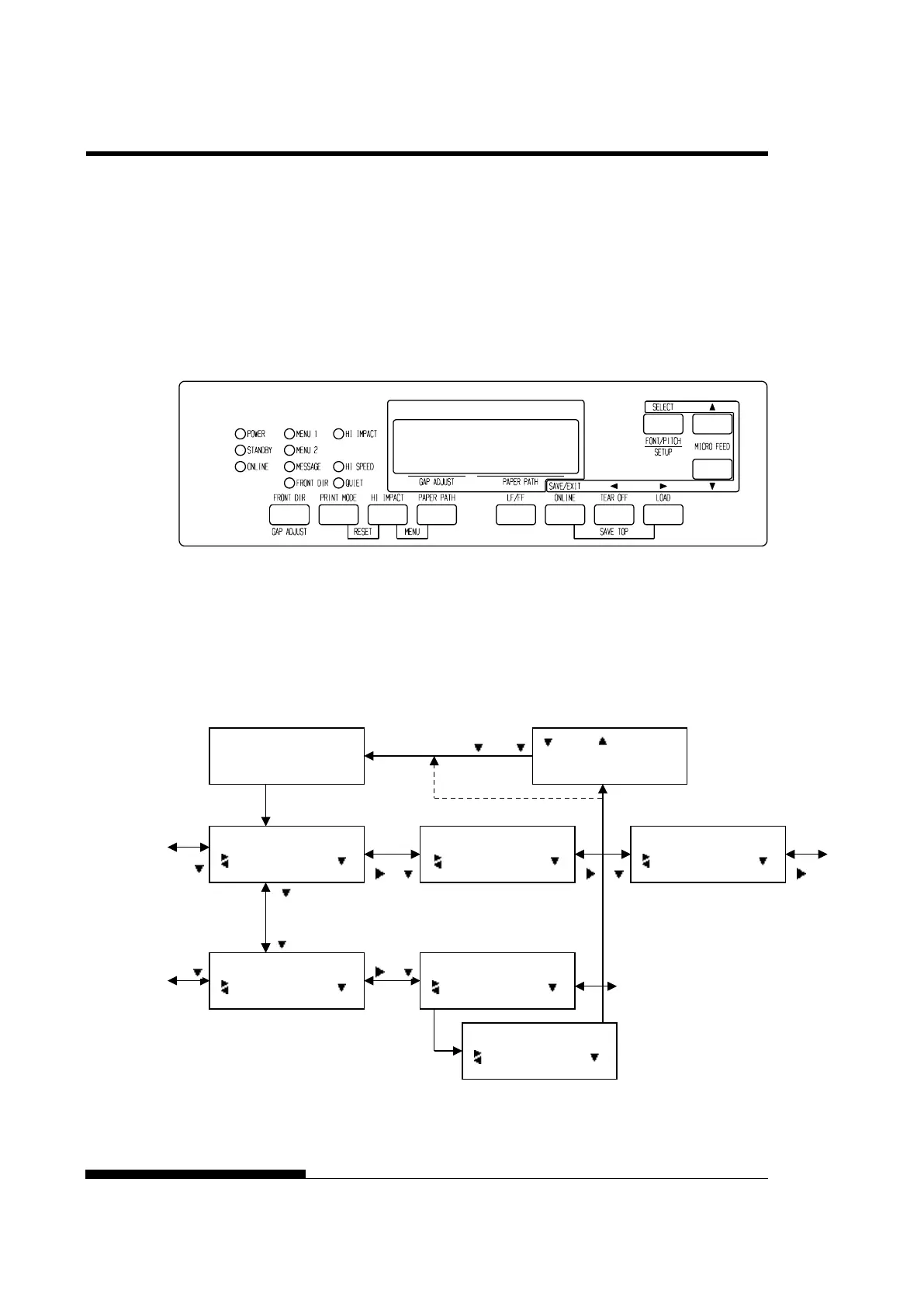
LCD type Control panel also can select print features including
FONT/PITCH/QUALITY that assigned current MENU1 or 2 directly.
To select print features enter select mode as follows.
1. Press the ONLINE button to place the printer online.
2. Press the FONT/PITCH button to enter select menu.
3. To move layer and in transverse direction, use ,, and
buttons.
4. To select print features, use , and SELECT buttons.
5. To save or exit press SAVE/EXIT buttons.
6. Press or buttons to finish.
FONT/PITCH/QUAL setting mode.
ONLINE
AUTO TRACTOR F
FONT/PITCH/QUAL
FONT
FONT/PITCH/QUAL
PITCH
FONT/PITCH/QUAL
QUALITY
FONT
*COUR 10
FONT
PRSTG12
FONT
*PRSTG12
:SAVE :CANCEL
*
” is applied to a selected option.



 To Next Page