SETTING UP
User's Manual 2-19
At this point, load paper and run the printer self-test. The self-test checks
printer performance and print quality before you connect the printer to
the computer. Use either single sheets or continuous forms (see Chapter
3). This section describes the self-test procedure using single sheets.
Loading Paper for the Self-Test
To print the self-test, use paper wider than 215.9 mm (8.5 inches) and set
the left paper guide all the way to the right to avoid clipping the test
pattern. Standard letter or A4 size paper can be used lengthwise (portrait
mode). Pull the sub guide out as required to accommodate the paper size.
Before loading paper, make sure that the printer is on. Then, proceed as
follows:
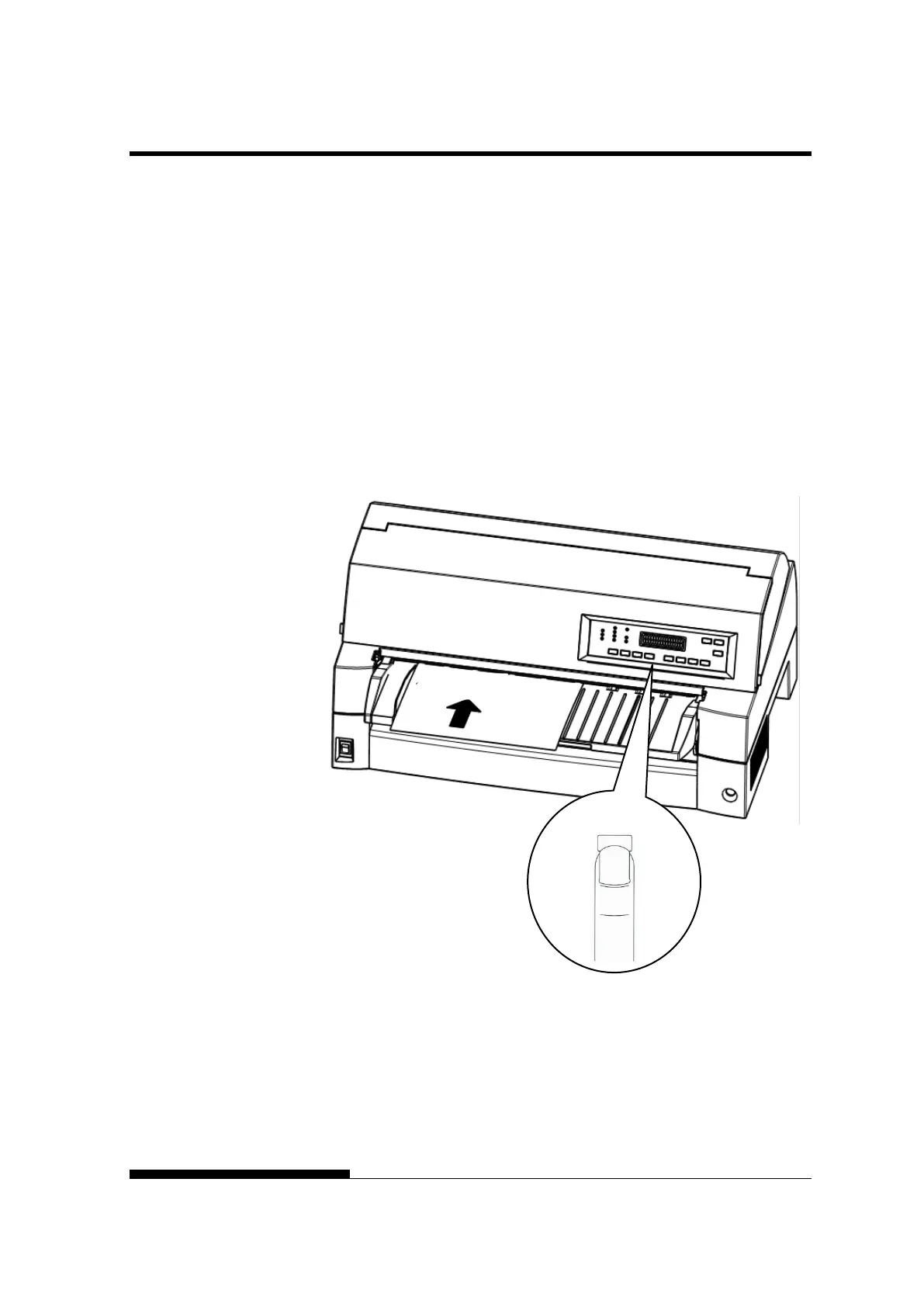
1. Press the PAPER PATH button on the control panel to select the
cut sheet mode (the CUT SHEET indicator lights).
Loading a sheet of paper
2. Insert a sheet of paper (A4 or larger) into the printer, keeping it
aligned with the paper guide on the left hand side of the paper
table. The sheet will automatically be pulled into the printing
start position.
PRINTER (OFFLINE)



 To Next Page