INSTALLING OPTIONS
8-6 User's Manual
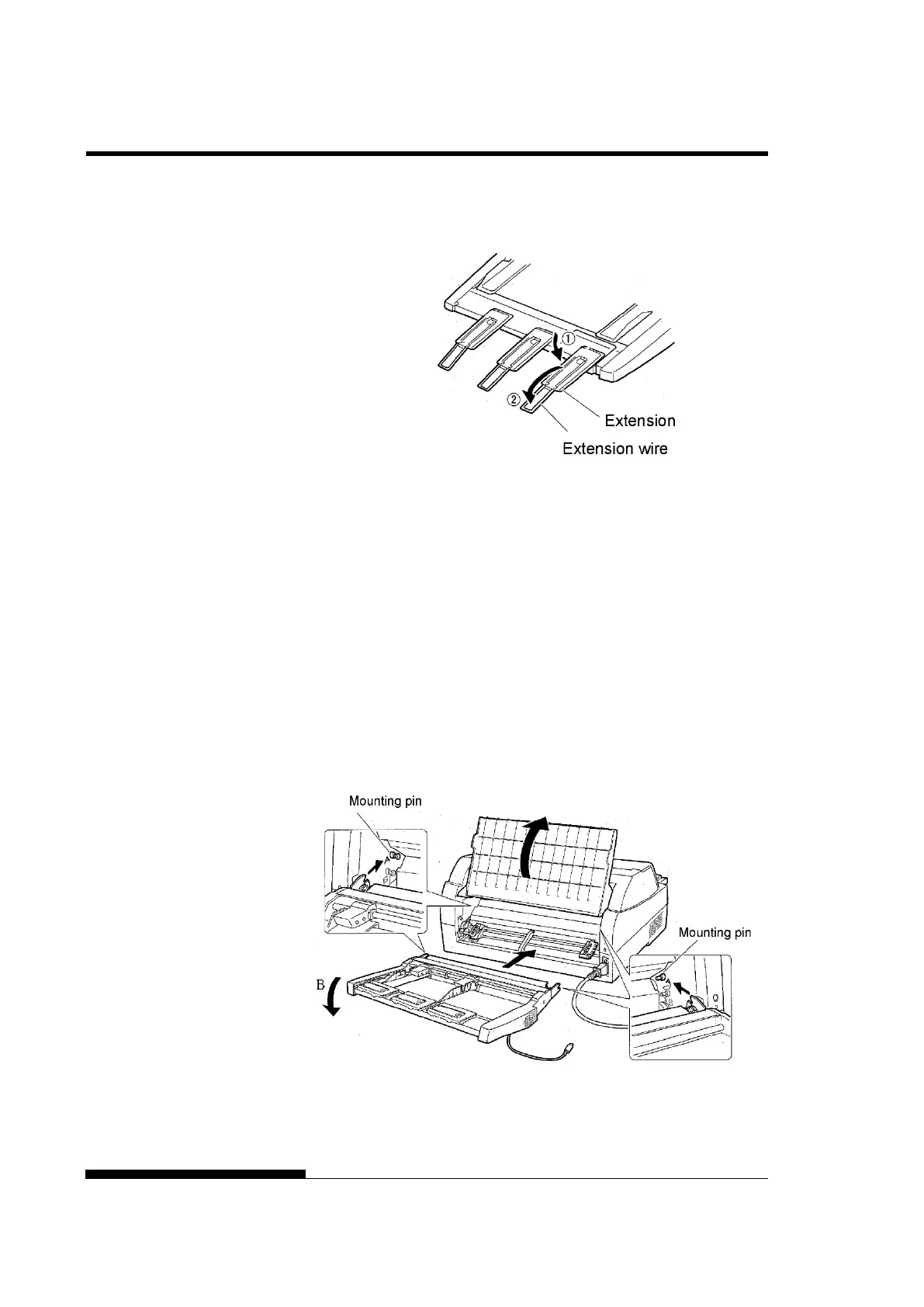
6. Extend the extension and extension wire in the order from
(1) to (2) according to the size of the paper to be used.
Installing on the rear side of the printer
Before mounting the cut sheet feeder, turn off the printer power.
1. Turn off the printer power.
Confirm that the printer power is turned to the O side.
2. Installing the cut sheet feeder
Open the rear stacker. Hold both sides of the cut sheet feeder
and adjust the U slots made on both side of the cut sheet feeder
to the mounting pins inside the printer. (Attach the slots with
the letter A of the cut sheet feeder adjusted to that on the printer
side.) Then, lower the cut sheet feeder like it turns in the
direction of arrow B, using the mounting pins as supporting
points.



 To Next Page