INSTALLING OPTIONS
User's Manual 8-11
To stack cut sheets continuously or eject long cut sheets to the rear,
mount the large stacker.
Also, if a cut sheet feeder is mounted at the rear, the stacker must be
replaced with the large stacker even if cut sheets need not be
continuously stacked.
Removing the current stacker
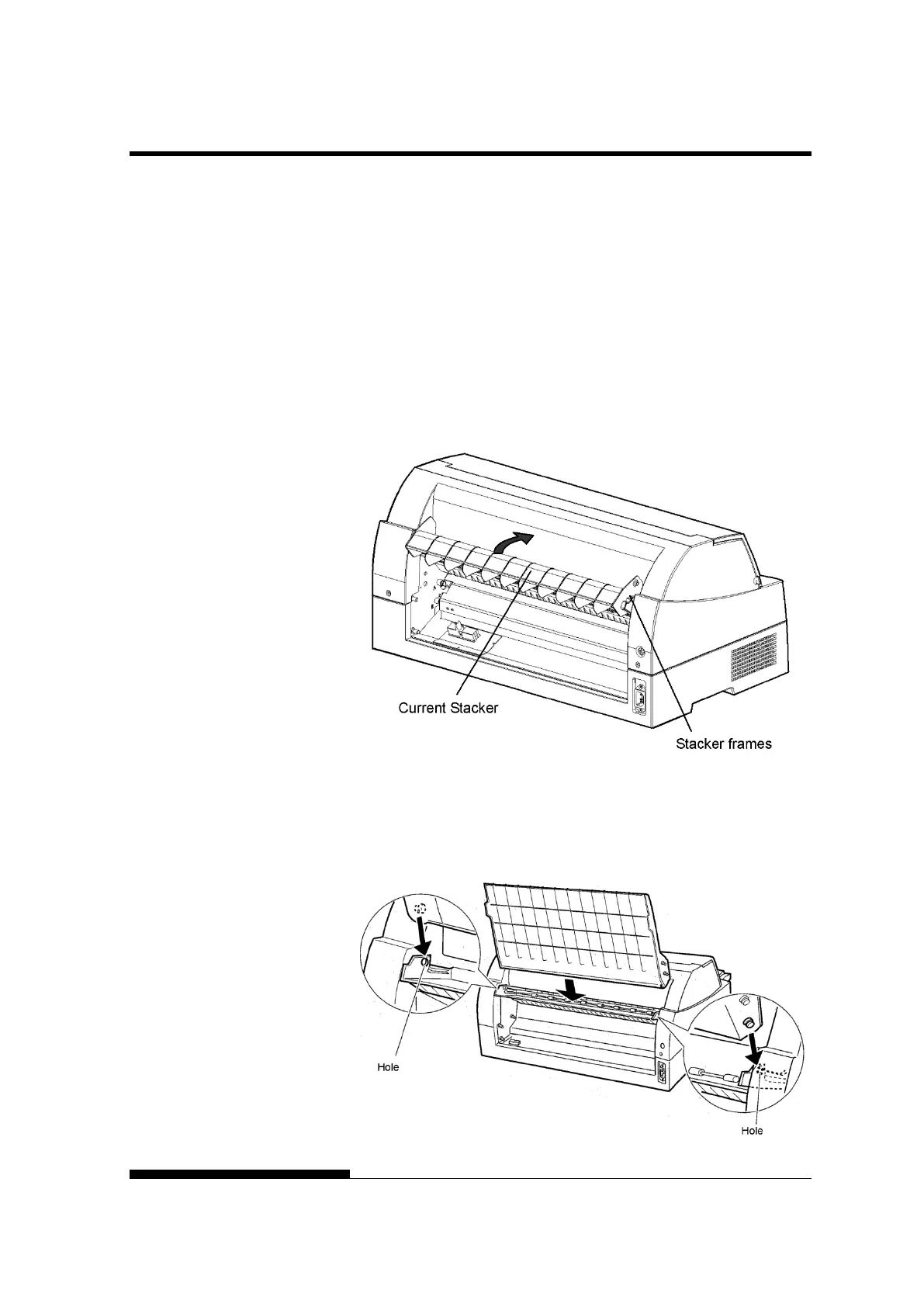
1. Lift up the current stacker in the direction indicated by the arrow.
2. With the stacker in the condition described in step 1, push out
the right and left stacker frames to separate them from the
protrusions on the stacker plate.
Mounting the rear stacker
At the rear of the printer, push the protrusions on both sides of the
rear stacker into the holes inside the rear stacker guide as shown in
the following figure.
LARGE STACKER



 To Next Page