USING SETUP MODE
5-4 User's Manual
4. When the printer enters offline setup mode, it prints the
following information.
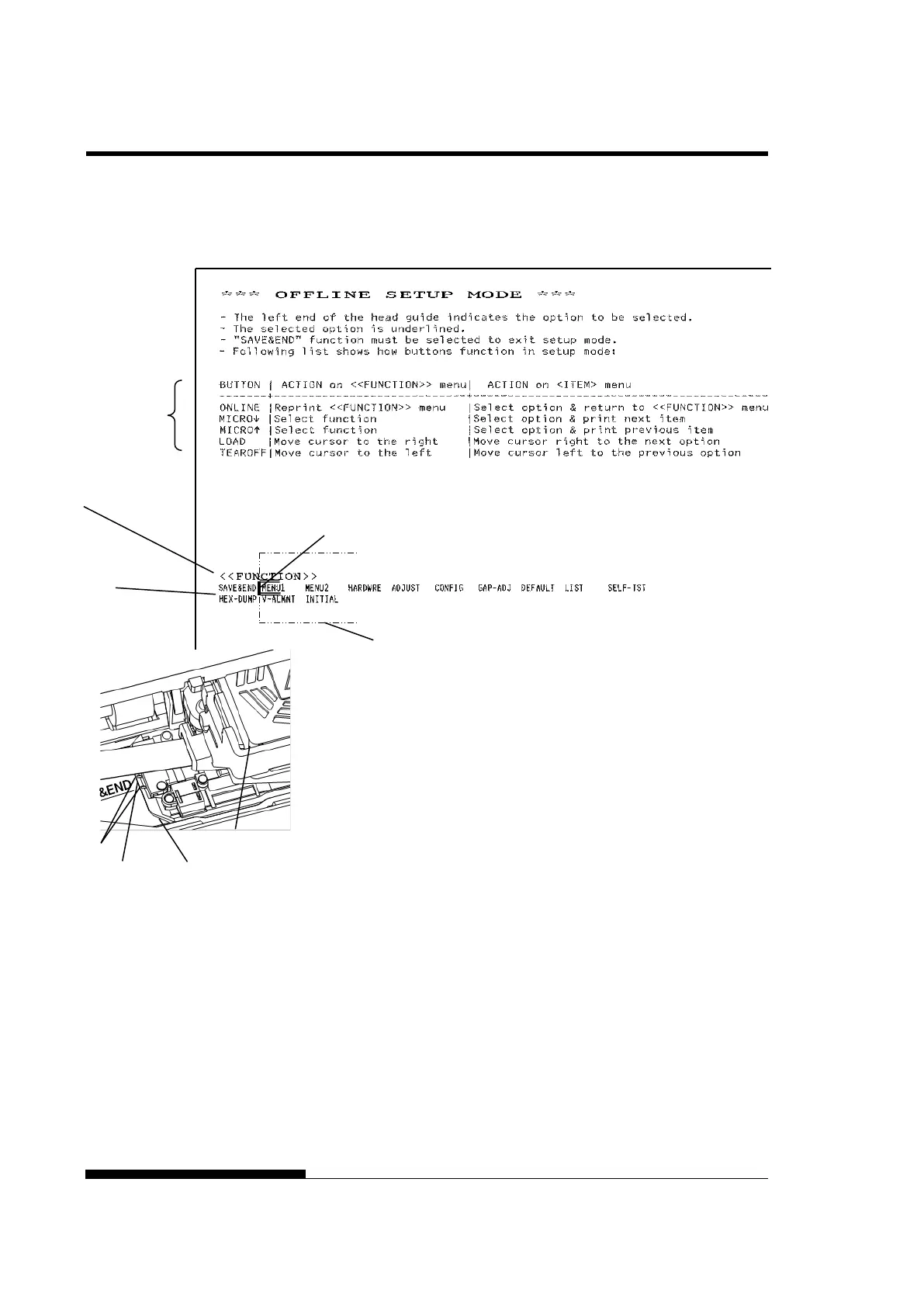
Initial printout in setup mode
The initial printout contains a header, help menu, and <<FUNCTION>>
menu. The header tells you that the printer is offline and in setup mode.
The help menu provides a quick summary of how to use setup mode. The
<<FUNCTION>> menu lists all of the functions available to you in setup
mode. Note that the cursor on the left edge of the aluminum print guide is
initially positioned at the SAVE & END function.
Setup mode can also be entered by turning off the printer, then turning
the printer back on while pressing the SETUP button until the printer
beeps.
etup mode
Card guide (aluminum print guide (head guide))
(aluminum print guide)



 To Next Page