INTERFACE INFORMATION
User's Manual D-9
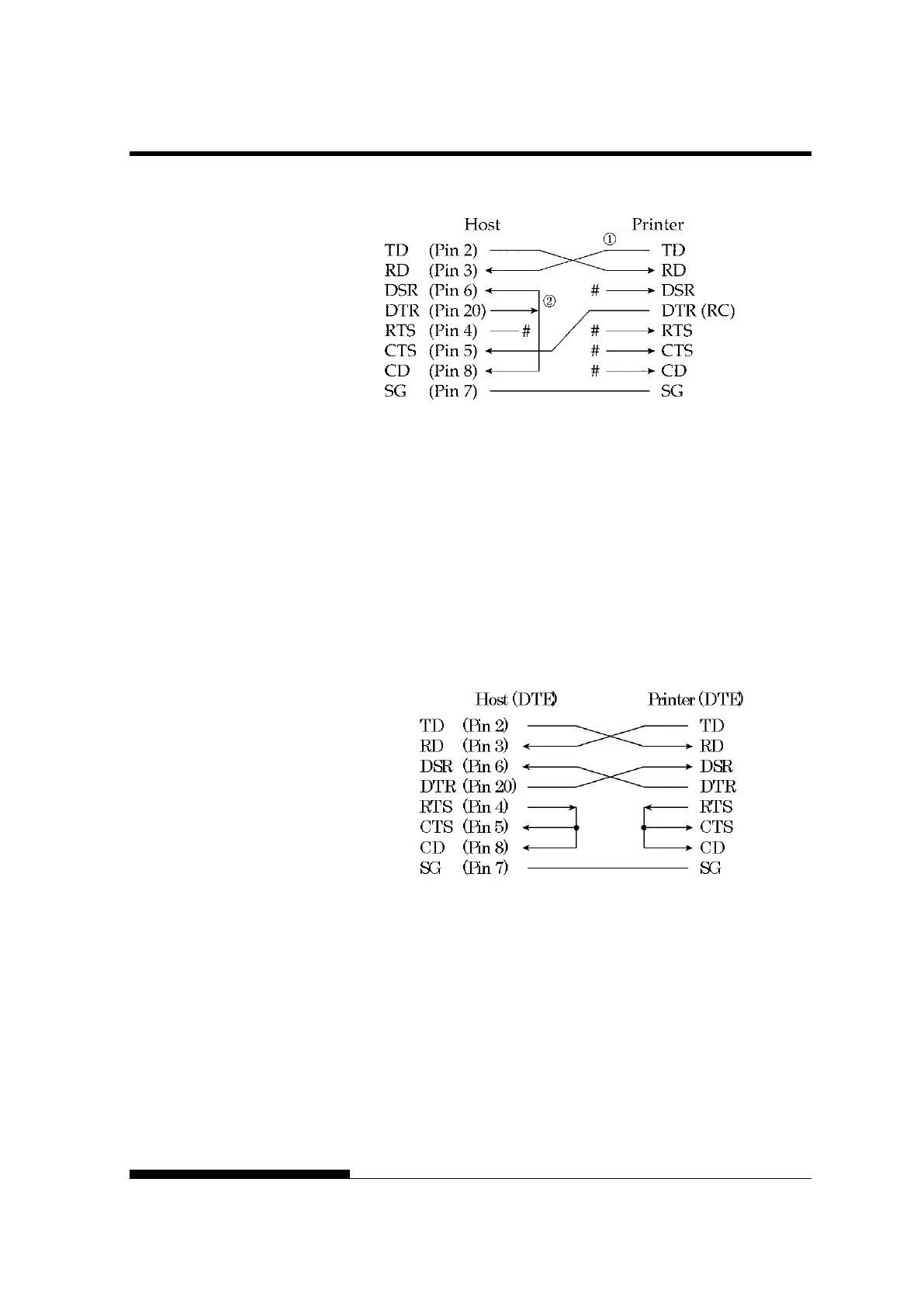
# indicates an open wire.
DSR-enabled control enables communication using an RS-232C
interface. The CTS and DSR input control signals are enabled; CD is
ignored. DSR must be high when the printer receives data. If the printer
has data to be transmitted to the computer, the printer transmits the data
when both DSR and CTS are high.
When using DSR-enabled control, use a straight-through cable to
connect to a DCE (data communications equipment) device. Use a null-
modem cable to connect to a DTE (data terminal equipment) device, as
shown below.



 To Next Page