SETTING UP
User's Manual 2-15
[Mounting the tractor unit]
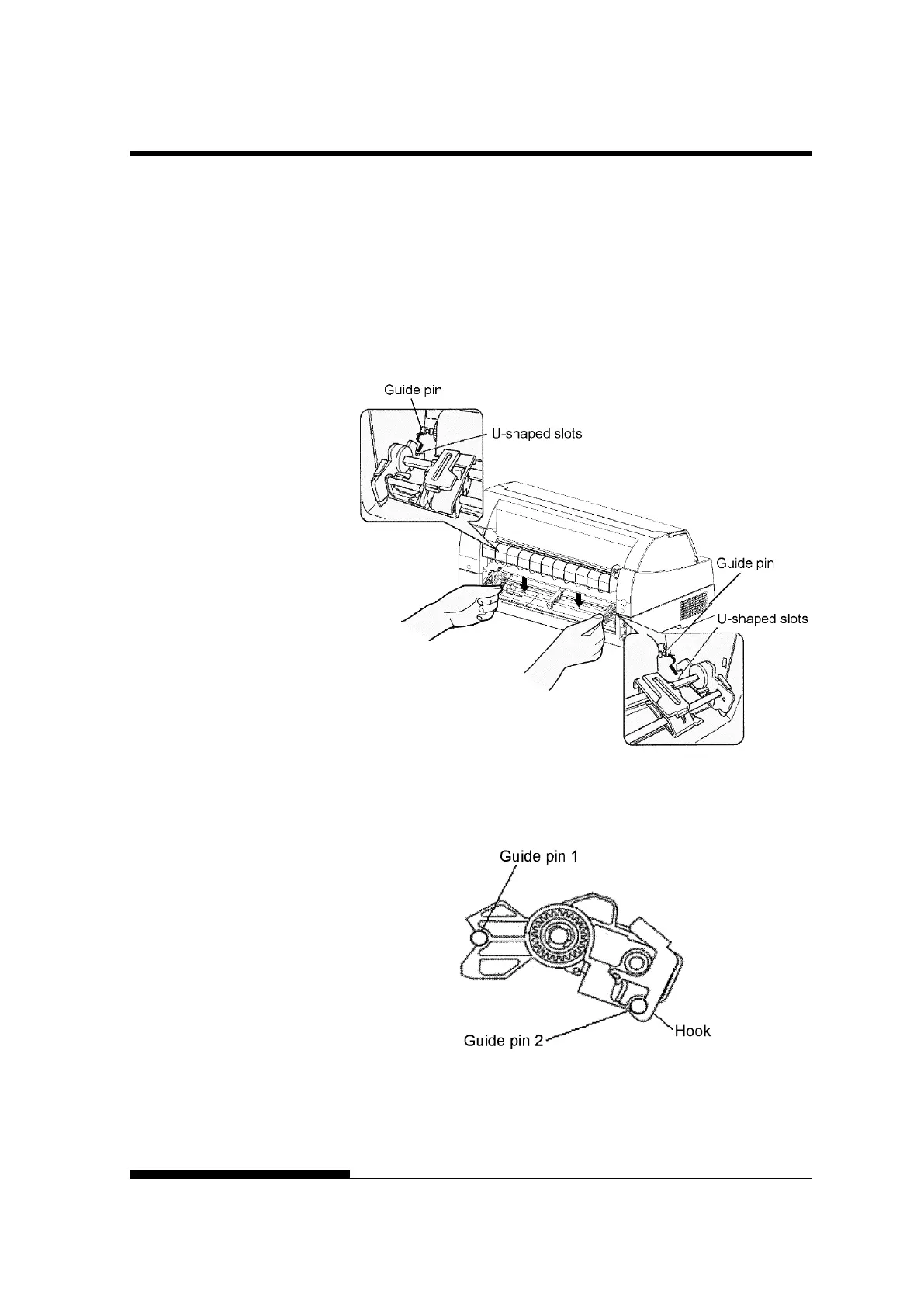
1) Position the U-shaped slots on both sides of the tractor unit over
the guide pins of the printer unit. (To set the tractor unit in
position, line it up with the groove of the left guide pin. The
right guide pin has no groove).
2) Push down the shaft at the front of the tractor unit until it locks
with an audible click. (Do not press the lock levers when
pushing down the shaft.)
3) Verify that the hooks on both sides of the tractor unit are
securely hooked onto guide pin 2 as shown in the following
figure.



 To Next Page