PRINTING
User's Manual 4-3
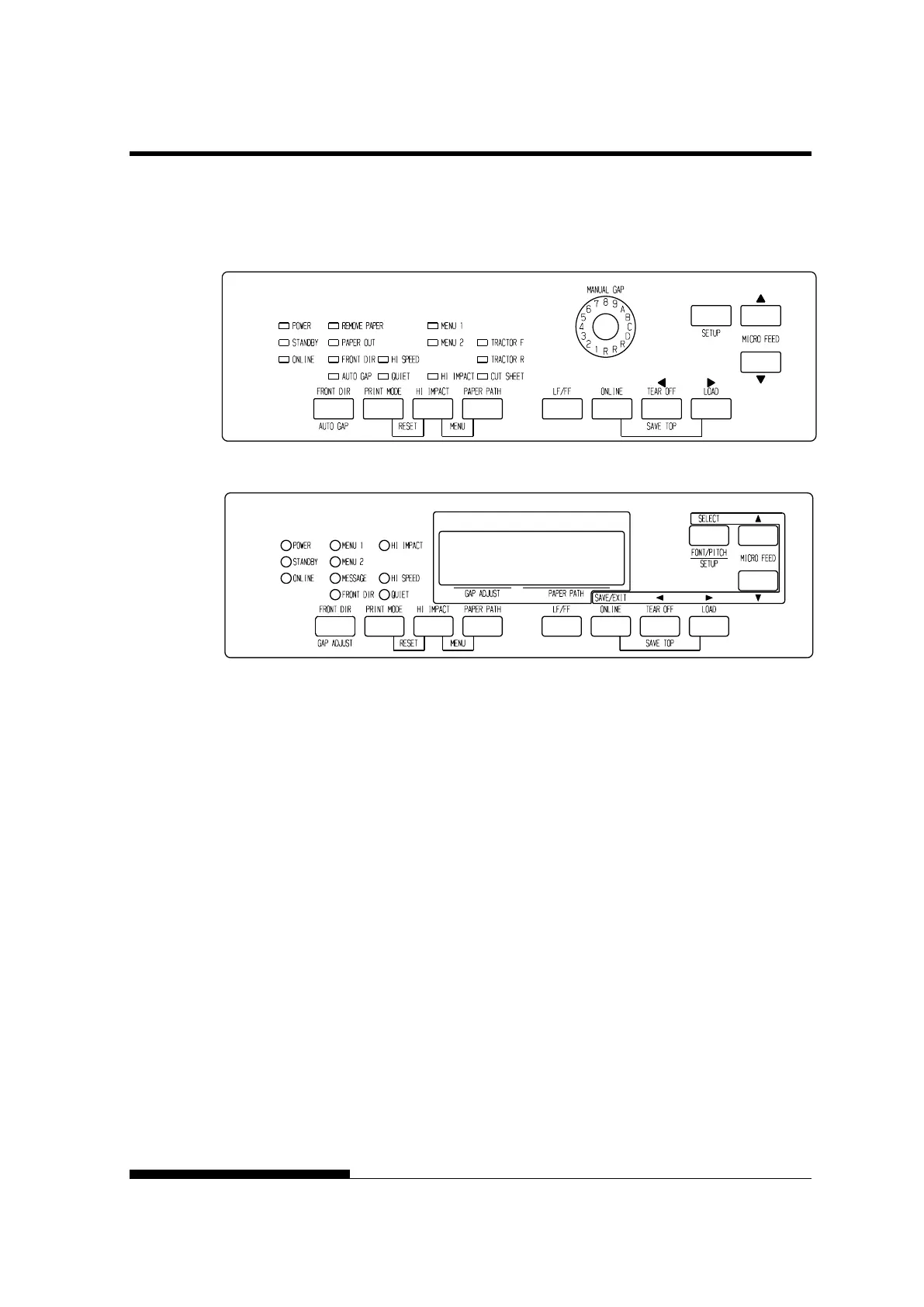
3. If the PRINT MODE button is pressed at QUIET MODE, the
QUIET mode is released, and it becomes STANDARD MODE.
Print control panel
NOTE
• HI SPEED MODE is valid only for LQ.
• QUIET MODE and HI SPEED set by pressing the PRINT
MODE button are cancelled when you turn off the printer.
• If you wish to have the QUIET MODE or HI SPEED set on
power-on, save the setting in setup mode.



 To Next Page