Creating Scanned Images Depending on Intended Use (for Mac OS Users)
402
Scanning Documents Such as Photographs and
Clippings
Using the Carrier Sheet allows you to scan documents that can be damaged quite easily
such as photographs, or non-standard size documents that are difficult to load directly such
as clippings.
Change the settings to scan documents such as photographs and clippings in the following
procedure.
1. Select [Settings] from the ScanSnap Manager menu.
For details about the ScanSnap Manager menu, refer to "ScanSnap Manager Menu
(Mac OS)" (page 39).
D The ScanSnap setup window appears.
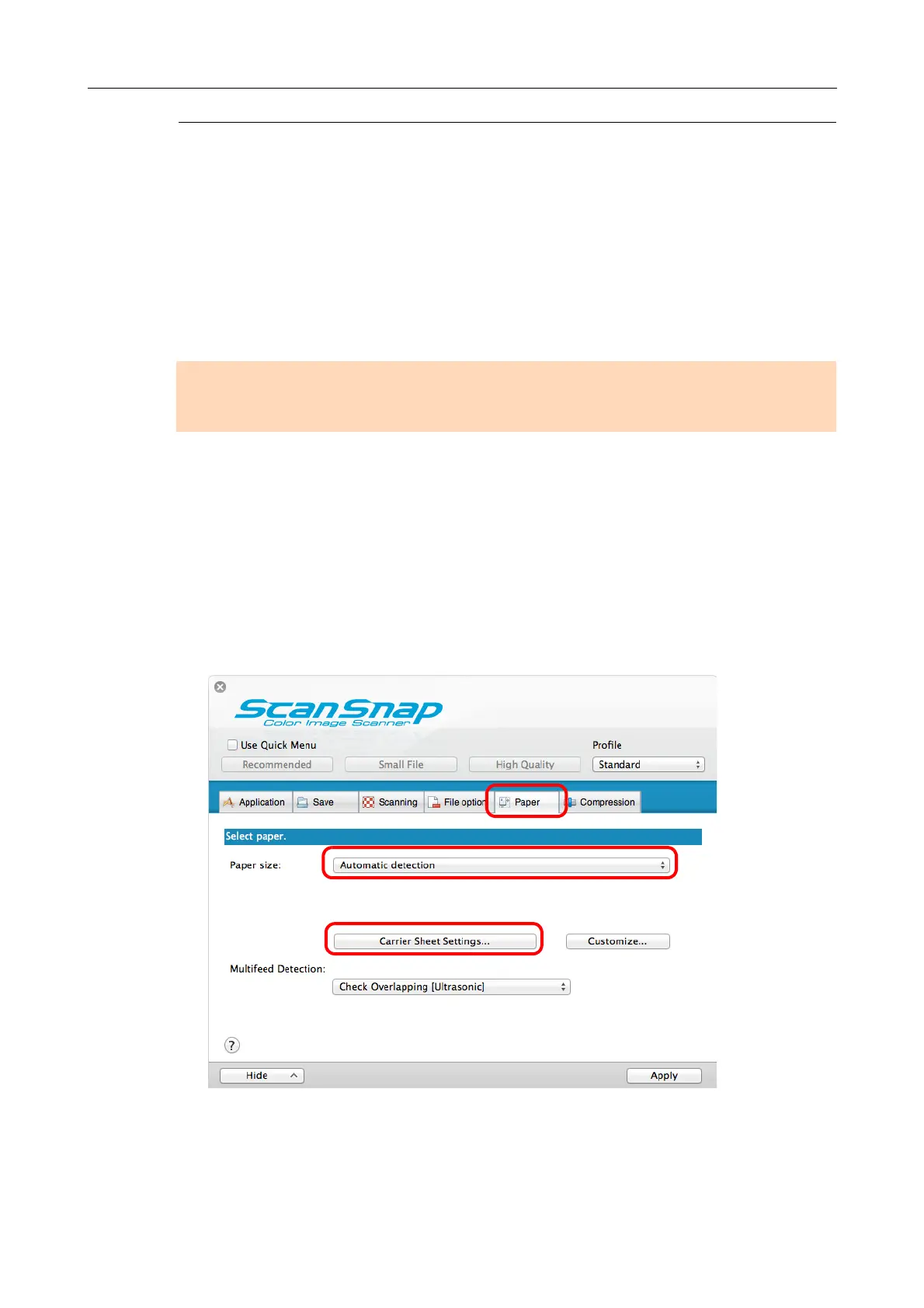
2. In the [Paper] tab, select [Automatic detection] in [Paper size], and then
click the [Carrier Sheet Settings] button.
D The [Carrier Sheet Settings] window appears.
ATTENTION
The [Deskew by text on document] checkbox ([Scanning] tab → [Option] in the ScanSnap setup window)
will be disabled.



 To Next Page
 Loading...













