138
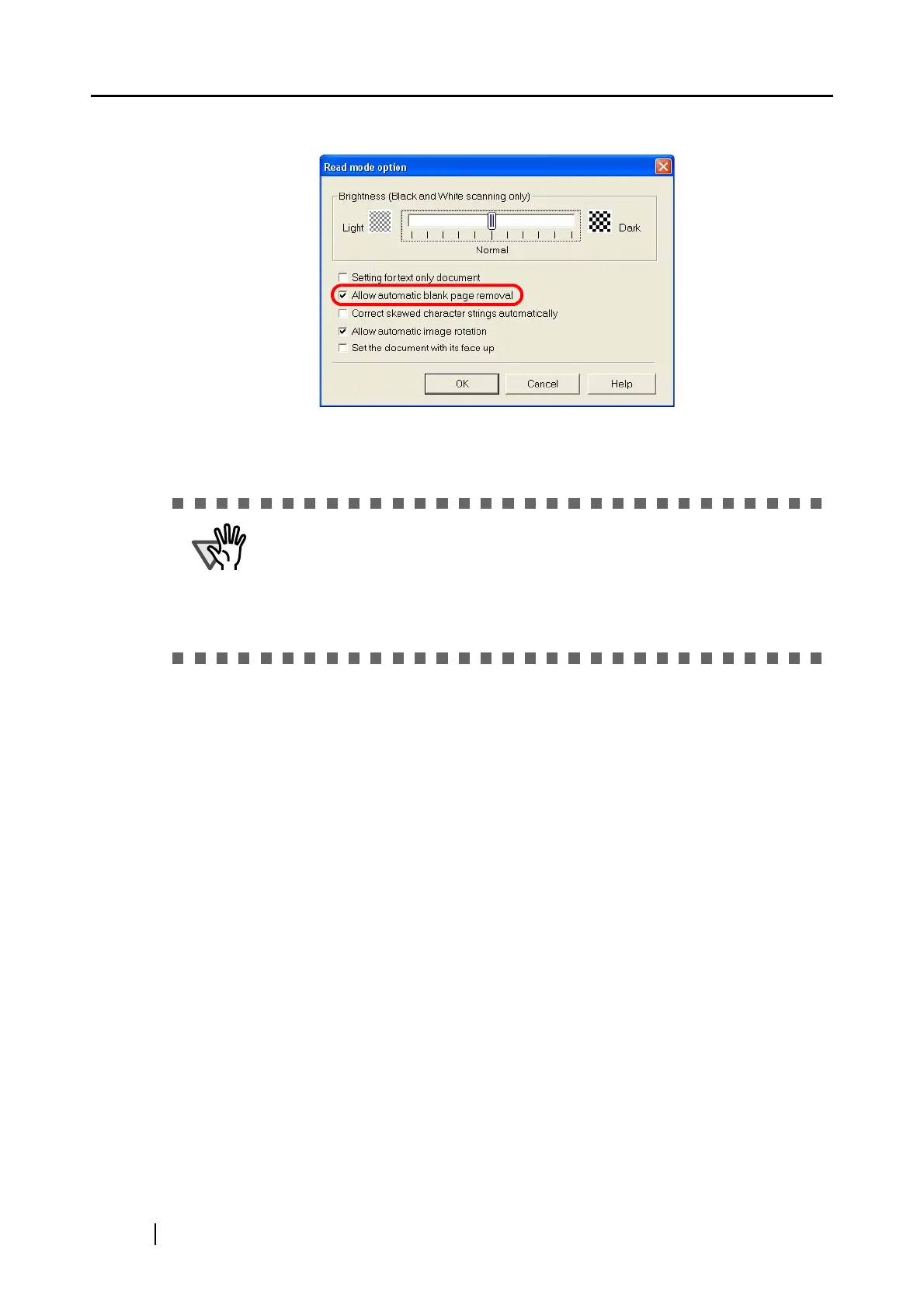
3. Select the [Allow automatic blank page removal] checkbox.
4. Click the [OK] button to close the window.
⇒ The setting is enabled from next scanning.
ATTENTION
The following types of documents may be accidentally recognized as blank
pages:
• Almost blank documents containing only a few characters
• Documents of only one color (including black) and without any patterns, lines,
or characters
*When you scan such documents, clear the checkbox.



 To Next Page
 Loading...













