16
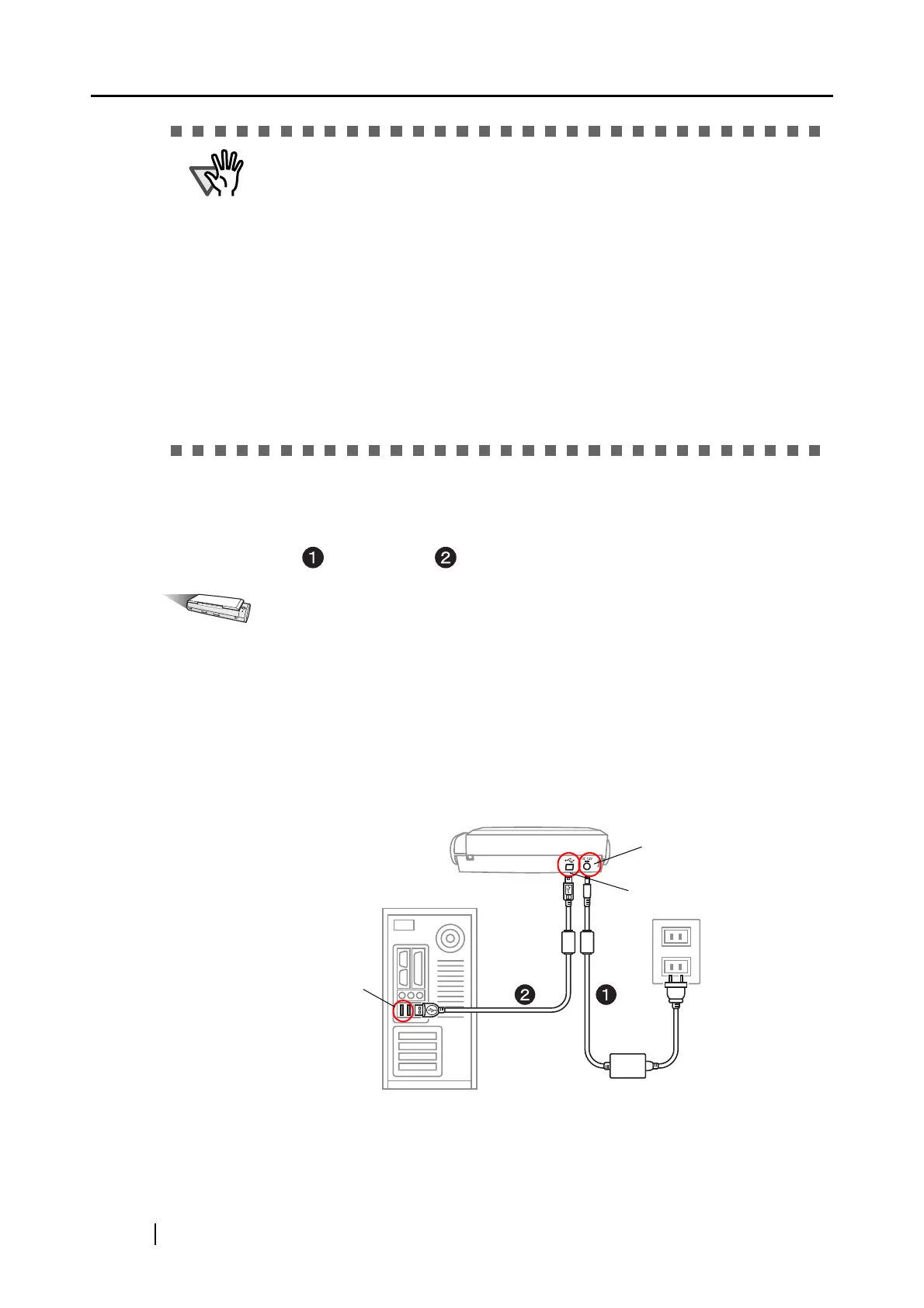
When connecting with the Power cable:
Use the Power cable and USB cable .
Operation
1. Connect the Power cable.
Remove the adhesive label covering the USB and Power connectors.
Connect to the ScanSnap’s power connector and an outlet.
2. Connect the USB cable.
Connect the USB cable to both the ScanSnap and personal computer. Insert until it is all the
way seated in the USB connector and USB port.
3. After power and USB connector are connected with cables, perform the procedure
described in "Turning the ScanSnap ON" on page 18.
ATTENTION
• When using the USB bus power cable, the personal computer must have two
USB ports; one for power feeding, the other for USB cable connection.
• When connecting with the USB bus power cable via a USB hub, use a
powered hub equipped with an AC adapter.
• When the scanner is connected with the USB bus power cable, the scanning
speed becomes slow.
Double-sided color documents of A4 or letter in size can be scanned at a
speed of:
- Power-cable-connected: Approx. 8 sheets/minute
- UBS-bus-power-cable-connected: Approx. 4 sheets/minute
(when used with a computer with Intel
®
Celeron
®
M 430 1.73 GHz or higher
that runs Windows 2000, Windows XP or Windows Vista and with Scan
mode set to Normal, Color mode Auto, and Compression rate 3, and others
set to defaults)
USB port
Power connector
USB connector
PC



 To Next Page
 Loading...













