132
■ Scanning only one side of a document
By default, pressing the [SCAN] button on the ScanSnap starts scanning in Duplex mode.
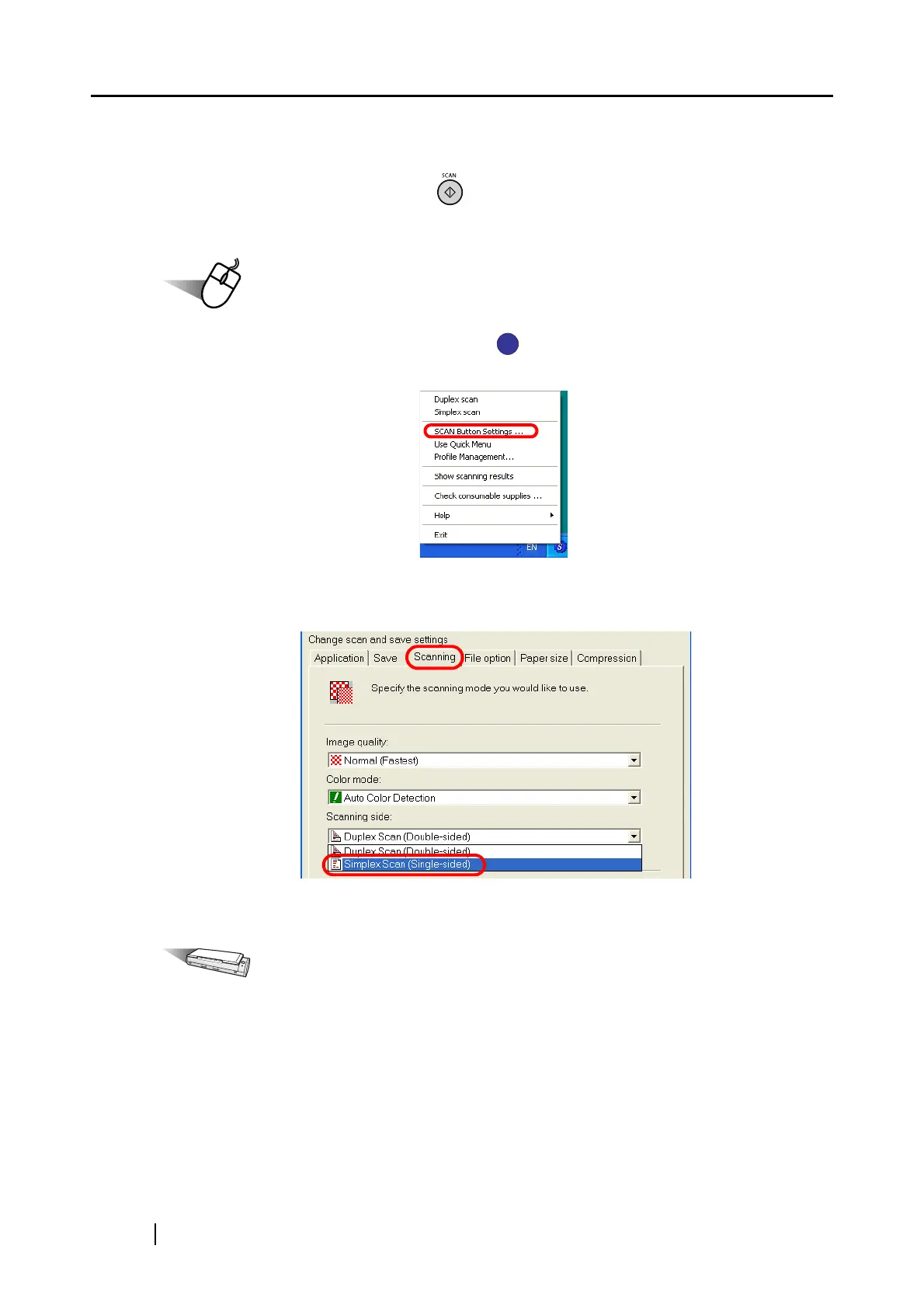
When you wish to use [Simplex scan], change the settings by following the procedure below.
Operation
1. Right-click the ScanSnap Manager icon on the taskbar, and then select [SCAN
Button Settings] from the menu.
2. Click the [Scanning] tab and select [Simplex scan] from the [Scanning side:] drop-
down menu.
3. Click the [OK] button to save changes and close the window.
Operation
4. Load the document onto the ScanSnap.
S
S



 To Next Page
 Loading...













