4.2 Changing Scanning Settings
ScanSnap S300 Operator's Guide 47
Setting the ScanSnap
4
4.2 Changing Scanning Settings
To change scanning settings for the ScanSnap, use the Right-Click Menu.
The following describes how to change the settings.
Operation
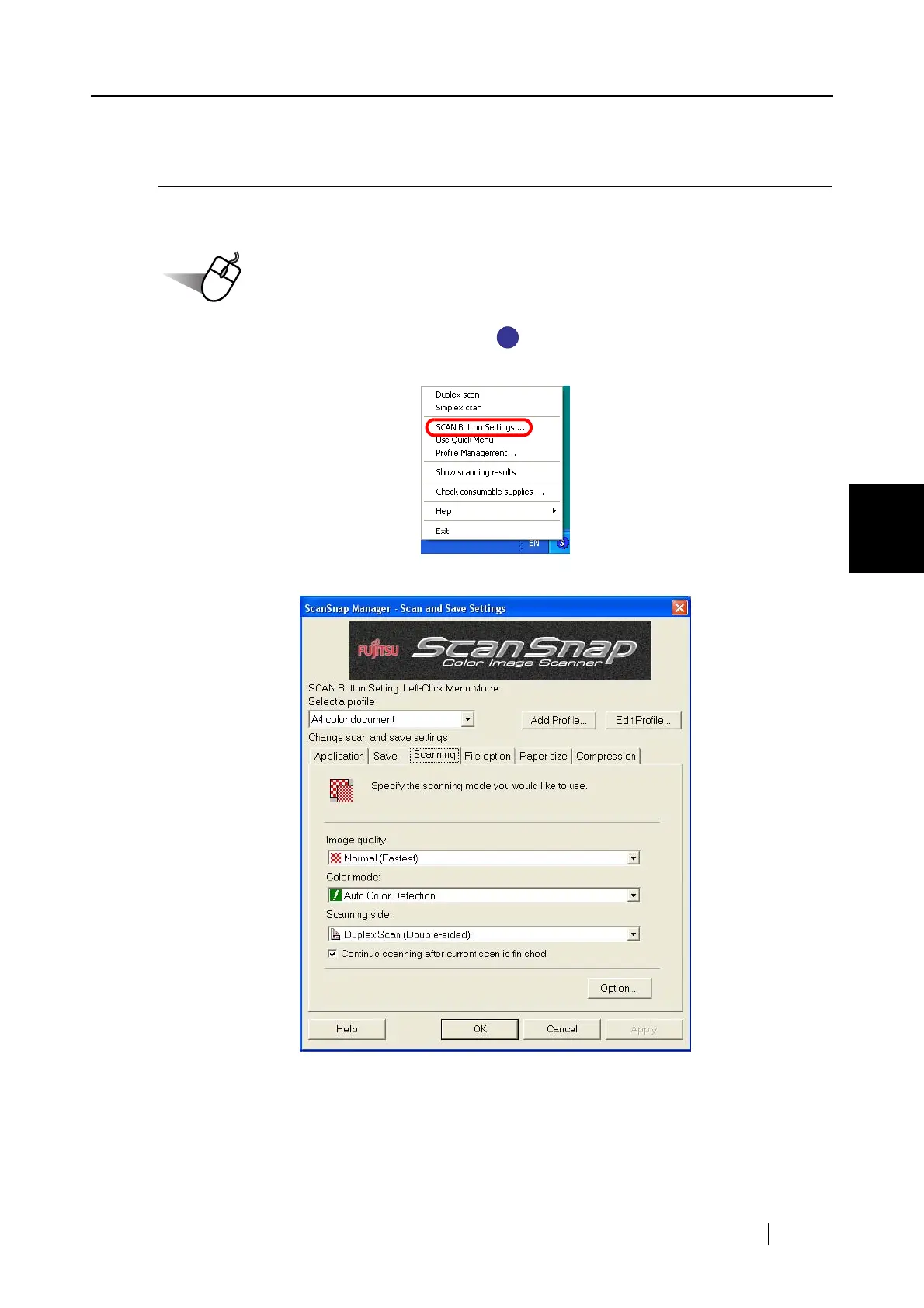
1. Right-click the ScanSnap Manager icon on the taskbar.
When you want to change scanning settings, select [SCAN Button Settings].
⇒ The [ScanSnap Manager - Scan and Save Settings] dialog box appears.
S
S



 To Next Page
 Loading...













