4.3 Saving Scanning Settings
ScanSnap S300 Operator's Guide 77
Setting the ScanSnap
4
■ Renaming Profiles
Operation
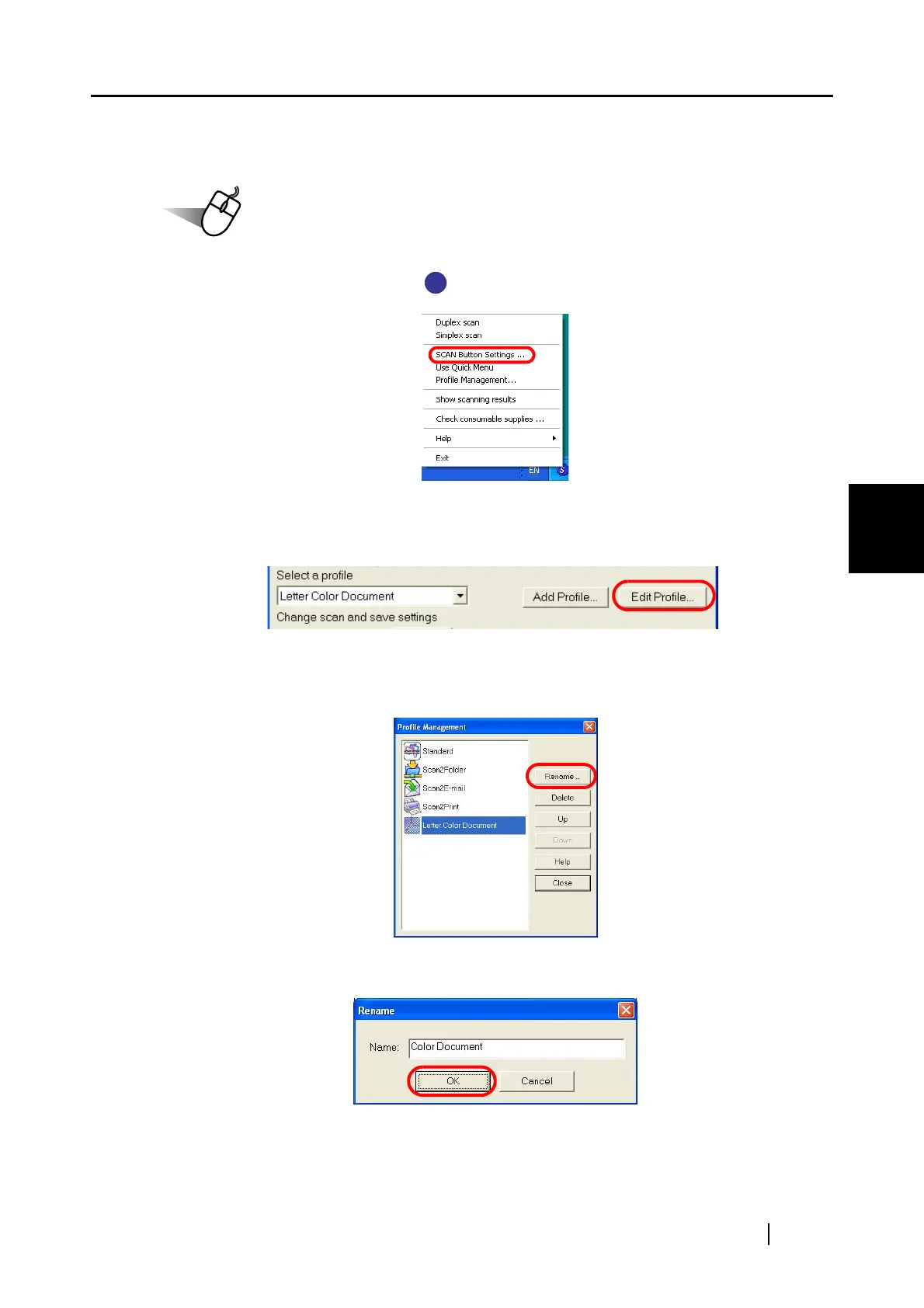
1. Right-click the ScanSnap icon , and then select [SCAN Button Settings].
⇒
The [ScanSnap Manager - Scan and Save Settings] dialog box appears.
2. Click the [Edit Profile] button.
⇒
The [Profile Management] dialog box appears.
3. Select a profile name from the list, and click the [Rename] button.
4. In the [Rename] window, type in a new name.
S
S



 To Next Page
 Loading...













