6.1 Using ScanSnap Manager
ScanSnap S300 Operator's Guide 139
Using the ScanSnap in Various Ways
6
■ Correcting skewed documents
The ScanSnap is able to automatically correct document skew. To change the setting, follow the
procedure below.
Operation
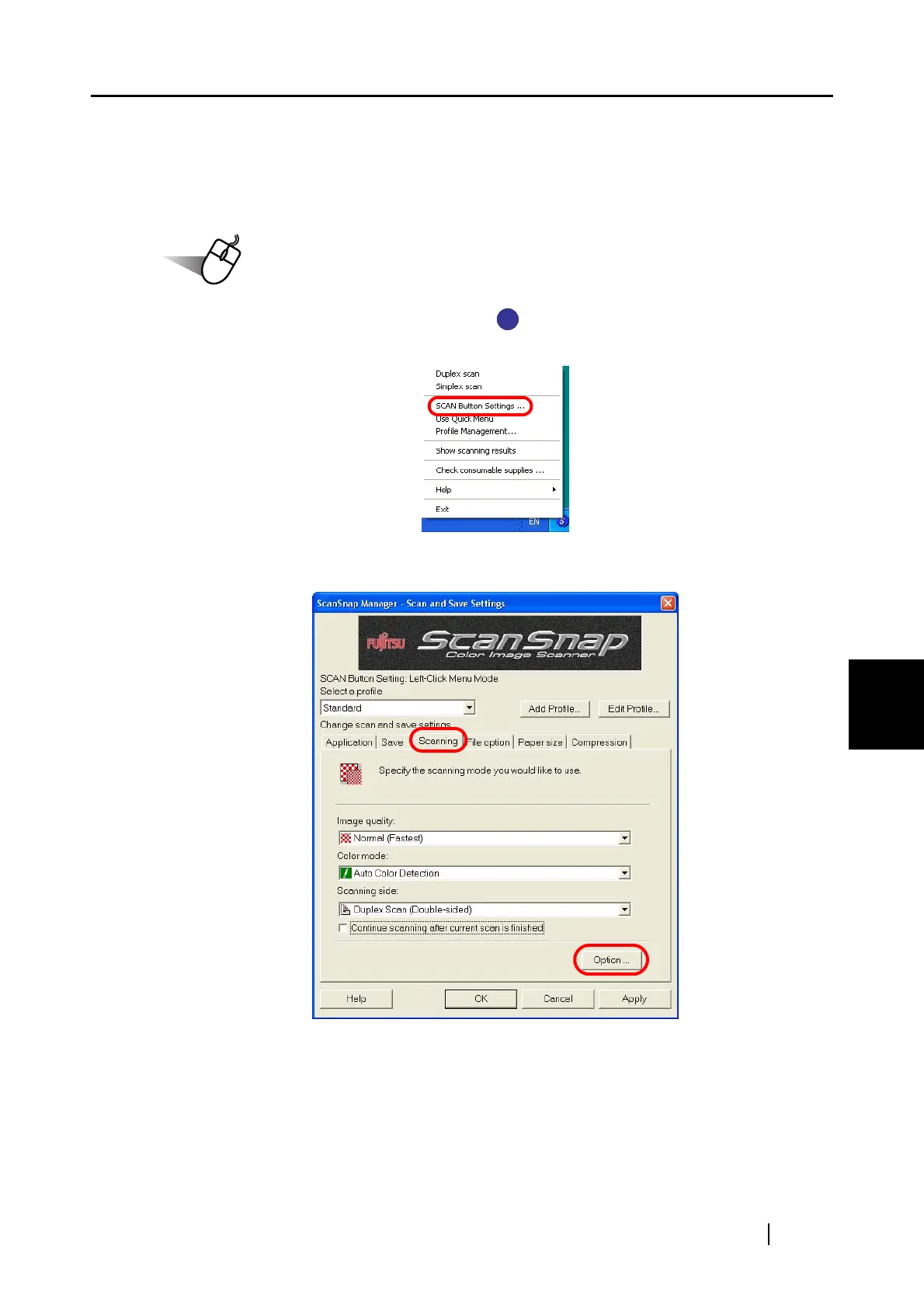
1. Right-click the ScanSnap Manager icon on the taskbar, and then select [SCAN
Button Settings] from the menu.
2. Select the [Scanning] tab and click the [Option] button.
S
S



 To Next Page
 Loading...













