4.3 Saving Scanning Settings
ScanSnap S300 Operator's Guide 75
Setting the ScanSnap
4
■ Changing Settings for Profiles
Operation
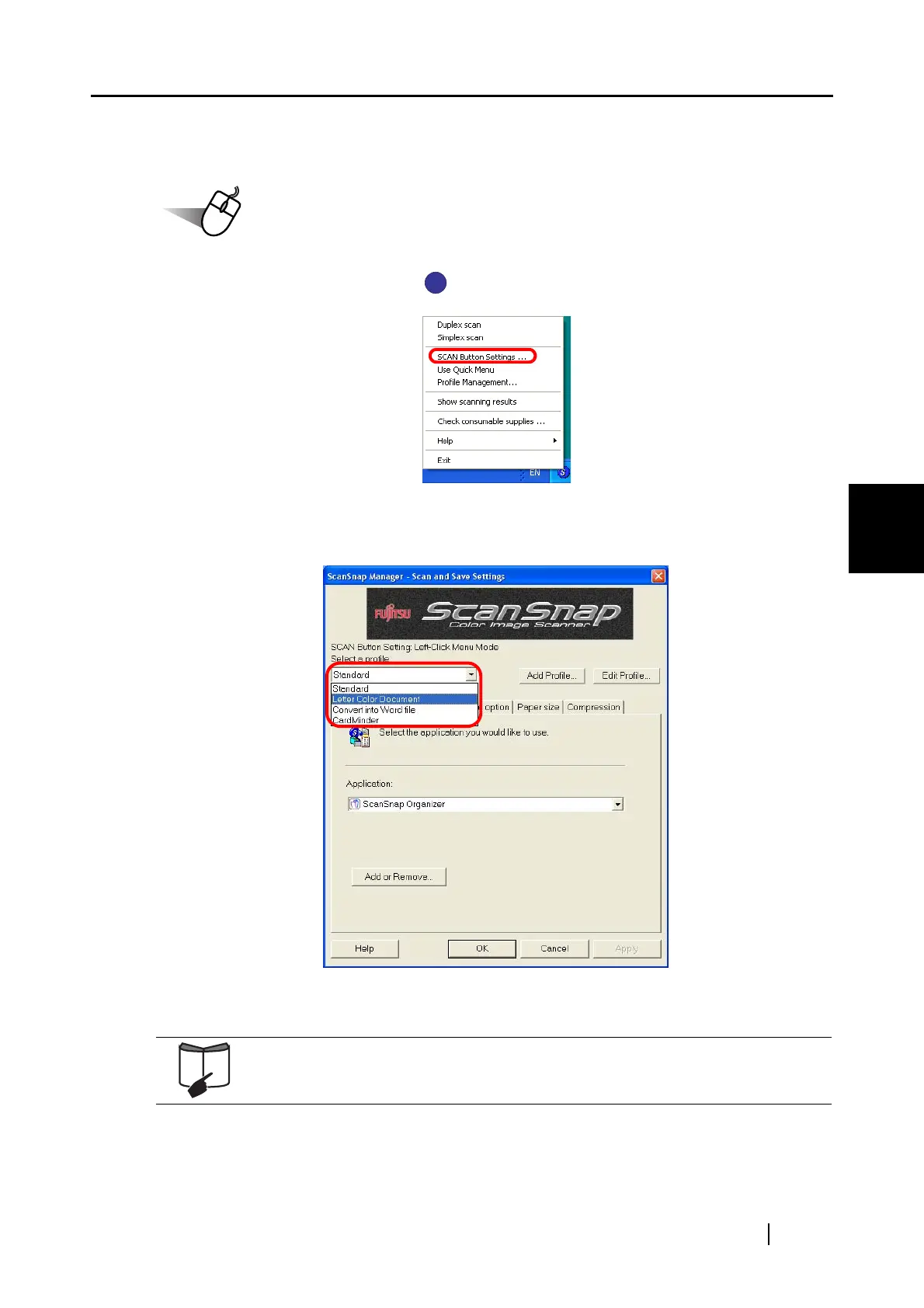
1. Right-click the ScanSnap icon , and then select [SCAN Button Settings].
2. From the [Select a profile] drop-down list in the [ScanSnap Manager - Scan and Save
Settings] dialog box, select a profile you want to change settings for.
3. Change settings for the selected profile.
For detailed information on how to configure scanning settings for profiles, refer
to "4.2 Changing Scanning Settings (page 47)."
S
S



 To Next Page
 Loading...













