9.3 Replacing the Pick Roller
ScanSnap S300 Operator's Guide 195
Replacing Consumables
9
9.3 Replacing the Pick Roller
Replace the Pick roller following the procedure below.
Operation
1. Remove the documents on the paper chute.
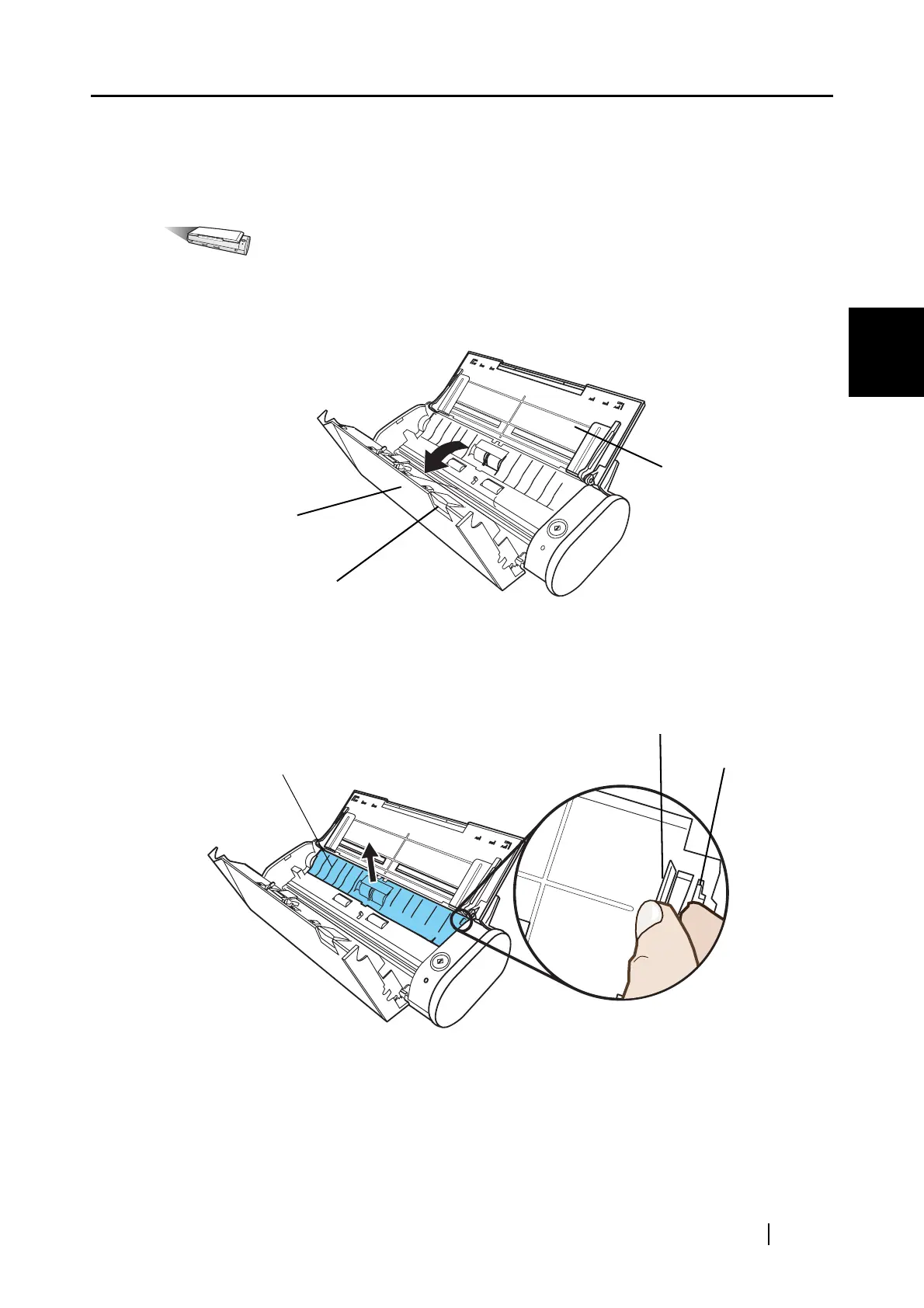
2. Open the ADF while pulling the cover open lever.
3. Remove the sheet guide.
Hold the pick-up tabs on the sheet guide between the thumb and index fingers, and then pull
up the sheet guide to remove.
ADF
Cover open lever
Paper chute
Pick-up tab
Sheet guide
Pick-up tab



 To Next Page
 Loading...













