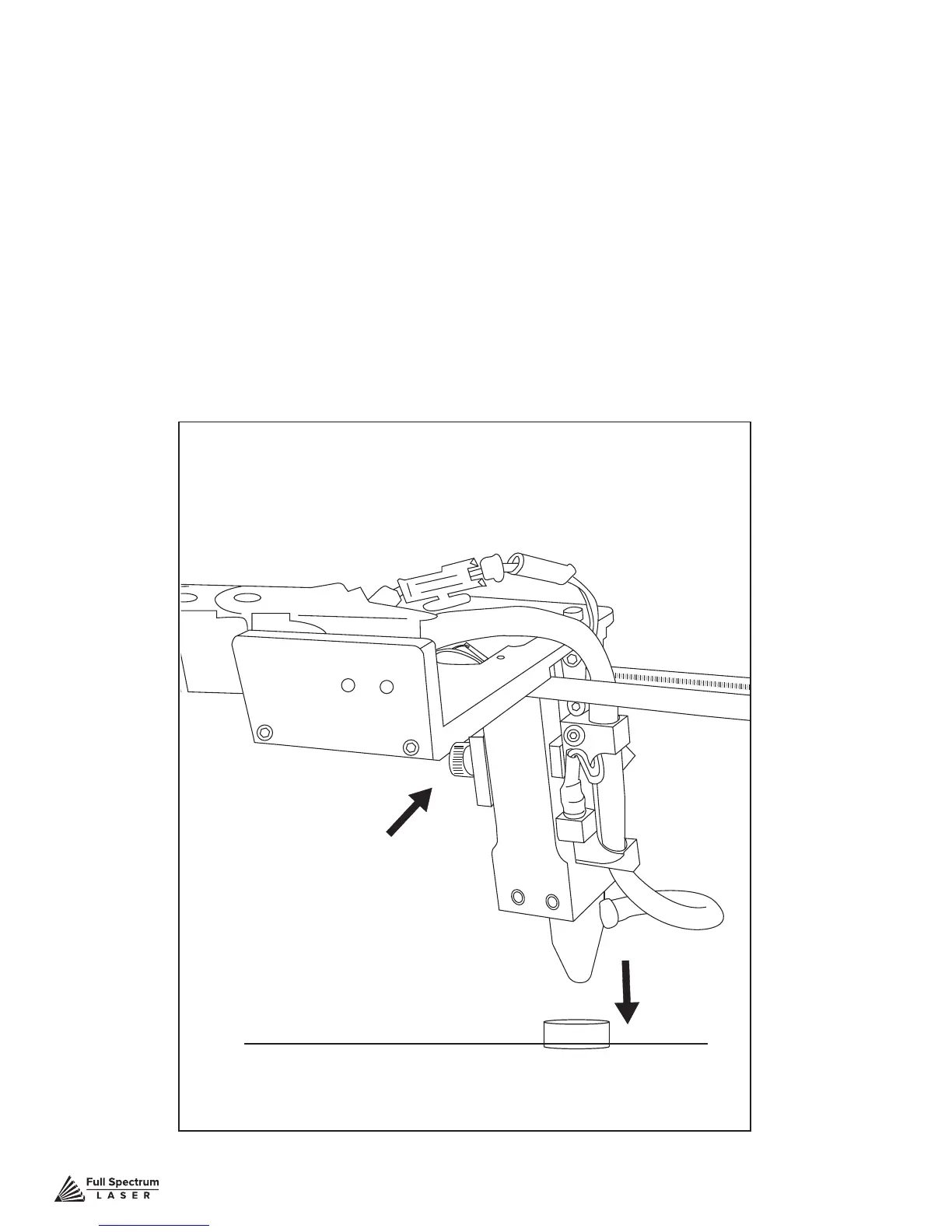
Figure 4.16
Technical Support is available from 8am to 5pm (PST) M - F at support@fslaser.com.
39
Focusing the Muse laser cutter is quick and easy. Your laser included a billet sized for the
included 2-inch focal length lens. Note that if your Muse has the autofocus feature, focusing is
automatic when the job is run.
1. Place Billet: After inserting your material into the workbed, place the billet on top of the material.
Note that if your material isn’t at, you may need to cut the material in stages, focusing each time to
each new material level.
2. Release Locking Mechanism: Release the locking mechanism on the focus head until the
air assist nozzle rests on top of the billet.
3. Retighten: Retighten the sliding head and remove the billet from the material.
Material
Focus Billet
Locking Mechanism
Focusing



 To Next Page