Technical Support is available from 8am to 5pm (PST) M - F at support@fslaser.com.
56
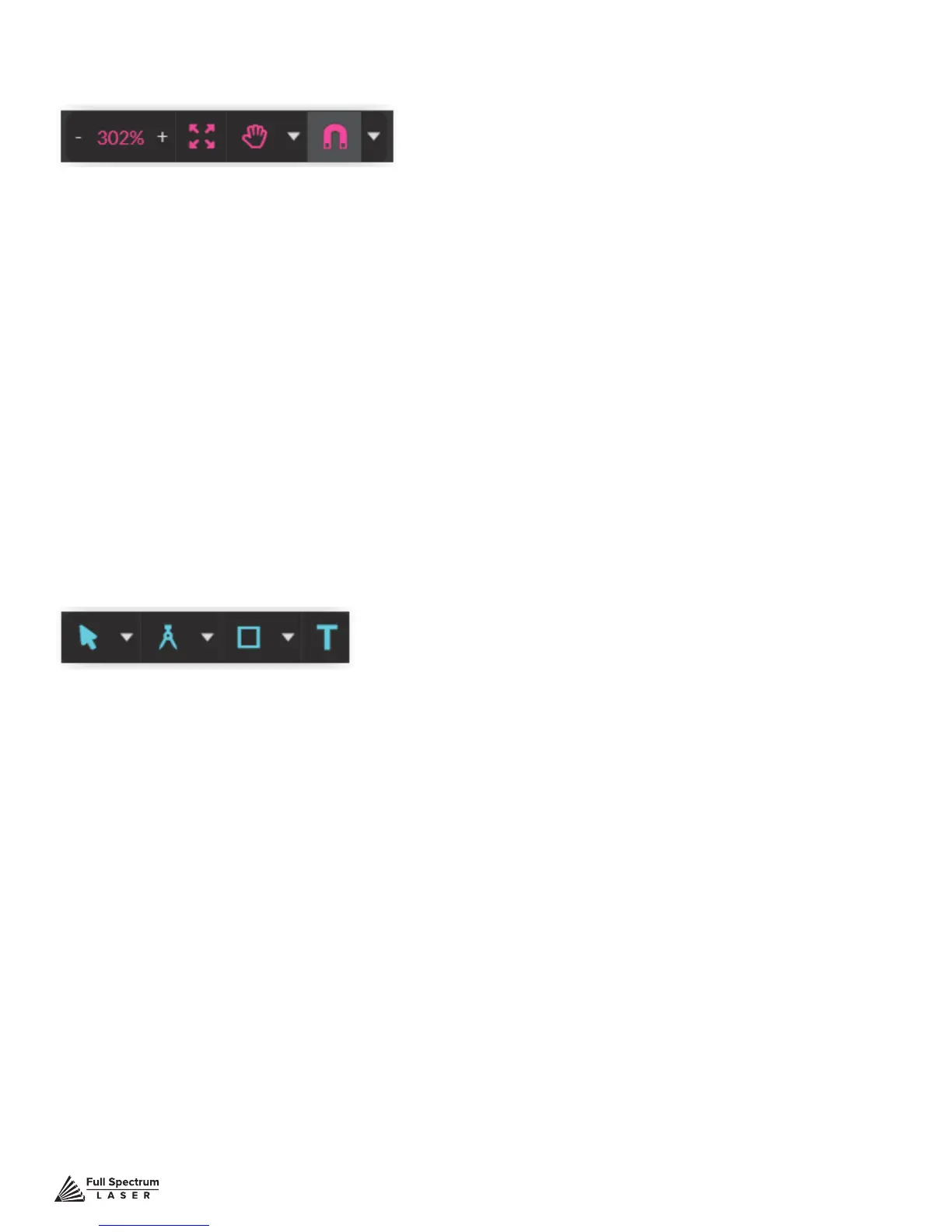
Zoom (-/+): Enlarges/Reduces workspace screen detail and size.
Fit All
View
Pan (H): Manually pan project window using mouse.
Zoom (Z): Zoom project window using mouse.
Snap
Use Snapping (Shift+F10): Enable or disable the snapping feature.
Use Snap Zones: Enable or disable the snap zone feature.
Snap to Grid: Enable or disable the Snap to Grid feature.
Snap to Guide Lines: Enable or disable the Snap to Guide Lines feature.
Snap to Full Pixels: Enable or disable the Snap to Full Pixels feature.
Snap to Anchor Points: Enable or disable the Snap to Anchor Points feature.
Snap to Shapes: Enable or disable the Snap to Shapes feature.
Snap to Pages: Enable or disable the Snap to Pages feature.
Show Grid: Toggle grid on and off.
Show Guidelines: Toggle guidelines on and off.
View options or position items on workspace grid.
View / Snap Controls
Draw Controls
Select (Pointer): Instantly initiate mouse pointer.
Subselect
Pointer (V): Initiates mouse pointer.
Subselect (D): Initiates “subselect” mouse pointer.
Lasso (O): Initiates “lasso” mouse pointer.
Layer (M): Initiates “layer” mouse pointer.
Path
Pen (P): Initiates “pen” mouse pointer for creating custom paths.
Bezigon (B): Initiates “bezigon” mouse pointer for creating custom path points.
Freehand: Initiates “freehand” mouse pointer for creating freehand paths.
Magic Hand: Initiates “magic” mouse pointer for creating paths.
Knife (K)
Shape
Line (L): Create a line with the drawing tool.
Rectangle: Create a rectangle with the drawing tool.
Ellipse (E): Create an ellipse with the drawing tool.
Polygon: Create a polygon with the drawing tool.
Triangle: Create a triangle with the drawing tool.
Star: Create a star with the drawing tool.
Text: Create an object made of text.



 To Next Page