Technical Support is available from 8am to 5pm (PST) M - F at support@fslaser.com.
60
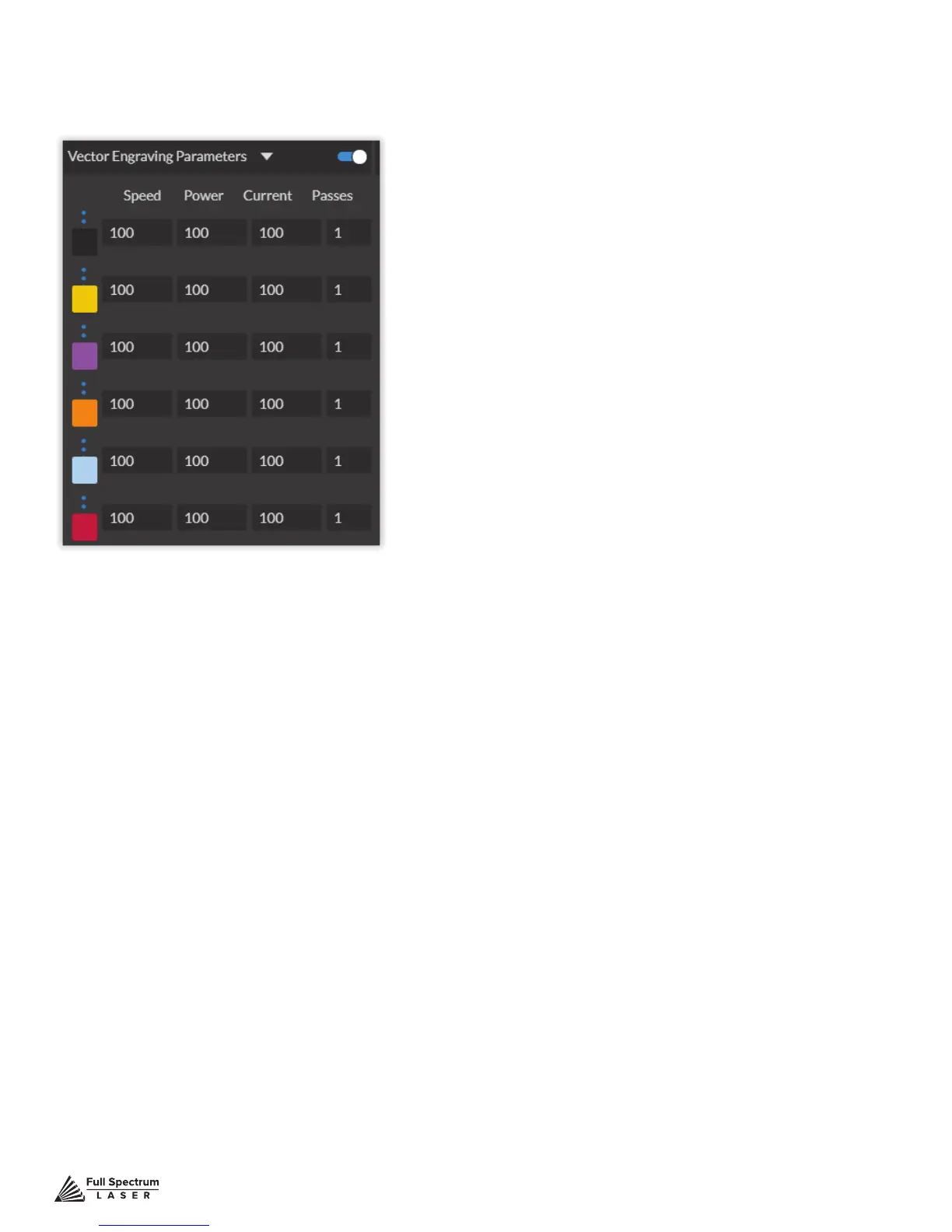
Hide Window: Click to hide vector engraving parameters window.
Show All Parameters: Toggle to show or hide all parameters.
Change Position: Drag with mouse to reorder any color.
Color Indicator: Separates vector cuts with color indicators.
Speed: Input speed settings.
Power: Input power settings.
Current: Input current settings.
Passes: Input the number of passes for the laser.
Window appears when vector le is detected and is used to input vector settings.
Vector Engraving Parameters Window



 To Next Page