Technical Support is available from 8am to 5pm (PST) M - F at support@fslaser.com.
68
Engraving, also called Rastering, is the process of creating a surface image on material without cut-
ting through the material entirely (aka vector cutting).
Setting Engraving Properties
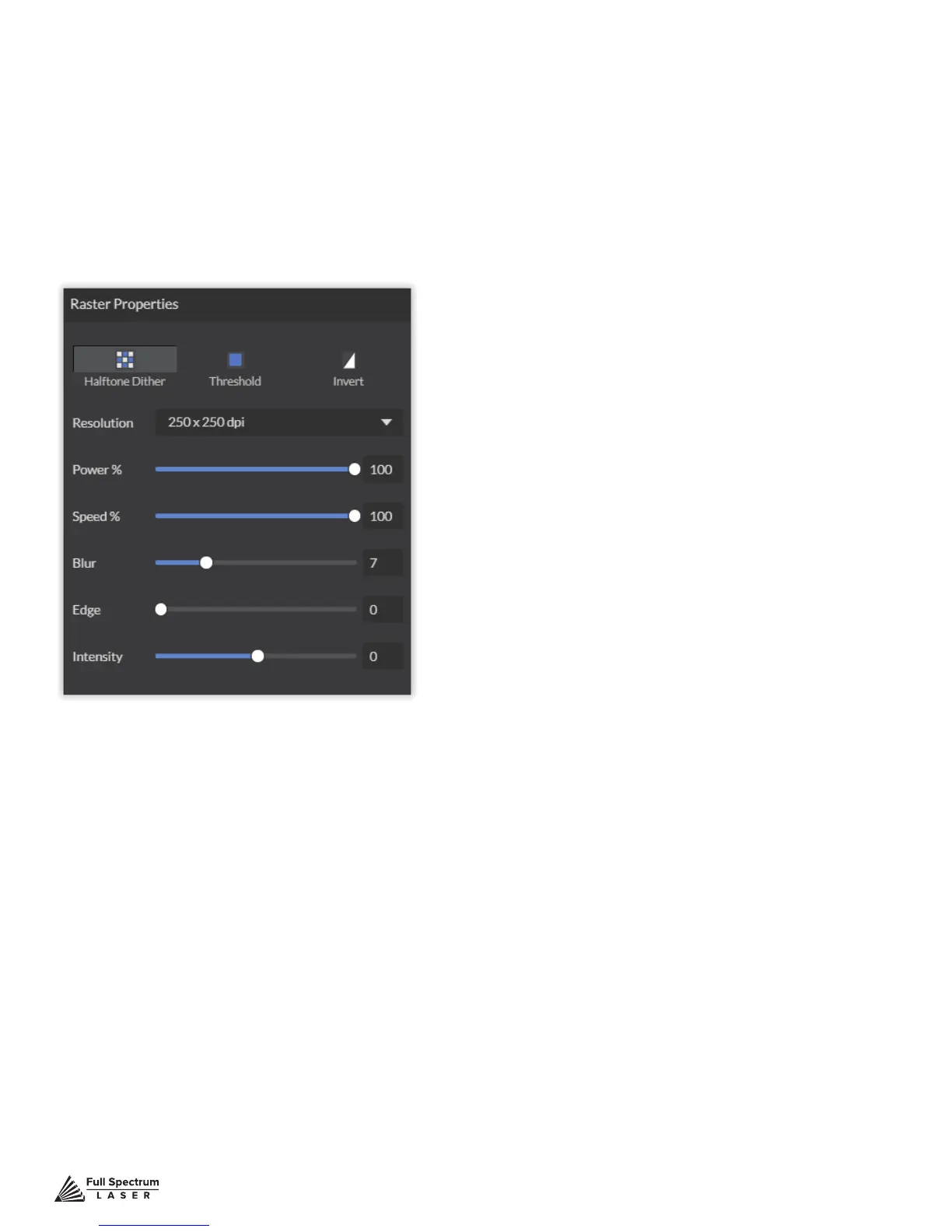
Clicking an object (design image) in the workspace will allow you to access that object properties tab.
The software will identify if the object is a vector or an engravable object and present the appropriate
properties window. To show the properties of an engravable object, click the object.
Setting Resolution
The resolution of your engravings can be controlled by the DPI (Dots Per Inch). DPI options include
250, 500, and 1000. The more dots per inch, the higher precision and quality of your images, while a
lower DPI will process and engrave faster.
Remember that with a higher DPI (1000), the laser is in contact with the material for a longer period
of time and may result in deeper engravings than with a lower DPI (250). Speed and power should be
compensated for different DPI settings. The software’s default resolution is set to 250 DPI.
Setting Raster Power
The power settings determine the output of the laser tube. A 100% power setting will create
a deeper engraving while lower settings will create more surface level engravings.
Setting Raster Speed
Speed settings determine how quickly the laser head will move. For faster engravings,
100% is ideal. Lowering the speed will allow you to create deeper engravings, as it allows the laser
beam to be in contact with the material for a longer period of time.
Engraving



 To Next Page