Technical Support is available from 8am to 5pm (PST) M - F at support@fslaser.com.
83
1. Open the Lid. The large workbed access lid is installed with a device that automatically (and in-
stantly) cuts off the laser if it is opened even slightly. This should be your rst method of stopping the
laser during an emergency. This is a safety feature of Muse and under no circumstances should this
safe lid auto-shutoff device be tampered with or removed. Doing so will void your machine’s warranty.
If the machine ever fails to shut off the laser when the safety lid is open, immediately unplug the ma-
chine and contact customer service.
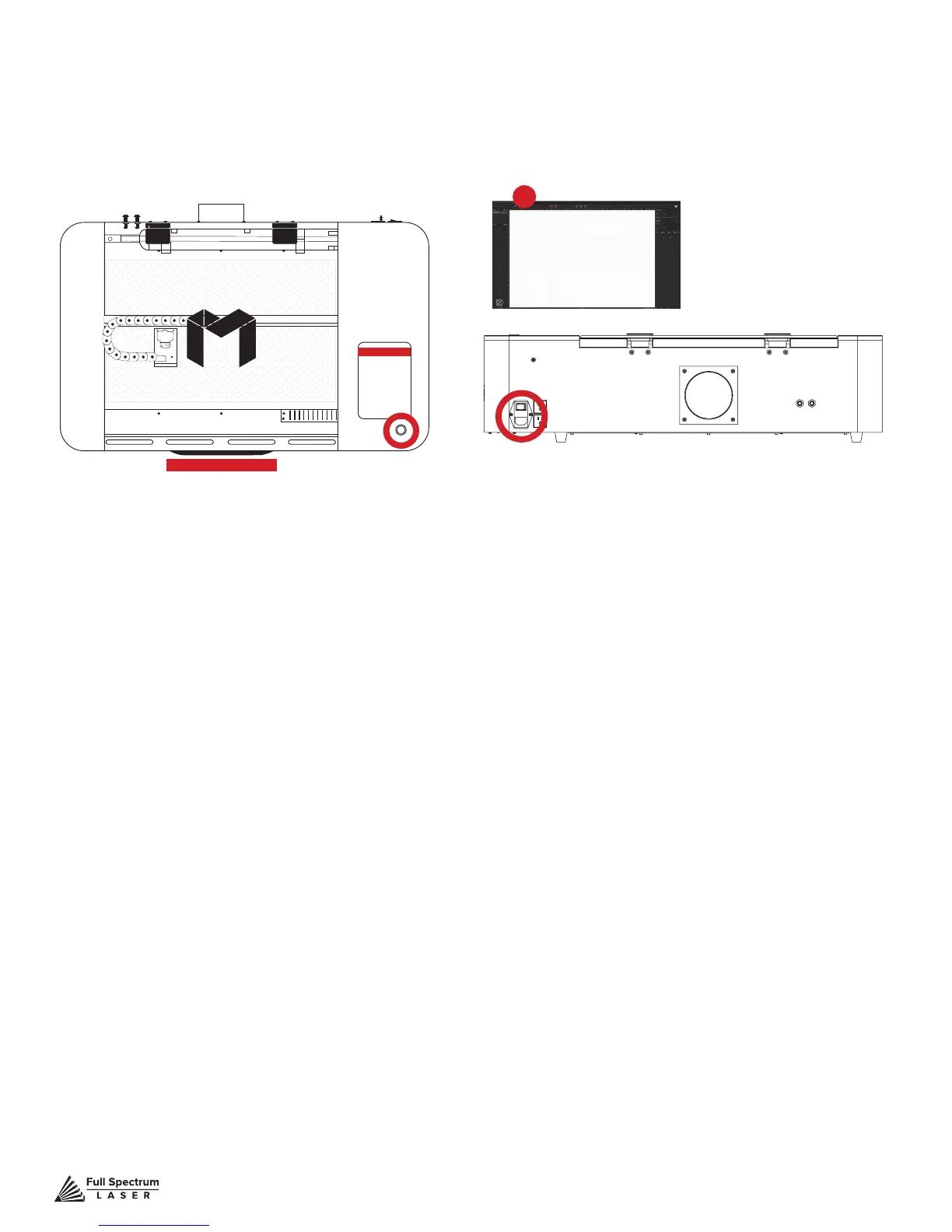
2. Touch Screen Pause Button. Top of Machine Pause Button. On the top of Muse machines there
is a button that can pause or stop the laser. Press once to pause the job. Press and hold to stop the
job. Once a job is stopped, starting again will start the project from the beginning.
3. E-Stop. On the touch screen, the top red bar is an “Emergency” stop button (E-Stop). Pushing this
bar will instantly cut power to the laser. Be aware this is still part of the touch screen and is fragile. Do
not slam this button.
4. Software Pause Button. In the software, on your computer, you can click the Pause Button (con-
verted Play button when laser is running a job) to halt the laser. This may take a second to process,
so it is not recommended as a method of stopping the laser in an emergency.
5. Power Switch. At the back of the machine is the power on/off switch. Flipping this switch to the off
position instantly cuts power from the laser head (and the entire machine). Using this option will com-
pletely cut power from the laser, the touch screen and all other Muse systems.
6. Unplug Power.
You can also simply unplug the power cord of the main Muse unit. This should be
a last resort method for emergencies as the other methods are quicker to access and prevent pulling
on cords and connections.
Stopping the Laser
Once a project has begun, the laser will continue until the project is complete. If for any reason an
operator needs to stop the laser immediately, choose one of these options:
1
2
3
4
5
6
Figure 7.4



 To Next Page